Heart Monitor

Heart Monitor

By zhang xi

  • Category: Health & Fitness
  • Release Date: 2017-03-14
  • Current Version: 2.0
  • Adult Rating: 4+
  • File Size: 3.57 MB
  • Developer: zhang xi
  • Compatibility: Requires iOS 10.13 or later.

Description

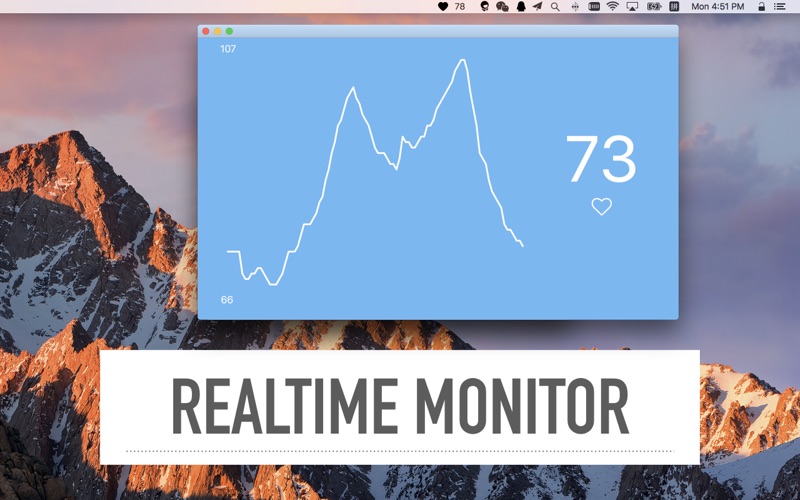
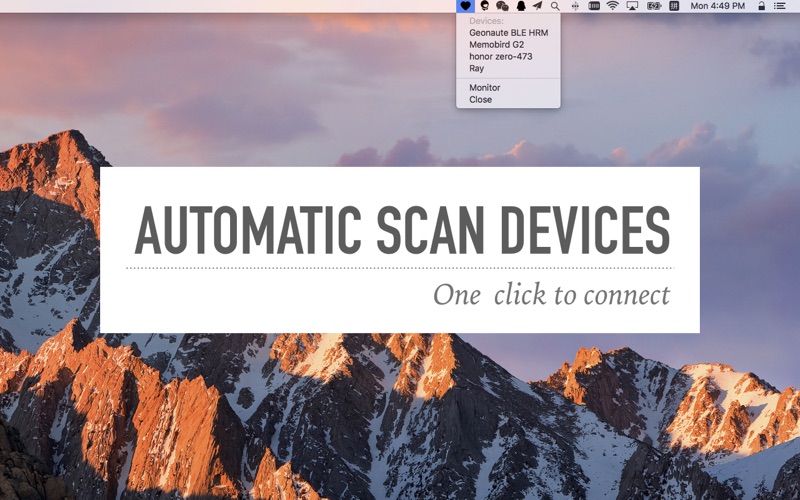
Heart Rate Monitor. step: 1.connect to your bluetooth heart rate monitor. 2.show your heart rate on the status bar. It's easy to use and useful to your health. "Wow!! Thank you! This is so helpful for our team, I saw all the reviews on the app store, but those people were wrong. It’s the only app I know of that syncs with Bluetooth heart rate monitors for OSX, and it works very good. I’m running 10.11.5" from Aman Anderson
Screenshots

Reviews

  • Does not work

    1
    By BSLC338
    Monitor shows in status bar but did not work with Bluetooth COOSPO chest band. OS 13.7.1.
  • Doesn't open

    1
    By GeorgeKaplan59
    App won't open on an M2 MBP. I see it in the Activity Monitor, but there's no icon, no UI, and it's not in the status bar. $1 wasted.
  • Apple Watch HeartCast iPhone 👍

    5
    By my_chiguai
    Using the Heartcast app on my iPhone and Apple Watch I can broadcast in realtime to this app via Bluetooth. Nice! It lives in the menubar until you select Monitor to see the chart.
  • Works on Mac OS Monterey

    5
    By Dingus Murphy
    Simple little app that works well with my bluetooth enabled smartwatch (Whoop). Just make sure the 'broadcast heartrate' setting is turned on for your watch. Runs fine on MacOS 12.4
  • remove this from the app store

    1
    By dacoty
    Apple should remove this from the store. no privacy info, 2 years old, buggy, and spelling mistakes. smells like malware to me.
  • Cannot get it to open on my mac

    1
    By ACHasen
    will not open after restarting my mac several times, was a total wast of time and engeny. endened up buying a pulsar there app worked
  • perfect for my needs

    5
    By DrJulian
    I have a Garmin watch that can broadcast HR, and this app picked up that broadcast and shows it in a window for me on the deskop, which is exactly what I was looking for. Thanks for the development!
  • Seems to work fine after a couple of tries.

    4
    By toadanka
    I had problems getting my Mac to see my heart monitor through this app. It’s not visible in my Bluetooth menu. The monitor was listed in this app for a bit, but wouldn’t connect. Then it disappeared. After I rebooted my computer, it listed the monitor, connected, and has worked fine ever since.
  • Another APP that’s Junk

    1
    By Rchacn_
    So, Apple why are so many of your APP’S worthless as a STONE IN AND AIR RACE?
  • FLAWED APPLICATION

    1
    By Wmsemperfi
    The developer claims this app is compatibe with OSX 10.11 and later, but I was unable install it on OSX 10.12. I got an error message which read, “THIS SOFTWARE IS NOT COMPATIBLE WITH YOUR COMPUTER.” After the installation failed, I started gettting a persistent message stating that my Buetooth was off (even though it was on). After clicking on both messages repeatedly, I went into my Apps and found that the HEART MONIOR did install, but did not work…it was stuck in a loop between not being compatible to turning on Bluethoorh. When I closed the “Bluetooth” message box, the “NOT COMPATIBLE” error mesage would follow. I looked in my Appliations folder and the icon for the app was clearly visible, but not functional. Once I deleted the app icon, I restarted my MacBook Pro and the error messages stopped flashing at will. I tried to install the app on my iPhone 7, but met with equally disappointing results. I suspect this app needs work.

keyboard_arrow_up