ColorSlurp

ColorSlurp

By IdeaPunch

  • Category: Developer Tools
  • Release Date: 2017-11-09
  • Current Version: 1.5.3
  • Adult Rating: 4+
  • File Size: 8.86 MB
  • Developer: IdeaPunch
  • Compatibility: Requires iOS 15.0 or later.
Score: 4.5
4.5
From 88 Ratings

Description

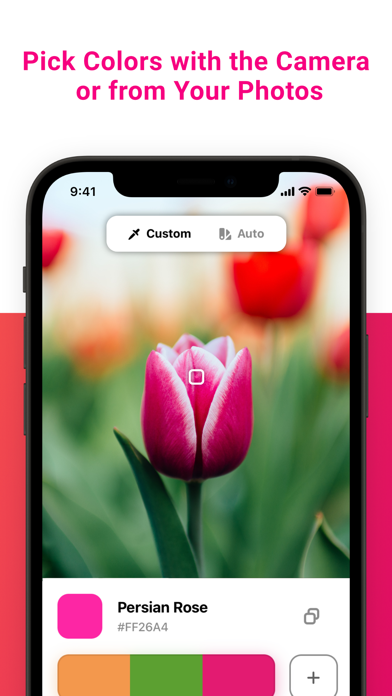
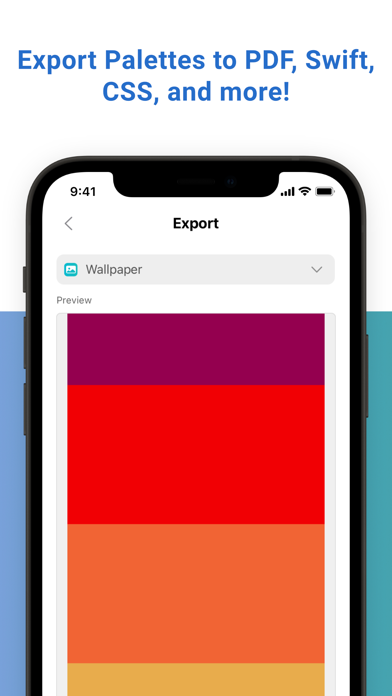
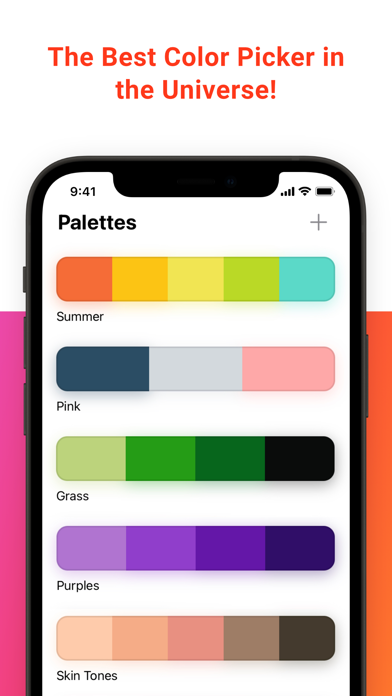
ColorSlurp is the ultimate color productivity booster for designers and developers. • Pick colors using your camera or from any photo! • Create color palettes automatically. • Create and edit colors using an assortment of color selection tools. • Copy colors to a variety of color formats. • Name and organize your colors into palettes, and sync them with iCloud across Mac and iOS. • The swatches panel dynamically creates beautiful harmonies based on the color you're editing. • Export colors to different languages and files: PDF, iPhone wallpaper, ASE, CSS, Sass, Swift, CLR, HTML, JSON, and more! • Looks amazing in dark mode! • Authentic slurp sound when picking colors! # Magnifier The magnifier lets you pick colors using your camera or from any photo. Then copy the color to any format with one click. You can even automatically generate color palettes using different algorithms. # Edit Colors ColorSlurp's powerful color editing tools let you dial in the perfect color. # Formats One-click copies a color to any format for any language. # Palettes Name and organize your colors into palettes. # Sync with iCloud, and Import/Export Sync your palettes between all your devices with iCloud. Create the perfect palette on your phone, then sync it to ColorSlurp on Mac. Export palettes to different languages—CSS, Sass, Swift, HTML, JSON, and more! # Swatches & Color Harmonies Quickly grab a pre-defined color from the swatches panel, or find color harmonies based on the color you're editing. You can even remove opacity from a color while keeping the shade against its background. # ColorSlurp PRO Go PRO and get these awesome features! • Save and copy picked colors from your photos or camera. • Palette Export. • Create unlimited palettes. • Swatches and Color Harmonies. • Support the developer and future features of the app! Terms of Use: https://colorslurp.com/app-terms Privacy Policy: https://colorslurp.com/app-privacy Email: [email protected] Twitter: @IdeaPunchLLC
Screenshots

Reviews

  • Color Picker

    5
    By John Papang
    Great tool to pick any colour. Thanks to developer, it would much best if it free, some features need to be paid to used it.
  • Needs Updating

    1
    By chris-c-thomas
    Used to be great. I was part of the newer beta in TestFlight but that appears to have fizzled out. Would love for the dev to continue working on it but doesn’t seem to be the case at the moment.
  • Awesome Name

    2
    By strangesthings
    This works as a free color picker app, of which there are thousands. If you want any features you’ll need to pay twenty dollars a year. How could anyone feel that charging a subscription for any sort of color picker app is okay? There are no servers to run or security patches to deploy. It’s just greed and it’s offensive.
  • Great, easy-to-use universal eyedropper tool.

    5
    By StaigerTiger
    I use this all the time for creative work across platforms, where color picking would otherwise require opening up menus and copying over hex codes. Excellent, well, designed, and unobtrusive.
  • Pro's choice

    5
    By MichaelBushe
    I make mobile and web apps and ColorSLUUURRRP has become my tool of choice for grabbing colors on MacOS.
  • Useless on iPad

    1
    By Canyonrat
    I would give this zero stars if possible. There is no way to pick a color directly from your iPad screen You can only pick a color from one of your photos. So the only option would be to 1) screen shot what you need, 2) save it as a photo and 3) pick the color from the photo. This would be the stupidest work flow of all time.
  • The perfect tool when accuracy matters.

    5
    By LogicBit
    Use this tools all the time. I love it.
  • Simple app that does what I need

    5
    By Ze5
    There are fancier features for web designers, but if you just need to copy a color or two once in a while, the free version works great!
  • An awesome utility

    5
    By Writer-not259
    Easy to use, very helpful, thank you
  • You’ll Never Own It

    1
    By Cocchini_Corp
    $20 a year is insanely greedy for a color picker. This thing needs deep permissions to work, and even then it made me click “pick” 4 times before it actually works, won’t work on full screen pages, and basic features are locked out

keyboard_arrow_up