DJM-REC: DJ live/recording app

DJM-REC: DJ live/recording app

By AlphaTheta Corporation

  • Category: Entertainment
  • Release Date: 2018-01-11
  • Current Version: 1.5.12
  • Adult Rating: 4+
  • File Size: 66.16 MB
  • Developer: AlphaTheta Corporation
  • Compatibility: Requires iOS 16.0 or later.
Score: 3.40729
3.40729
From 329 Ratings

Description

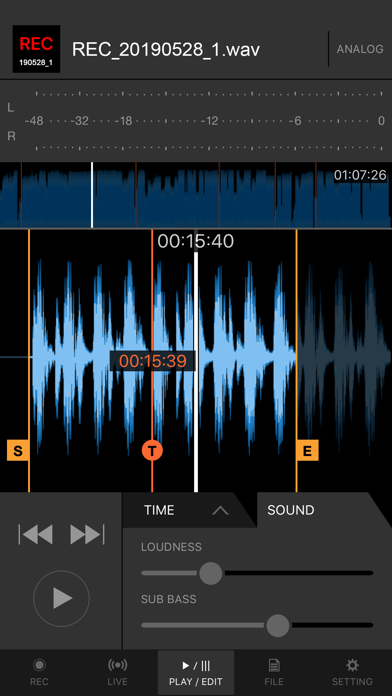
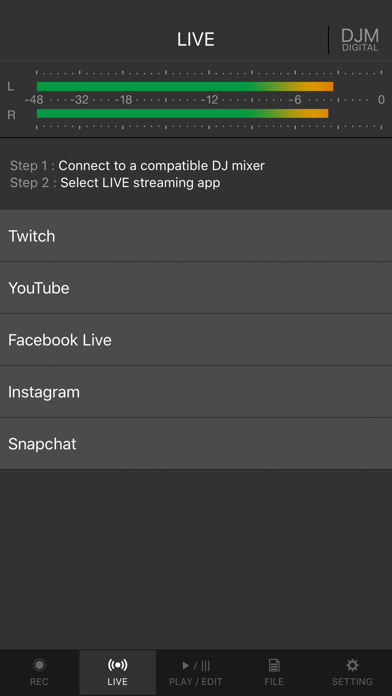
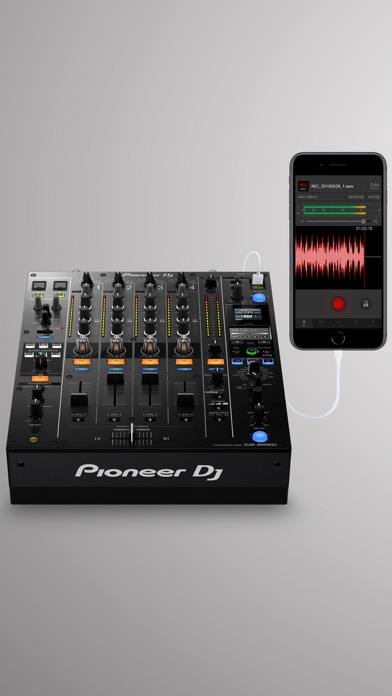
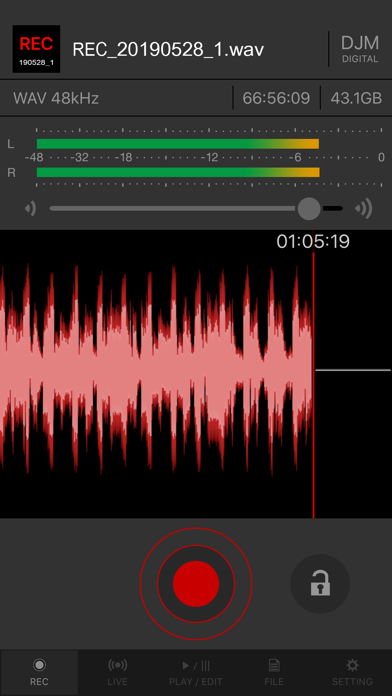
Share your DJ sets in high quality with people around the world. DJM-REC makes live streaming and recording easy – simply download the app and connect your device to a DJ mixer via one cable to get started. All features are free for 30 days. ◇High-quality live streaming and DJ mix recording made simple ・Connect your iPhone/iPad and DJ mixer with a single USB cable. ・High-quality sound comes from the direct connection. ・Easily create great-sounding mixes with the limiter function, which prevents distortion, and a loudness processing function that improves sound pressure after you’ve finished recording. ◇Live streaming on various social networks ・Directly live stream to services such as Mixcloud Live and Restream from DJM-REC. ・Seamless integration with popular apps such as Twitch, YouTube, Facebook Live, Instagram and Snapchat. ・If you’re using supported DJ equipment, you can display track information (Artist/Title) on-screen in real time while you stream. ◇Share your mix right after recording it ・Just press the [Upload] button after you finish recording and your mix will be immediately uploaded to your chosen cloud service, such as Mixcloud, SoundCloud, or Dropbox. ・Make a tracklist effortlessly. DJM-REC automatically detects when you switch songs according to the fader position and records the timing of the track changeover in the description section. All you need to do then is enter the track names. ・If you’re using compatible DJ equipment that supports track info. DJM-REC can generate complete tracklists automatically timestamps and track names included, no manual input is required. ◇Try all features free now ・Use all the app’s features free for 30 days. ・You can buy the app anytime if you like it. ◇Other handy uses ・Use the recording function to convert analog records to digital files. ・Live stream and record with the built-in (or externally connected) microphone of an iPhone or iPad. ・Connect to an audio interface and live stream or record from a DJ controller. ◇Compatible with Pioneer DJ mixers The following DJ mixers are supported by DJM-REC. ・DJM-V10 ・DJM-V10-LF ・DJM-V5 ・DJM-TOUR1 ・DJM-A9 ・DJM-900NXS2 ・DJM-750MK2 ・DJM-450 *Make sure the mixer’s firmware has been updated to the latest version before use. https://www.pioneerdj.com/support/software/ ◇Supported DJ equipment combinations for track info (Artist/Title) DJ Players: ・CDJ-3000X ・CDJ-3000 DJ Mixers: ・DJM-V10 ・DJM-V10-LF ・DJM-V5 ・DJM-A9 ◇ Supported Audio Formats for Recording ・WAV 44.1kHz ・WAV 48kHz ・AAC 64kbps ・AAC 128kbps ・AAC 192kbps ・AAC 256kbps ・AAC 320kbps For WAV files, the maximum recording time is approximately 6 hours. Please use AAC for recordings longer than 6 hours. Pioneer DJ website [https://www.pioneerdj.com/]. DJM-REC web page [https://www.pioneerdj.com/product/software/djm-rec/dj-app/overview/].
Screenshots

Reviews

  • 2 huge shows ruined

    1
    By 387226292637
    DO NOT EVER USE THIS APP AND DEPEND ON IT FOR YOUR MAIN SOURCE OF DIRECT AUDIO IF YOU ARE A SERIOUS TOURING ARTIST. I seriously want a refund. I pay videographers my entire performance fee to get good footage of my big shows to use for socials, and my footage of my last two shows are completely unusable because this app completely screwed up. Most recent one was fully set up and plugged in correctly, I literally triple checked because of what happened at my PREVIOUS show (app recorded my phones microphone instead of direct audio - unusable) and when I go to check the recording, it was a garbled mess. Slowed down to like 0.25 speed and sounds like someone recorded the output of a 1980s arcade machine… on a 3-DS. DEVS PLEASE CONTACT ME BY EMAIL. I WANT MY $10 BACK!
  • DJM-900NXS2 Not working

    1
    By Dj Buza
    Hello I have use this app with the A9 and worked perfectly but not with 900, It only uses the mic on phone even tho the USB is connected. Is there a FIX?
  • Used to work great…idk what happened

    1
    By Missygrunge2014
    I’ve used DJM for about 5 years now, and it was my favorite to use for recording and practicing sets. However, now nothing records. there’s insane glitches. either the recording will record for like 10 seconds, then stop, or just won’t record or pick up anything at all. i tried recording w/o plugging into the A9 mixer and the audio collapses and the sample rate is messed up and it’s in hyper speed with the time cut in half. It’s annoying and frustrating, especially when it used to work so great. It just seems like it needs a major update but no one is on top of it.
  • IOS ISSUES!!!

    1
    By B:dot
    No longer works… I’ve used this app flawlessly for years. iPhone updated and DJM-REC no longer works going on 7 months now. Doesn’t look like they’re really working to get this fixed. We’ve all paid top dollar on the compatible equipment and also paid for the use of this app. FIX THIS PROBLEM and give us back what we paid for
  • Stopped Recording to ask for a Rate during a Job

    1
    By Matchmakingfix
    I paid for this app to apparently interrupt and stop my recordings to ask for a rate. So here’s my one star review for ruining a paid job for me because you wanted to ask about “how do you like the app?”
  • The iOS 26 update ruined this app!

    1
    By AlligatorRedwood
    I’ve been using this app for over 5 years and it’s been great! I’ve recorded some live sets, all my studio sets are through this app(I have the DJM450 mixer). BUT whatever ya’all did ruined it💔💔💔 i recorded a 2 hour set the other night and it’s all sped up, the audio quality is horrible during most of it, sounding tinny, flat, or in mono…So bummed about this. :(
  • Apple needs to pull this app from the App Store until AlphaTheta gets it together.

    1
    By Skylar.D
    AlphaTheta does not publish the compatibility issues with iOS 26 and this application on their website. They merely state that it’s still “in testing” on iOS 26. We are two months away from iOS 27 beta. There’s no excuse for this application to not function as advertised on iOS 26 other than poor leadership and management. Per AlphaTheta support : “The following issues have been observed with iOS 26: ・MIX speed increases with iOS 26 ・MIX speed decreases with iOS 26 ・DJM-900NXS2 mixing becomes choppy on iOS 26 ・When using the iOS beta, it records in analog despite the display showing “DIGITAL Recording”
  • Dope

    5
    By Lennycohen14
    Dope
  • Broken

    1
    By Zapkerpow
    When are you going to fix this app? Or post instruction on how to fix these recording. How to correct the recording frequency issue. What frequency should it be at ?
  • IOS 26

    2
    By Mauri030
    Audio on iOS 26 records in in slow motion. Can this please be resolved :(

keyboard_arrow_up