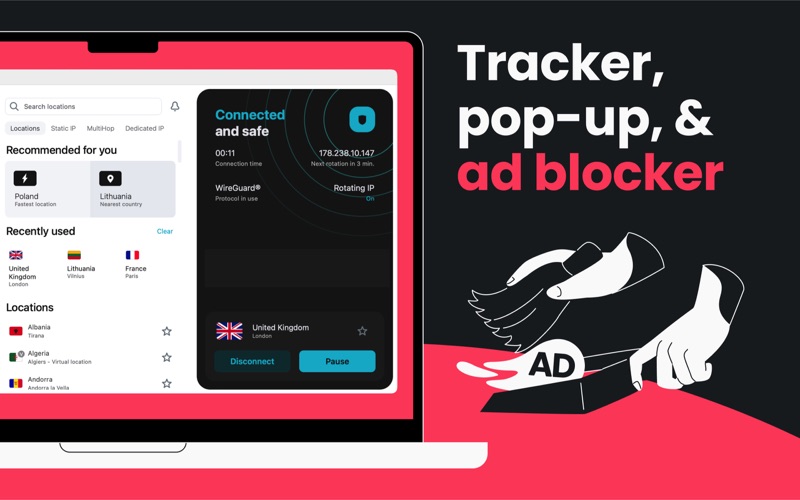
Looking for a way to stay safe online & enjoy the web with no limits? With Surfshark, you can do just that. It gives you a fast connection with servers that can reach up to 10 Gbps speeds. Start your free 7-day trial today, and test the benefits yourself! Our easy-to-use app is packed with premium VPN features: ▸ One account, many devices: You can use Surfshark on all your devices with a single subscription. You can protect your Mac, iPhone, iPad and other devices! ▸ New identity to use online: Generate a brand-new online profile with Alternative ID! Added to your subscription, it gives an alternative email address, name, and more. Keep your true identity under wraps when registering for websites or newsletters. ▸ Secure & buffer-free content: Safely access your favorite shows and social media with a VPN. Thanks to a vast choice of servers, you don’t need to compromise security to maintain a high-speed connection. ▸ Snoopers shall not pass: When you’re using public Wi-Fi, hackers can collect your data. With our end-to-end encryption, your data stays private. So turn the VPN on when using the free internet. ▸ Keep your data to yourself: What do you get up to while connected to Surfshark? No one knows. We don't monitor, track, or store what you do online. Whatever you do stays with you. ▸ Speed? Not an issue: With our servers reaching speeds of up to 10 Gbps, you can browse your favorite websites or watch movies without added buffering or compromising your security. ▸ Get — log in — auto-connect: That’s exactly how easy it is to use our app. You log in, select the server you need, and connect to it within seconds. Oh, and you can use the auto-connect feature for a completely effortless VPN connection! ▸ Limits? We don't have any: Browse the web like it was meant to be. We won't limit your devices, speed, or bandwidth. ▸ Connection protection with Kill Switch: Our Kill Switch helps you stay safe even when your VPN connection unexpectedly drops. It closes the internet connection and reconnects once the VPN connection is restored. ▸ Hop into double protection: Our Dynamic MultiHop feature lets you direct your traffic through two servers simultaneously. Even better, you can create your server pairs by mixing & matching any of the servers we have. ▸ Hi, Siri: You can use Siri Shortcuts to automate your app and manage your VPN connection without even opening the Surfshark app. ▸ VPN experts enjoy Surfshark as well: “It’s a one-stop VPN for privacy and security online, with a surprisingly deep list of extra tools and features.” - CultOfMac.com “It is a pleasure to see a new VPN service come across my desk that gets so much right. Overall, it's an excellent product.” - PCMag.com “Surfshark is a speedy and powerful VPN with an array of advanced features.” - TechRadar.com ▸ AUTOMATIC SUBSCRIPTION RENEWAL: Surfshark is a paid VPN service, so you need a subscription to use it. The payment will be charged to your Apple ID Account when you confirm the purchase. The subscription renews automatically unless the auto-renew is turned off at least 24 hours before the end of the current billing period. We will charge your account for renewal within 24 hours before the end of your subscription. You can manage subscriptions and turn off auto-renewal after purchase by going to your App Store Account Settings. Any unused portion of Surfshark's free trial will expire when you purchase a subscription. Our Privacy Policy: https://surfshark.com/privacy-policy Terms of Service: https://surfshark.com/terms-of-service/