Backbone — Next-Level Play

Backbone — Next-Level Play

By Backbone Labs, Inc

  • Category: Social Networking
  • Release Date: 2020-10-19
  • Current Version: 1.9.26
  • Adult Rating: 12+
  • File Size: 375.81 MB
  • Developer: Backbone Labs, Inc
  • Compatibility: Requires iOS 17.0 or later.
Score: 4.80253
4.80253
From 98,289 Ratings

Description

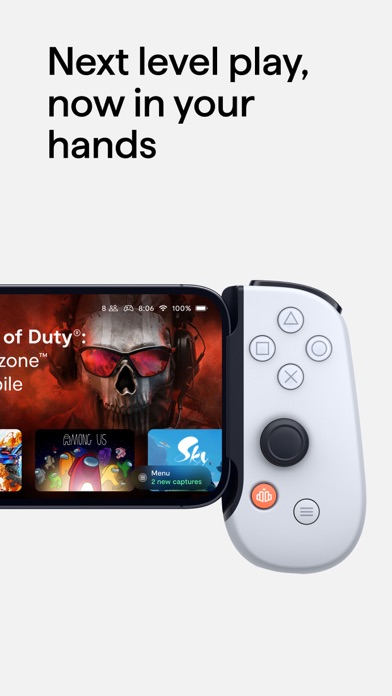
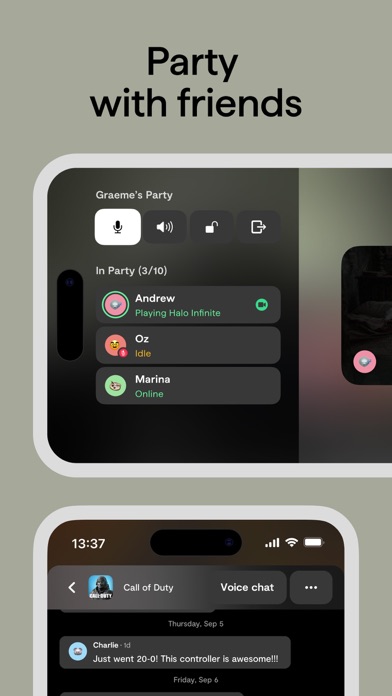
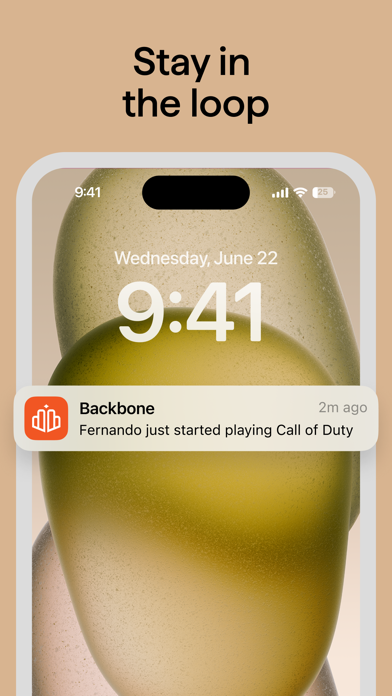
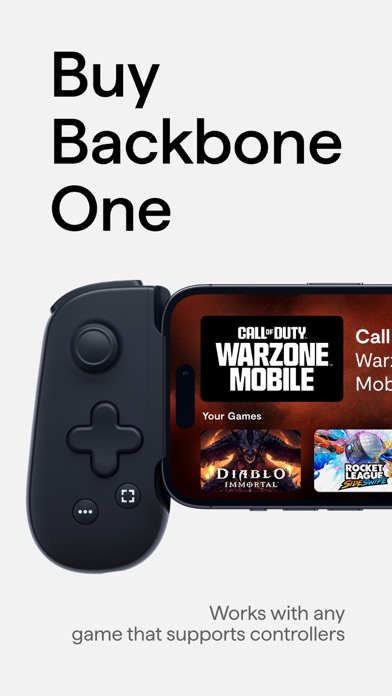
Backbone turns your iPhone and iPad Mini into the ultimate gaming device. ■ Play any game or service that supports game controllers. The Backbone One controller works with services like PS Remote Play, Xbox Game Pass (xCloud), Apple Arcade, Xbox Remote Play, Google Stadia, and Amazon Luna. It also works with games like Call of Duty: Mobile, Minecraft and Genshin Impact. Press the Backbone Button to bring up the app and launch into your favorite games that support controllers from one place. ■ Record, edit, and share epic gaming clips Backbone One has a built-in Capture button that allows you to easily screen record or screenshot gameplay and share directly to social platforms like Instagram Stories and iMessage, all directly from your mobile device. ■ Never miss a moment Hold the Capture Button to bookmark a moment when recording. Forgot to bookmark? Once a video is captured, Backbone’s app helps you identify your most action-packed moments automatically, allowing you to show off your best moments and highlights with ease. ■ Party with your friends With Backbone’s Rich Presence feature, you can get push notifications when your friends start playing games on Backbone, making it easy to join the action in real-time. Once you see a friend online, you can link up for voice chat inside the app and move from game to game, seamlessly. To learn more, download the app or visit https://backbone.com/ A Backbone+ subscription is required for some features within the app. Any feedback? Use the in-app feedback tool, ping us at [email protected] or tweet us @backbone Terms of Use: https://backbone.com/terms/
Screenshots

Reviews

  • Complete scam

    1
    By JerryCJr1997
    I bought my Backbone for the PS a few years ago and at first it was pretty dang cool but now I can’t play any PS4 games unless my PS4 is turned on. I can’t play it away from the house because I lose internet connection and which is dumb and if I want to play certain games I have to download it onto my phone which is just plain stupid. Then to play any of the Xbox games I have to pay for a plan even though I’m already paying for a backbone subscription. A complete scam and waist of money and time. Don’t buy or a backbone.
  • Awesome

    3
    By Blutoks
    Please optimize for iPad usage
  • I NEED more games I play

    4
    By DJ DJ DJ Keith
    Look I’m not hating on you but the only games I play is madden, nba 2k, and Roblox. Y’all don’t have Roblox and 2k (my favorite games) so please get those games but everything else is sick!
  • says a game which i play with controller lacks controller support

    1
    By a_cass.
    the app wants me to leave a review on the game so that it gets controller support but the game already has controller support, also i cannot remap the buttons so the confirm button is on the right side like the nintendo orientation i am used to, i have to remap in iOS so all the glyphs in game are incorrect. and they have the audacity to ask for $40 a year to access their garbage 'premium' features. get your app working correctly first, then add premium sub. controller is great, everything else about this app is so poorly implemented.
  • Holy backbone fix your controller

    1
    By Legendary budz
    My controller is getting out of hand and is keep on putting notifications on my phone by saying “if you want to play backbone get it in the App Store” I didn’t even press the back bone button and still puts up the notification like I’m gonna sue backbone if they don’t fix this and we bought another one just for that to happen again
  • GeForce shortcut not available

    4
    By auaoeprbcosbehe
    So, I like the app, I got my first backbone pro, it’s making my phone really do some impressive stuff not just with cloud gaming, but games I already had on my phone. I’m exploring the various ways to connect to games, exploring trials, using Steam link, etc etc I like that the backbone is a hub for all these in one spot, so I will get the yearly subscription; as it’s pretty useful. But what I’m having a hard time with right now, is 1. Seeing my steam library 2.seeing the games on gamepass that are in my tier, and available to me. (Which is making exploring what I am able to play, very difficult. Because I will add a game and it says “you need to upgrade to ultra” so it’s not categorized by its tier) And 3rd and probably most importantly for what I’m coming to understand. *****There is no shortcut to click on to take me to GEforce Now; which has much more games available in my Steam roster that the backbone app will show me in my library****** GeForce now is much more useful to someone with a Steam library, that hasn’t Steam link set up yet (Steam link is the cheapest in remote play; GeForce is the cheapest in Cloud play and most quality) In order for me to get to GeForce now quickly, I must start up a small game like doom 1 and 2 (oldschool) and then exit out to get to GeForce now, which I connected to my Steam. OR I have to scoot ALL the way down in the app to find the open browser button and then access it there Which I have to type in the URL or google it in the backbone browser let to bring up (There is no favorites in the browser or an option to create a shortcut) So in short, backbone NEEDS a quick link to GeForce now on the app home page if they don’t want to create a sub category in the library tab that ACTUALLY lists all the games available to my connected Steam account And connected to GeForce.
  • Stopped working on iOS works fine on Android (Backbone One USB-C)

    1
    By Eddo H
    Got it back in Jan 2024 it was working great until recently. It started with UP on the left stick not working and now the whole left side of the controller doesn’t respond. When I try to calibrate it, the left stick is now stuck going diagonally UP/LEFT and non of the button work on the left side. I plugged it on a spare Android phone and the controller works great as intended. Checked for firmware updates on both iOS and Android and it’s on the latest 1.2.6.
  • Not worth it

    1
    By Abraham M A
    Bad experience trying to get it connect to stream platforms full of adds and pour options for gaming on App Store so in general don’t achieve the reason that I bought it for
  • Not worth it

    1
    By Bruhjustfixthisshit
    The hardware is cool but the app is useless. It literally just serves as a launcher for apps you already need to install on your phone. I got the free trial of the subscription 2 weeks ago thinking it would help my Xbox remote play not use the browser it defaults to but it still does the same thing. Charging $40 a year for that is abysmal. On top of that I’m pretty sure I cancelled my subscription immediately after but still got charged $40 at 2AM saying I still had it. I just don’t see the point in the app or the subscription when remote play for every console already exists. The hardware too sometimes doesn’t get recognized on iPhones and the connectivity is hit or miss. Getting my money back and gonna delete the app
  • The backbone sucks

    1
    By Bks david
    I got the back bone it broke in 2h i got a new back bone it broke in 1 day and when you try to contact them it brings you to a page that dose not work lost my money i know they wont do anything about it and if anyone reads this before buying a back bone dont ribbin cabe suck stick drift look at the bad reviews on yt i want my 200 dollars back

keyboard_arrow_up