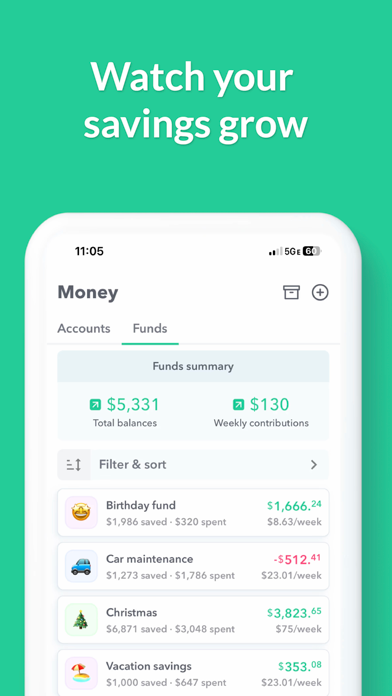
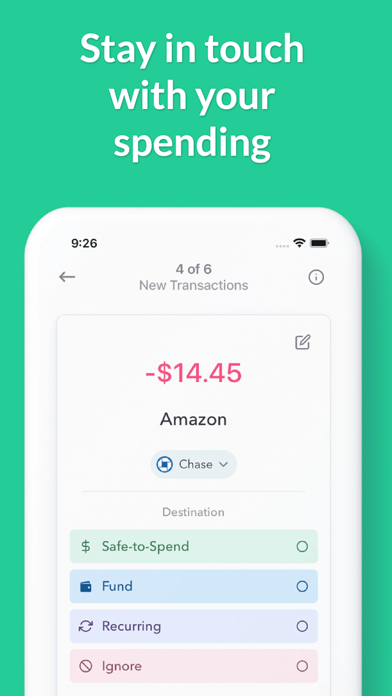
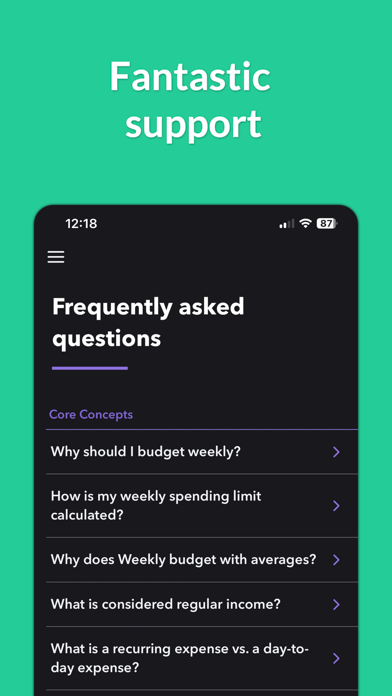
Weekly is a beautiful budget app based on a week. Weekly is the most effective way to plan a budget, stop overspending and save for your money goals. Weekly is both a budget planner and spending tracker. Weekly starts with a simple guided budget setup where you put in all your recurring bills and income. Next, you add in your savings goals. Then based on those budget items, Weekly calculates for you your weekly spending limit. Once your budget is set, our one-of-a-kind spending tracker monitors your day-to-day spending by downloading your transactions from your bank (or you can add them manually). You can then quickly and easily organize your purchases into categories. We will show you how much you are spending on things like “Gas” and “Groceries” or any other category you would like to track. As the weeks go by you can see your average spending by category and challenge yourself to keep your “Safe-to-Spend” balance “in the green”. Weekly is also a great bill organizer. You will see your upcoming bills and whether they have been paid. Weekly will tell you the number of days left until the next bill is due and notify you when bills are due. Connect your banks and credit cards to see all your account balances in one place and stay on top of your personal finances and your budget. Tracking money with Weekly is fun. Use emojis to represent your different recurring bills and safe-to-spend categories. Weekly’s one tap review icons let you quickly confirm your transactions and keep on track with your budget. Weekly is perfect for household & personal budgets. You can also share Weekly to stay on track with your budget with a spouse or partner. The steps to budgeting with Weekly. Step 1: Create Your Budget with the Budget Planner ** Use our guided walkthrough to set up your budget ** Enter your regular income ** Enter your recurring expenses such as your mortgage, car payments, loans, and utilities bills Step 2: Set Up Funds to Save for Your Goals ** Create funds to save for your goals ** Weekly automatically contributes money to your funds each week Step 3: Discover Your Weekly Safe-To-Spend ** Weekly calculates what you can safely spend each week ** The calculation takes into account all recurring bills, income and savings goals in your budget Step 4: Track Your Day-to-Day Spending with our Spending Tracker ** Add in your daily transactions either manually or download them from your bank ** Stay aware of your “Safe-to-Spend” number ** Quickly and easily categorize your day-to-day spending ** See your category spending totals and averages ** Spend worry-free knowing all your bills and savings goals are factored in Step 5: See Your Bills and Account Balances ** See view upcoming bills and whether they have been paid ** View all your account balances in one place ** See how much cash you are saving User Testimonials "Has made budgeting effortless and so easy to follow. For the first time I am able to stay on track. The cost of the subscription is absolutely worth it and has saved me thousands in overspending." AllyCat1217, Oct 12, 2024 “Probably the most important app my wife and I have. It throws our ambiguity around finances out the window and sets us up for success each week with an easy to understand, easy to read budgeting app.” leajere, Jul 10, 2023 Weekly is free to use or you can subscribe to Weekly PRO for our premium features. Weekly PRO subscriptions automatically renew unless auto-renew is turned off at least 24-hours before the end of the current period. Subscriptions may be managed and auto-renewal may be turned off by going to your iPhone Account Settings. Any unused portion of a free trial period will be forfeited if you purchase a subscription to Weekly before your trial expires. Terms and Conditions - https://weeklybudgeting.com/terms Privacy Policy - https://www.privacypolicies.com/privacy/view/6c2c1200579f8307c4080c7f9cd94723