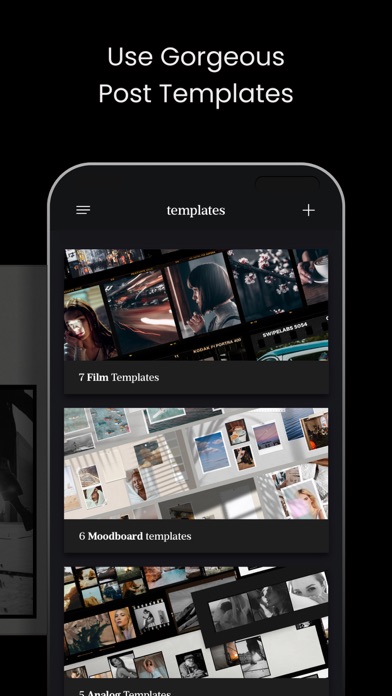
SwipeMix – Carousel, Panorama & Collage Maker for Instagram. Take your Instagram to the next level with SwipeMix — the all-in-one tool for creating swipeable carousel posts, seamless panoramas, layouts, and collages that stop the scroll. WHAT YOU CAN CREATE - Swipeable carousel posts for Instagram feed - Seamless panoramic images that span multiple slides - Photo collages and grid layouts - Story templates designed to grab attention - Custom post designs built entirely from scratch TEMPLATES SwipeMix includes dozens of professionally designed templates — for both feed posts and stories — that are ready to use and easy to customize: - Feed carousel templates for a polished, cohesive look - Story templates optimized for vertical format - Layouts and collage frames for every style and occasion - Regularly updated template library with fresh designs Simply pick a template, swap in your photos, and post. START FROM SCRATCH Prefer full creative control? Build your own designs without limitations: - Design carousel posts, panoramas, and collages from a blank canvas - Freely arrange and resize photos within your layout - Combine multiple images into one seamless swipeable post - Express your unique aesthetic with no templates required PANORAMA MODE Create stunning multi-slide panoramic posts where one continuous image flows across several carousel frames: - Perfect for landscapes, travel moments, and group shots - Seamless alignment between slides for a smooth swipe experience - Showcase an entire scene in one post without cropping anything out FONTS & TEXT Add captions, quotes, and labels directly to your photos: - Extensive fonts library with diverse styles - Write captions and highlight your ideas on any image - Customize text size, placement, and style to match your aesthetic CUSTOMIZATION Every detail of your project is adjustable through an intuitive interface: - Modify colors, spacing, and layout structure - Rearrange photos within any template or custom design - Fine-tune every element until it looks exactly right - Works seamlessly for both feed posts and stories STORIES TEMPLATES SwipeMix includes ready-made templates designed specifically for Instagram Stories — vertical format, optimized proportions, nothing to adjust: - Dozens of story templates for every occasion - Professionally designed layouts built for the 9:16 format - Easy to customize — swap your photos, add text, and post - Match your stories aesthetic to your feed for a consistent look Pick a template, drop in your content, and your Story is ready to share. STICKERS Decorate your posts and stories with built-in stickers — add expressive elements directly in the app before you post: - Wide selection of stickers for any mood or theme - Works on carousel posts, panoramas, collages, and stories - Place and resize stickers anywhere on your design COMMUNITY & SUPPORT Follow @swipemix on Instagram for inspiration, tips, and feature announcements. Tag your posts with #swipemix to be featured by the SwipeMix community. Reach support through the in-app Support section, DMs on Instagram, or at [email protected]. Payment will be charged to your Apple ID account at the time of purchase confirmation. Subscription renews automatically unless it is canceled at least 24 hours before the end of the current period. Your account will be charged for renewal within 24 hours prior to the end of the current period. You can manage and cancel your subscriptions by going to your account settings on the App Store after purchase. Privacy policy: https://onelightapps.io/privacy-policy Terms of use: https://onelightapps.io/terms-of-use