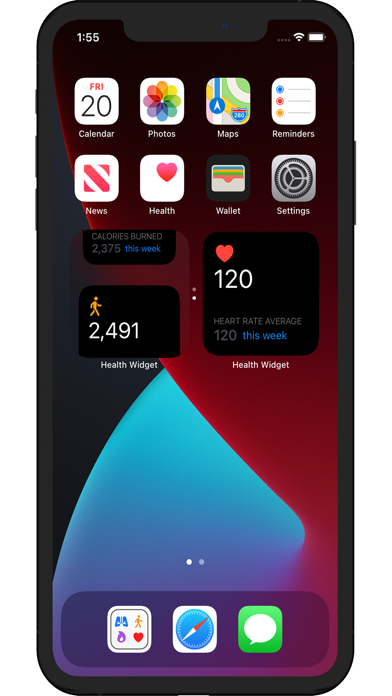
NEW IN VERSION 2.5 • Native Apple Watch companion app — track steps, heart rate, calories, distance and flights right from your wrist. Works standalone, no iPhone needed. • 32 unlockable Achievements across Steps, Distance, Calories, Flights, Streaks and Special challenges. • Live Activities in the Dynamic Island for active sessions (Premium). • Quick Action Widget — refresh data and bump your goal in one tap (Premium). • iOS 18 Control Center widgets — Today's Steps, Quick Refresh, Start Activity. • Lock Screen widgets (Circular, Rectangular, Inline) are now FREE for everyone. • CSV export of your full activity history (Premium). Steppy — the all-in-one pedometer, activity tracker and health widget for iPhone, Apple Watch, Home Screen and Lock Screen. Count steps, check heart rate, SpO2, calories, distance and flights climbed at a glance — no need to open the app. Beautiful widgets, daily goals, streaks, achievements and weekly trend charts keep you moving. Steppy connects seamlessly with Apple Health and turns your data into stunning widgets in 9 color themes. TRACK 6 HEALTH METRICS - Steps (Pedometer) - Heart Rate (BPM) - Blood Oxygen (SpO2) - Calories Burned - Walking & Running Distance - Flights Climbed APPLE WATCH COMPANION Native watchOS app — works standalone, no iPhone required. Today's steps with goal ring, live heart rate, calories, goals and achievements right from your wrist. 8 WIDGETS FOR EVERY SCREEN - Small widgets for the Home Screen (free) - Medium & Large Health Dashboard widgets (Premium) - Lock Screen widgets — Circular, Rectangular & Inline (free for everyone) - Quick Action Widget — refresh and bump your goal in one tap (Premium) - iOS 18 Control Center buttons — Today's Steps, Quick Refresh, Start Activity - Live Activity in the Dynamic Island while you walk (Premium) - Updates every 15 minutes automatically 9 BEAUTIFUL WIDGET THEMES Personalize your widgets with 9 unique color themes — Classic, Ocean, Sunset, Forest, Midnight, Berry, Lavender, Rose and Slate. Each theme supports both light and dark mode. DAILY GOALS, STREAKS & ACHIEVEMENTS Set personal daily goals for steps, calories, distance and flights. Track your progress with beautiful rings and build streaks by hitting your goal every day. Unlock 32 achievement badges across six categories. TRENDS & CHARTS Analyze your health data over the past 7 days with interactive bar charts. Year-view heatmap shows every day at a glance (Premium). PRIVACY FIRST 100% private — reads only from Apple Health with your permission. No data is collected, stored or sent to third parties. PREMIUM FEATURES Unlock more with an optional subscription: ad-free experience, medium & large widgets, Quick Action Widget, Live Activities, all 9 themes, trends, year heatmap, all goals, streaks, premium achievements and CSV export. Free users enjoy Classic theme, small Home Screen widgets, all Lock Screen widgets, steps goal tracking and the Apple Watch companion app. Terms of Use (EULA): https://www.apple.com/legal/internet-services/itunes/dev/stdeula/ Privacy Policy: https://code-expert.de/app-privacy-policy/