Waze Navigation & Live Traffic

Waze Navigation & Live Traffic

By Waze Inc.

  • Category: Navigation
  • Release Date: 2009-08-01
  • Current Version: 5.18.8.0
  • Adult Rating: 17+
  • File Size: 215.42 MB
  • Developer: Waze Inc.
  • Compatibility: Requires iOS 16.0 or later.
Score: 4.84482
4.84482
From 3,165,953 Ratings

Description

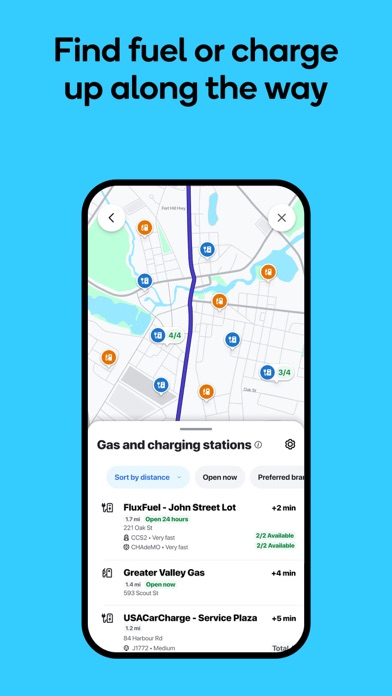
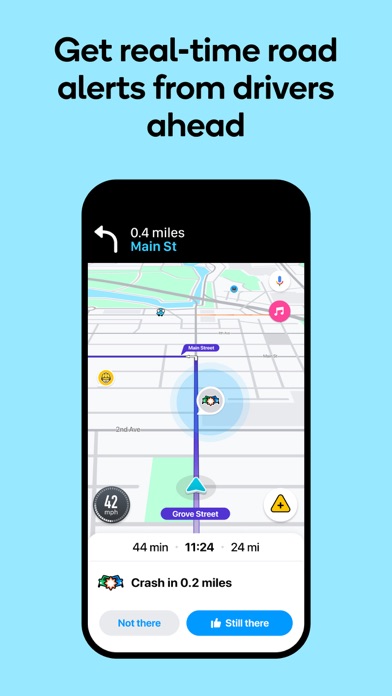
Know what's ahead on the road with the help from other drivers. Waze is a live map that harnesses the local knowledge of tens of millions of drivers around the world. Drivers safely and confidently reach their everyday destinations thanks to Waze map’s GPS navigation, live traffic updates, real-time safety alerts (including construction, accidents, crashes, police, potholes, and more), and accurate ETAs. Make your next drive more predictable and stress-free: • Get there faster with real-time directions, accurate ETAs, and automatic rerouting based on live traffic, incidents, and road closures • Even if you know the way, avoid surprises on the road ahead with safety alerts for accidents, crashes, construction, objects on the road, potholes, speed bumps, sharp curves, bad weather, emergency vehicles, railroad crossings, and more • Steer clear of tickets by knowing where police and red light & speed cameras are located • Share what’s happening on the road with other drivers by reporting live incidents and hazards • Stay informed of upcoming speed limit changes, and keep your speedometer in check • Know which lane to be in with multi-lane guidance • See toll pricing and choose to avoid tolls along your routes • Add road passes and vignettes for HOV lanes and restricted traffic zones • Find gas / fuel stations & prices and EV charging stations along your route • Locate and compare parking lots and their prices near your destination • Use voice-guided turn-by-turn navigation from a variety of languages, local accents, and your favorite celebrities • Plan your next drive by checking ETAs by future departure or arrival times • Use your favorite audio apps (for podcasts, music, news, audiobooks) directly within Waze • Sync Waze to your car’s built-in display through Apple CarPlay * Some features are not available in all countries * Waze navigation is not intended for emergency or oversized vehicles You can manage your in-app Waze Privacy Settings at any time. Learn more about the Waze privacy policy here, www.waze.com/legal/privacy.

Screenshots

Reviews

  • Always amazing!!

    5
    By Tpront
    Always helps me with traffic and obstacles on the road!
  • Long way

    3
    By Spiritual spirit
    It’s an amazing app but it takes you the long way
  • The routing is usually fantastic but…..

    3
    By What the ----
    The selection of gas stations it recommends is terrible, it wants you to go off route and pass every gas station on route because it doesn’t bring them up.
  • Im a fan

    5
    By SaulAvila1
    All of a sudden is getting stuck alot once I try to type an address I tought it was just my phone or an update its been months now and I keep seen people having this issue alot now please fix it this is the only app I like thank you
  • Unreliable button

    4
    By carrat75
    Good app. Only problem is that when Waze is in CarPlay in my car, the button to turn alerts on/off on my car screen usually doesn’t work until the 2nd/3rd time I click it. Was this intentional?
  • Pretty precise directions

    5
    By WarriorKing730
    Awesome App
  • Отвратительное обновление

    1
    By Decorator1974
    До недавнего времени вэйз работал отлично, но после последнего обновления плашка с названием улицы, по которой я еду в настоящий момент перекрывает стрелку указателя навигации. Так же объявления например о камере занимают треть экрана и никак не убираются, пока не проедешь камеру. Отстой!
  • Best Traffic App

    5
    By Travelart
    Best App for Traffic and Route updates, will always get you there on time.
  • Excelente

    5
    By Great Show for the weekends
    Muy buena información
  • Not 100% reliable!!

    2
    By St&twd
    I live about an hour away from my school. It’s a bit of a commute. I have a 2015 jeep patriot that does not have automatic locks. I have to go past Baltimore to get to and from school and Waze has led me to an unsafe area in Baltimore more than once to a random dead end. It’s always pretty populated but not in a good way. I have to do a complete turn around in the random alley way trying to remember if I locked all my doors when there are people around me that either have their face completely covered or are just obviously on something. This maps app has put me in an unsafe situation more than once so I’m deleting it.

keyboard_arrow_up