SkyView®

SkyView®

By Terminal Eleven LLC

  • Category: Education
  • Release Date: 2010-12-10
  • Current Version: 3.8.7
  • Adult Rating: 4+
  • File Size: 112.29 MB
  • Developer: Terminal Eleven LLC
  • Compatibility: Requires iOS 16.0 or later.
Score: 4.58279
4.58279
From 7,634 Ratings

Description

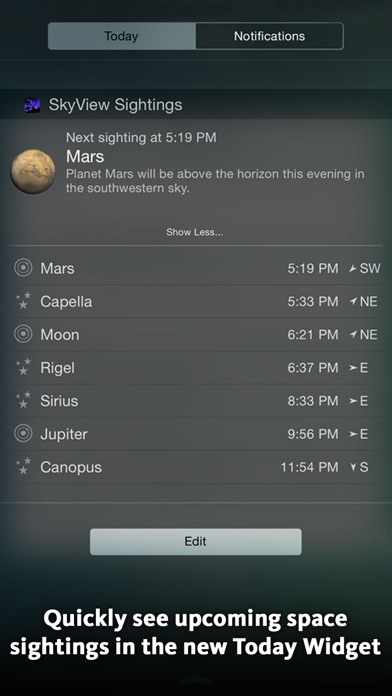
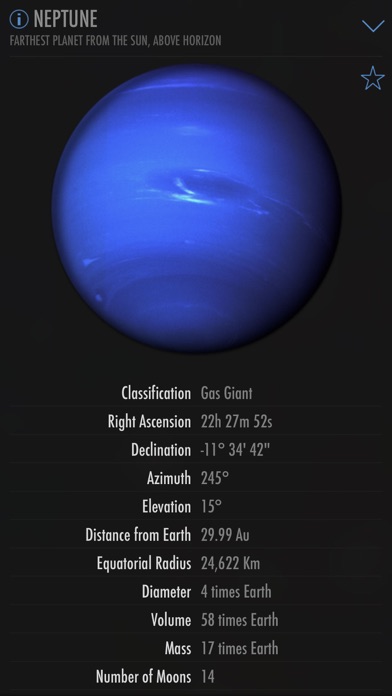
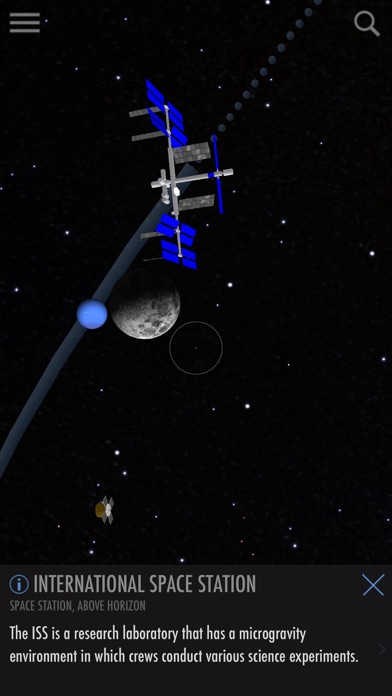
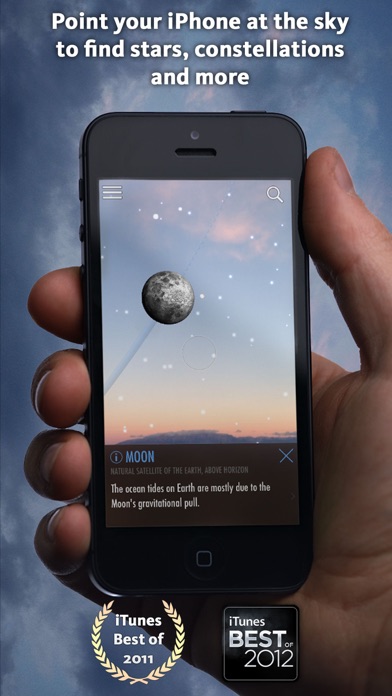
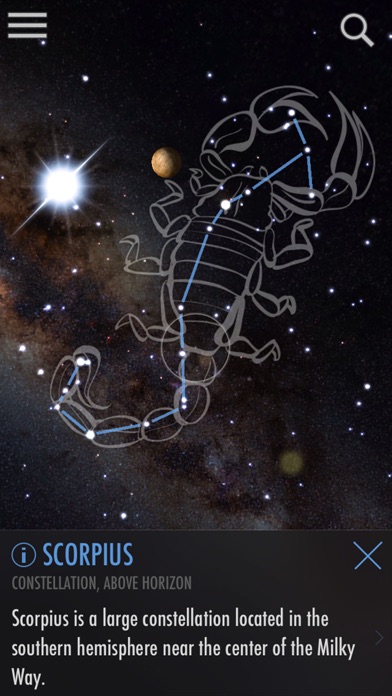
SkyView® brings stargazing to everyone. Simply point your iPhone, iPad, or iPod at the sky to identify stars, constellations, planets, satellites, and more! Over 3.2 million downloads. App Store Rewind 2011 -- Best Education App “If you've ever wanted to know what you're looking at in the night sky, this app is the perfect stargazer's companion.” – CNET "If you’ve ever been looking for a stargazing app for your iPhone, then this [is] definitely the one to get." – AppAdvice “SkyView is an Augmented Reality app that lets you see just what delights the sky has to offer.” – 148Apps Editor’s Choice You don't need to be an astronomer to find stars or constellations in the sky, just open SkyView® and let it guide you to their location and identify them. SkyView® is a beautiful and intuitive stargazing app that uses your camera to precisely spot and identify celestial objects in sky, day or night. Find all 88 constellations as they fade in and out while you scan across the sky, locate every planet in our solar system, discover distant galaxies, and witness satellite fly-bys. Features: • Simple: Point your device at the sky to identify galaxies, stars, constellations, planets, and satellites (including the ISS and Hubble) passing overhead at your location. • Sighting Events: schedule alerts for upcoming celestial events. • Apple Watch: see what objects are visible tonight and how to spot them using your Apple Watch. • Today Widget: brand new iOS 8 today widget lets you quickly see upcoming celestial events. • Night Mode: Preserve your night vision with red or green night mode filters. • Augmented Reality (AR): Use your camera to spot objects in the sky, day or night. • Sky Paths: Follow the sky track for any object to see it’s exact location in the sky on any date and time. • Comprehensive: Includes thousands of stars, planets, and satellites with thousands of interesting facts. • Time Travel: Jump to the future or the past and see the sky on different dates and times. • Social: Capture and share beautiful images with friends and family on social networks. • Mobile: WiFi is NOT required (does not require a data signal or GPS to function). Take it camping, boating, or even flying! What a fun way to teach yourself, your children, your students, or your friends about our wonderful universe!
Screenshots

Reviews

  • Broken

    2
    By theoriginalwjburr
    I don’t know why the app all of a sudden is broken. It’s stuck on north. Doing the same thing in the NASA app.
  • Unable to find comet 2025 R3 on the app

    1
    By Curious145
    Shouldn’t be hard. What am I missing
  • Missing satellites

    3
    By RandyAChamp
    I’ve had the free version for a long time, and decided to get the full version for more things. But with the full version it says you can see the satellites like the ISS. It doesn’t let me see the ISS which is the main reason I got the app.
  • Amazing

    5
    By Filithan
    Have had this app for years and still use it several times a week to identify stars. And now my young child is interested in looking at stars and using this app.
  • Love SkyView!

    5
    By Lommersan
    Photography is my hobby and I love shooting night sky events. I’ve been using SkyView for many years to locate and track these events - lunar eclipses, meteor showers, solar eclipses, etc.
  • I was charged and didn’t order it!

    1
    By Finite DC minutes
    I cannot figure out what I clicked on but I was charged and cannot contact anyone to gain a refund. Do not download! You’ll be charged without your consent!
  • Quit working

    1
    By ottoball
    My SkyView quit working and wants me to enter in a hardware code. Submitted a request for help with no reply. Avoid and find another app that has good support.
  • Doesn’t work with phone case

    1
    By Bnajam
    Please provide a fix to the issue with the app not working when the phone has a case. I removed the case and the app worked fine. I placed the phone back in the case and the app will not work. It remains stuck with a North geo point in the middle and will not function. People shouldn’t have to remove their case to utilize an app. Others have posted the issue here for weeks. It’s about time to resolve it.
  • Never should have purchased - Satellite database bug

    1
    By TimDier
    I loved the SkyView Lite app. I have been using it for many years, and I decided that I should purchase the full product to show my appreciation. After installation, all satellite data is gone - zero, none. It used to show the ISS. I futzed around. There is no way to restore purchases - only an option to purchase the SkyView Satellite Guide. Ok, I'll pay a little more to get the additional satellite data. However, satellites still do not show int he SkyView app. Hence my 1 star rating. I will leave it there until the publisher provides a solution. --timdier
  • Phone case issues

    4
    By Hambonz57
    Love the app yet it doesn’t work my phone case. Works as advertised with case removed.

keyboard_arrow_up