MiLB

MiLB

By MLB

  • Category: Sports
  • Release Date: 2012-03-26
  • Current Version: 26.4.1
  • Adult Rating: 4+
  • File Size: 72.61 MB
  • Developer: MLB
  • Compatibility: Requires iOS 18.0 or later.
Score: 4.77543
4.77543
From 23,557 Ratings

Description

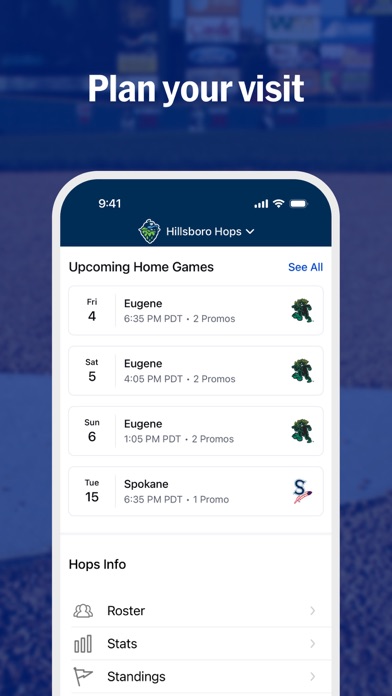
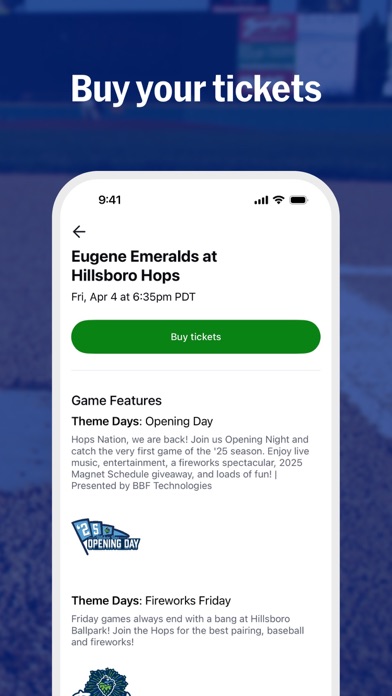
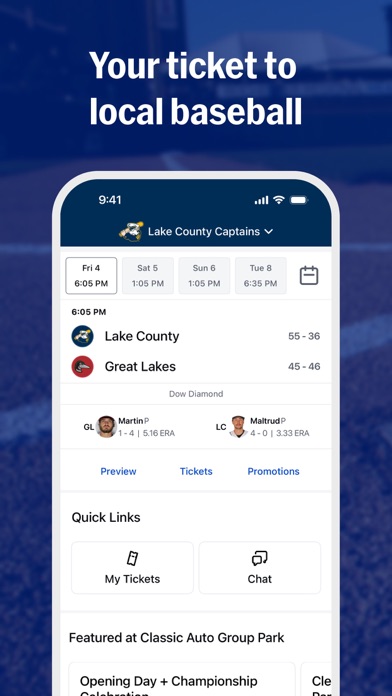
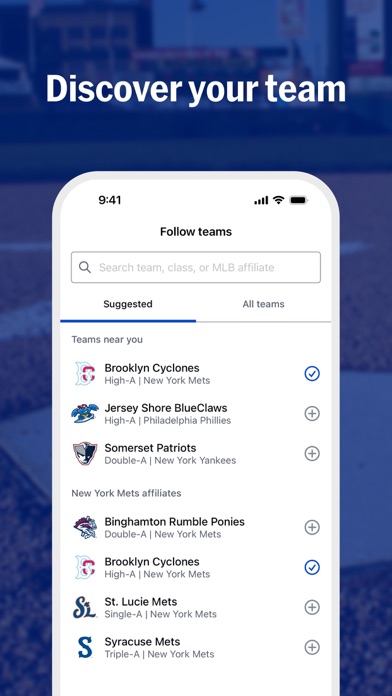
The MiLB app is your official companion for Minor League Baseball, including all 120 clubs, from Triple-A to Single-A. • Follow your local team and never miss a game or event. • Buy tickets, browse merchandise, and find promotions from your team tab. • Enjoy a seamless ballpark experience with digital tickets and check-ins. • Personalize your app experience with live game updates and breaking news. • Explore MiLB news and highlights, catch the latest on top prospects, or search teams and players across the league. • Follow the action with pitch-by-pitch updates on Gameday, along with live scores, stats, video highlights and notifications for all 120 teams. SUBSCRIBE & GET EVEN MORE More than 7,000 live MiLB games and complete archives are available with your MLB+ subscription. Your MLB+ subscription now includes audio streams for all MLB games & other live programming, available with log-in on MLB App and MLB.com. Terms of Use: https://www.milb.com/about/terms Copyright © 2026 Minor League Baseball. Minor League Baseball trademarks and copyrights are the property of Minor League Baseball. All Rights Reserved.
Screenshots

Reviews

  • Forced download

    1
    By Dioaoaurbriapao
    I don’t want to use your stupid app just to access my tickets. I really didn’t want to give you my phone number. App itself does not work well, hate you and the modern ecosystem
  • Still Can’t Display Normal Stats

    4
    By FasterFunnier
    Why in the year 2026, this app can’t display normal charts that lists all the players for one team and their stats?
  • Great minor league app but needs a lot of work

    3
    By Bella2224!!
    Can we get an AppleTv app already! 1. Landscape support for the app for iPad. 2. Quad screen or at least PIP for games for iPad.
  • Getting Better

    4
    By J-Row73
    As the season is ready to get underway, I opened up my MiLB app again (first time since the end of last season). I was glad to see a lot of improvements. I really like the new “single sign on” feature allowing me to use my MLB app account credentials. Still a few things to improve: 1) PLEASE!!! Fix the rotation options. I use an iPad almost exclusively, and I have a keyboard case very much like a mini-laptop. I cannot view anything on the MiLB app in “normal” landscape mode. So I’m constantly having to keep my device turned sideways with the keyboard sticking out off to the side. 2) Still a lot of “embedded web pages” instead of just displaying the data within the app itself. Having to click on the “cookies preferences” (and “web browser things” like that) all the time is very annoying. Anyway… upgrading from 3 stars to 4 stars. Almost there. Play ball!!
  • iPhone ok iPad not what it should be

    3
    By JVC527
    They still haven’t fixed full screen viewing on iPad…until only 3 stars…fix that now and it changes to 5…why it doesn’t fill screen on an iPad is hard to understand…if anyone knows if I’m missing something on this please let me know…reps for mlb are clueless…iPhone doesn’t have this problem…
  • Loading…

    2
    By Grant Harley
    No matter what, no matter when, this app will just load seemingly forever when trying to load the scores tab. When it does miraculously load, it’s a cool app but that happens seldom
  • Add player of the game tab and leaderboard

    5
    By kenosha kingfish
    Add player of the game just for triple a
  • No landscape on iPad

    1
    By VicMaxrow
    No landscape on iPad, lol….. why is this so hard. Landscape….. been around for years. Maybe the minor leagues should hire a coder instead of their cousin.
  • Why

    1
    By Phibbalious
    I bought some tickets for a game and wanted to add them to my Apple wallet. To buy the tickets I have to sign into MLB. To access the tickets I need to download the mlb app and sign into MLB again. I then go to access my tickets on the app which takes me to a browser in the app where I need to sign in again and verify. There’s an add to Apple wallet button, click it, nothing. What’s the point.
  • Not practical

    1
    By akchism
    I bought tickets online for a game. It says I have to use this app to access my tickets. There is no tickets tab or go through the team tab like the FAQ says.

keyboard_arrow_up