Tiny Calendar: Planner & Tasks

Tiny Calendar: Planner & Tasks

By TinyWork Apps

  • Category: Productivity
  • Release Date: 2012-04-10
  • Current Version: 7.9.9
  • Adult Rating: 4+
  • File Size: 45.12 MB
  • Developer: TinyWork Apps
  • Compatibility: Requires iOS 14.0 or later.
Score: 4.60661
4.60661
From 20,514 Ratings

Description

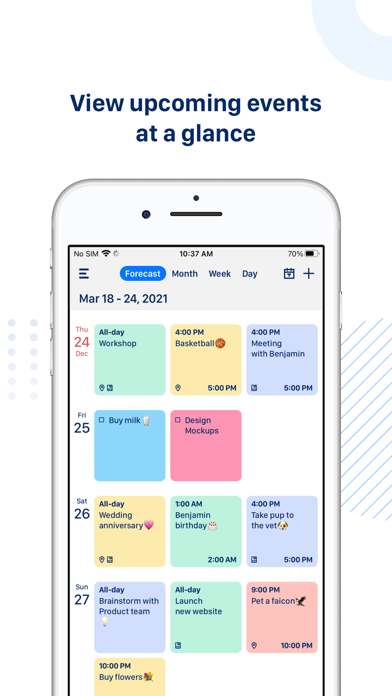
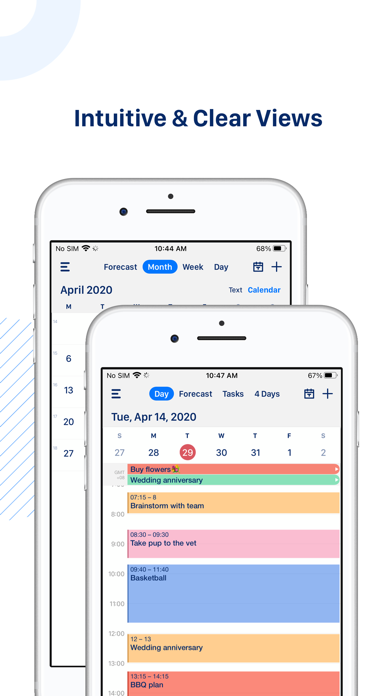
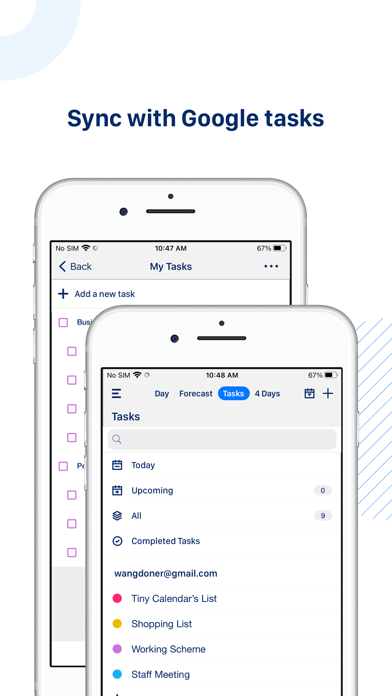
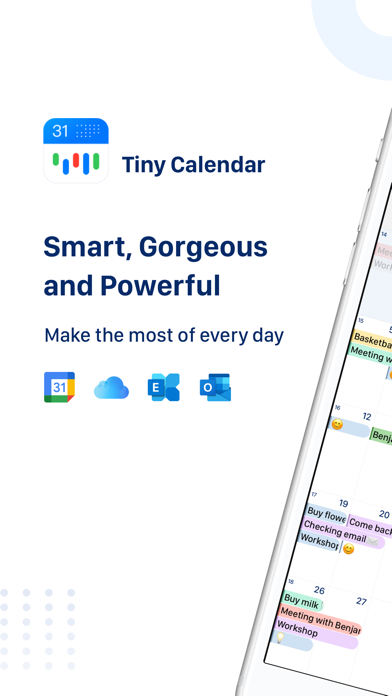
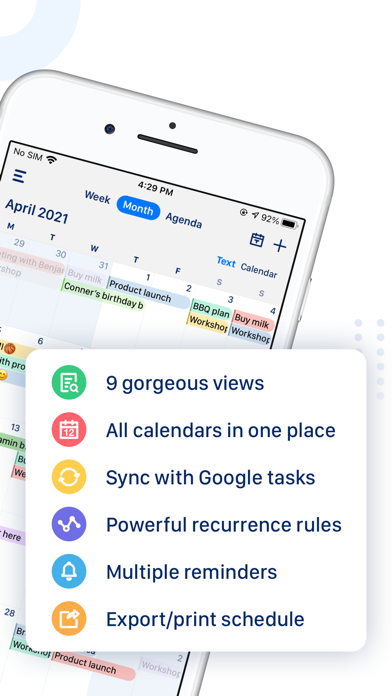
Tiny Calendar is an intuitive smart calendar works with all your calendars. It inherits the simple and clean look of calendars but makes it more accessible, powerful and reliable on your iPhone and iPad. With Tiny Calendar, you can access and manipulate your google calendar events and tasks more easily, anyway you want. SMART ENOUGH TO CREATE Tiny Calendar has features like nature language input, drag and drop, gestures and other smart methods to predict your intention and help you create and edit your events more easily. SYNC & MANAGE GOOGLE TASKS You don’t need to download another app to manage Google tasks. MULTIPLE WAYS TO VIEW Tiny Calendar supports 9 standard views - Forecast, day, week, month, 4-days, year, mini-month, week agenda and agenda. You can instantly switch views to discover events or find a time you're looking for. REAL-TIME SYNC Tiny Calendar syncs directly with all your Google calendars and also works with iOS local calendar to support events on iCloud, Exchange and other calendars. WORKS OFFLINE You can still create, edit and delete events when you don't have an Internet connection. Tiny Calendar will cache your changes and sync back to your calendar account next time you're online. ADVANCED REMINDER SYSTEM Never forget about a meeting! Tiny Calendar allows you to set reminders via push notification, or email for all events. ACCESS FROM EVERYWHERE Tiny Calendar works with your iPhone, iPad and Apple Watch. You don't need to pay extra money to download multiple copies. Subscription Information: - Tiny Calendar offers a subscription which is $1.49/week & $2.99/month. - Payment will be charged to iTunes Account at confirmation of purchase - Subscription automatically renews unless auto-renew is turned off at least 24-hours before the end of the current period - Account will be charged for renewal within 24-hours prior to the end of the current period, and identify the cost of the renewal - Subscriptions may be managed by the user and auto-renewal may be turned off by going to the user's Account Settings after purchase Terms of Use: https://apps.fengge.io/TinyCalendar/TermsConditions.html Privacy Policy: https://apps.fengge.io/TinyCalendar/PrivacyPolicy.html
Screenshots

Reviews

  • I’d like to delete someone’s birthday event. Used to do be able to do that up until today.

    2
    By RunFarAwayFromHere
    4/25/26 Someday messed up with editing. I can edit some events, except for when it comes to birthdays. I was off on the day for a relative’s birthday. Another is a duplicate BuT I can no longer edit to correct that! 4/16/26 Title Some ads block the “x”. Response sucks. We do NOT need to play games like that. Get into ad only to back out in order to get where we were. 3/26/26. Ads are so annoying and trying to find thee e “x” is even more so! Title: Royal Kingdom Game 11/7/25 Yes, most of the time I do like and can appreciate it. It’s getting past some of those ads that get in the way and most often take up my time with their forever show and trying to find that tiny, tiny, really tiny x. Especially hate that Royal Kingdom! Years back, your app never did that!!! 11/2/25 Get rid of that ROYAL (pita) Kingdom ad!!! Absolutely the worst y o u have had!!! If I could do zero stars!!! 10/5/25 Ugh that game Royal Kingdom is sooooo annoying! If only the developers can do something with that? Been waiting for the tiny x but it his game visual seems to last like forever! I can understand some ads but seriously?!!!😩 Title Those tiny “x”’s. Way too small!!! 9/2/2025 - When your ads come up those tiny X’s and I do mean tiny are so hard to locate. It’s frustrating enough to get the ads! Please someone enlarge those tiny x’s !! Subject- suggestions do get noticed 7/2/25 yea! Just noticed that the day of the week has a blue highlighted circle. Prior to that I had a hard time telling for sure what the day was as it appeared in a very light gray font. This improvement is great. Hope you noticed I added another star to my review. 👍 Light grey font on white 5/28/25 - I’m trying to read what is under “Eid Al Adha”, for June. The description - it’s a light gray font on a white background. Maybe it’s not meant to be read? Temu ads to X out are so small 3/6/25 - Temu ads “x” is so freaking small and sometimes covered up that you can hardly see it. We don’t need Temu. How bout making this “x” something that a human finger can tap on? I’m not ET!!! Must we have to see this before the Tiny Calendar anyways? Subject: Skip video X’s but continual taps not working 8/11/24 I get to click on TC then there is that huge ad and upper left corner there’s Skip video with a tiny x. I keep tapping but skip video keeps playing. Aggravating! 2/12/24 - I got a response to my issue within the week. I’m back to being able to add events again. Whew, thank you. 2/8/24 - This app has been a Godsend to me, up until recently. I can see the app on my iPhone but whenever I try to add an event, I get this error: No Calendar I wanted to add an upcoming appointment but now I can’t. I’ve tried deleting app, readding as well as shutting off my phone. I have done latest update too. I don’t get it. As I’ve said, it has worked well for me up until yesterday or today.
  • So good I paid for the premium version

    5
    By Doofeysvacuum
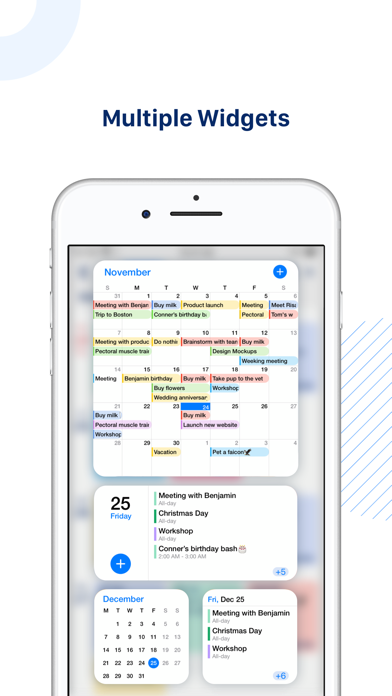
    I use this app for absolutely everything. I trialed it for about a month with adds and I used it so much I paid $20 for a permanent premium experience. Highly recommend this app if you live a busy life and need a reliable calendar. It displays a whole mini calendar on your home screen with all your scheduled events, custom reminders, custom everything. this is the best calendar app I’ve ever used. I have never a day in my life paid for any app on the App Store, until this one. 10/10
  • Think I’ll buy it!

    5
    By Unkle8
    This app’s layout suits my needs better than google calendar or apple calendar, and now I feel less concerned with messing up calendar entries.
  • Coolmom2boys

    5
    By coolmom2boys
    It needs to automatically go to today’s date.
  • Lmgraf

    5
    By lmgraf
    Great calendar
  • New user

    5
    By lg4bsa
    I am in the early stages of use. I love how simple it was to set up. Other apps I tried required too many steps. I wanted it to only sync with Google Calendar and Tasks. This one did. I am hoping it is more of a planner too, like paper calendars. Time will tell.
  • Good for work and personal

    5
    By Hawaii2go
    I like that both my business activity and personal activity can be accessed by myself and my husband for planning purposes. Pop up ads are not wanted, but I read they still appear in the purchased app, so I'll keep the current App.
  • Gerat

    5
    By kane beown
    Love this app
  • Which one?

    4
    By smball7
    I love my tiny calendar. However, I have tried the red and blue over the years. I have no clue what is the difference if anything other than ads?
  • Does not work on two iPads

    5
    By JWP-ihatethisapp
    Does not synch on two iPads or iPad and iPhone. Does not show all entries. Vendor does not fix it. This has always been a problem and the vendor does not even try to fix it. Supposed to work on multiple devices but does not show all calendar entries on multiple devices.

keyboard_arrow_up