Invoice2go: Easy Invoice Maker

Invoice2go: Easy Invoice Maker

By Invoice2go.com

  • Category: Business
  • Release Date: 2012-08-07
  • Current Version: 11.168.0
  • Adult Rating: 4+
  • File Size: 179.70 MB
  • Developer: Invoice2go.com
  • Compatibility: Requires iOS 15.0 or later.
Score: 4.85038
4.85038
From 54,684 Ratings

Description

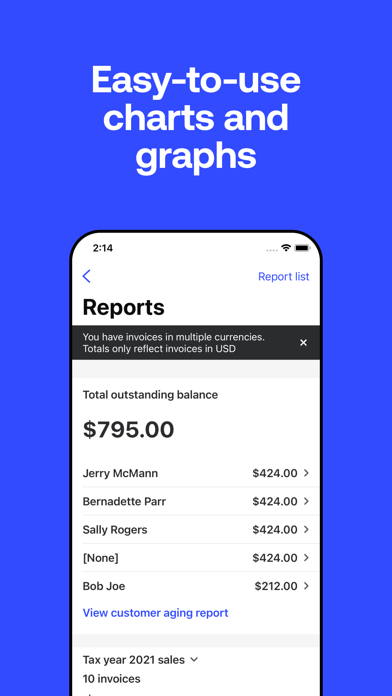
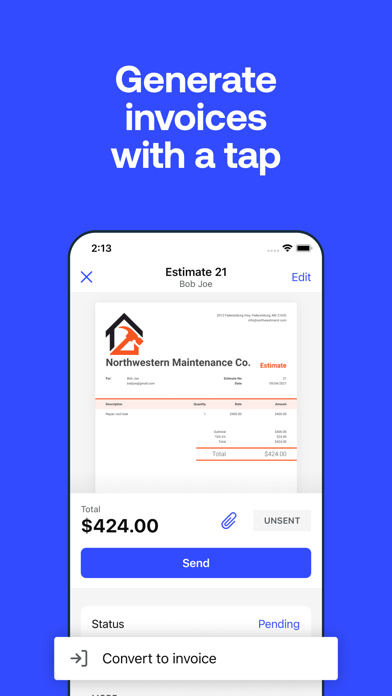
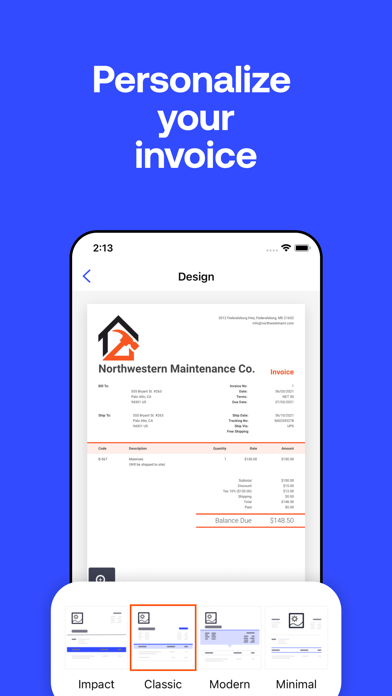
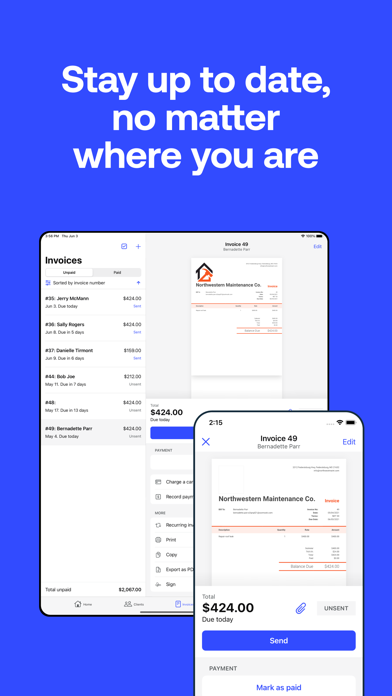
Invoice with ease using Invoice2go from BILL. Quickly create & send professional invoices for small businesses, consultants, contractors & freelancers in minutes. Invoice and accept payments with ease using Invoice2go. Set up Invoice2go Money to easily keep track of your payments and expenses in one central place. Small business owners in over 160 countries trust Invoice2go to send professional invoices and estimates to clients. Whether you need to create an invoice or quote, business receipt for your side gig, or small business, Invoice2go is the #1 free invoice app for the job. Create estimates for your clients so they’ll know what to expect. When the job is done, convert estimates into invoices with a tap and send them out. Track invoices to keep up with every payment. Create great-looking, professional invoices, and estimates, and get paid faster using one simple app. Accept all the ways your clients want to pay online. Capture your expenses as you incur them. Invoice2go is the on-the-go invoicing tool for all types of small businesses, freelancers, and contractors, from dog walkers to web designers to musicians. All of your information is automatically synced and available on your iPhone, iPad, and computer. Invoice2go has been the #1 invoice app for 10+ years and counting. Here’s why people choose Invoice2go: BUSINESS INVOICES - Invoice maker with 8 professional invoice templates optimized for easy use. - Add a logo for your business. Upload your own or create one using our custom logo designer. - Match your brand. Sync the color of your logo to your invoice. EASY INVOICES & ESTIMATES - Create and send an invoice in under 1 minute. - Make invoices without any training. If you can send an email, you can use Invoice2go. - Review your edits before you send an estimate or invoice. - iOS Widgets: Instantly see all outstanding payments from your home screen - Siri Shortcuts: Ask Siri to create invoices and estimates or to view reports ESTIMATE CREATOR - Create an estimate template for your project. - Share estimates with your client and save it for invoicing. - Convert an estimate into an invoice in seconds. FAST BILLING - Send invoices on the spot. Improve your turnaround time and save yourself the paperwork. - Accept payments instantly. Add the payments feature so clients can pay your invoices using American Express, Visa, Mastercard, Discover, Paypal, and Apple Pay. - Never miss a thing. Keep an eye on overdue invoices and send automatic payment reminders. SMALL BUSINESS ACCOUNTING - Easily track your expenses. Simply snap a photo of your receipt to safely store and claim business expenses. - Save for next time. Add expenses directly to your invoice and save recurring expenses for future use. - No more overflowing shoeboxes. Organize all of your expenses and print expense reports with one tap. STAY ORGANIZED - Know what happens to your invoice after you hit “send.” - See when customers have viewed your invoices and who still needs to make a payment. - Schedule appointments and organize your day. - Keep track of your receipts and time on the job so you can bill accurately. - Run reports and get all the information you need in one statement. Just select a client and we’ll take care of the rest. - The home screen showcases your most critical business insights, making it easier to make faster, informed decisions SUBSCRIPTION PRICING AND TERMS A subscription is required to use Invoice2go, and there’s three plans you can choose from. When you sign up, you’ll get the first 30 days free. Subscriptions automatically renew unless turned off in Account Settings at least 24 hours before end of current period. Payment is charged to your iTunes account. Unused portion of free trial is forfeited after purchase. Read more about our terms and conditions here - https://invoice.2go.com/tosInline/ Read more about our privacy policy here - https://invoice.2go.com/privacyInline/
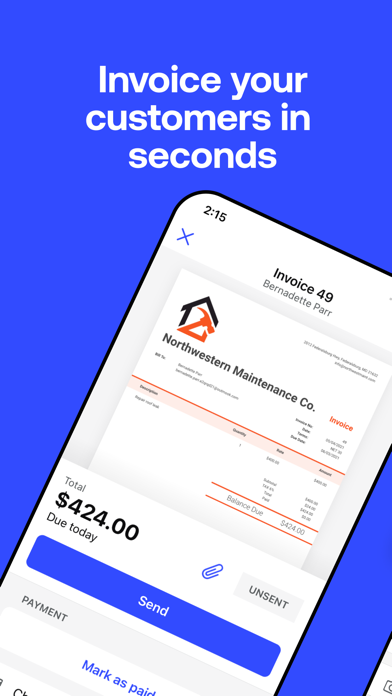
Screenshots

Reviews

  • SCAMMERS !!!

    1
    By RavenbThomas
    They are holding almost $1000 of my money. Logged me out and o can’t get back into the app. They emailed me saying random audit. I emailed them everything they asked for and never received a reply please please please don’t download
  • Fantastic app

    5
    By Tacoz1974
    I’ve been using this app for many years. It’s everything I need for invoicing, proposals, and just keeping up with everything.
  • Looks good!

    5
    By Jbangert
    Easy to use and the invoices look great. Plenty of ways to make them your own.
  • Owner

    1
    By Instant payouts withheld
    Instant payouts keep getting put on hold. This has turned into a bait and switch scenario. I have used this app for over 6 years not sure what’s going on. Customer support is only through email and takes far too long to get a response. I have almost a million dollars in transactions and will be looking elsewhere for a new provider.
  • Again, payment “pending”

    1
    By Soniclean
    I bill the same three people, over and over. For YEARS. I use the instant payout feature. Now, every invoice I send gets held up for days for security review? Currently waiting on an invoice paid days ago still pending. I’m looking for replacements because you’re awful anymore. And I was happy. It’s all you
  • Don’t waste your time or money!

    1
    By Dmjfoo
    First off, you cannot call to contact the company. So if you have issues, you can chat but then they just recommend you reply to an email…. I’m on day 6 of waiting for a response. I opened up an account, sent an invoice, customer received invoice and submitted payment & then a few hours later, I get an email stating they cancelled my account and any pending payments would be returned. No reasoning, no solution recommendation, nothing. So here I am, a small start up company and my first real customer I have to reach out to and explain this situation too… one that I don’t even understand. Got a response via email after chatting with some one (oh and never getting said email, btw) and they want bank statements, copy of photo id and a selfie proving I’m who I say I am…. Why wasn’t this requested BEFORE my account was approved??? So now I wait… day 6 of wanting to know why they cancelled my account. What should have been so easy has turned into a pain and an embarrassment for my small family business. DO NOT RECOMMEND!
  • Terrible

    1
    By KA441ZAL
    Very disappointed with Invoice2go’s service. My account was randomly deactivated with no clear explanation, and getting any real help from support was extremely frustrating. I sent multiple follow-up emails and got little to no communication back. At one point, I was asked to submit documents, then later told my case was closed and that nothing more could be done through that ticket. The entire process was confusing, unprofessional, and a complete waste of time. No customer should have to chase a company for days just to get a basic explanation about their own account. Based on my experience, the level of support and communication has been terrible.
  • 13 years… time to switch.

    1
    By Mcomeau334
    13 year user here. This app was by far the best when I first started using it. Just enough features for a small business to use for basic invoicing and expense tracking. You could export reports right from the app, and expense tracking was good. Invoice2go is probably still a great fit more many people. I just don’t think it’s me anymore. I’ve switched to the monthly subscription, so I can back up my data, and make the move to something else. Such a shame. Just simple things would change it all for me. But it’ll never happen, based on the last 6 years or so of waiting. I’ve been waiting for many years for some basic improvements. A feature removed long ago was a very simple “cost of goods” system, that allowed you to bill an expense to an invoice, and when viewing the expenses you’d see the “tagged invoice” in the reports. That feature was removed, and eventually replaced with “projects”. Something that over complicated the original feature. But also, the reporting. Whether your using the app, or the website version, to get a report you have to; select the report (which most have current year, but if you want 2025 you have to select “custom” and do the date range) then click export, which then sends a link to your email, which then bounces you back to your browser for download, then you can open it. Talk about annoying.
  • Easy invoices

    5
    By ChadMaximus
    I’ve been using the app for over 14 years and basically I’ve never had a problem. The biggest problem is I’ve had to login 6-8 times when I don’t log out. Otherwise it runs perfectly.
  • Business

    5
    By I Want Your Grass
    Great service!

keyboard_arrow_up