NordPass Password Manager

NordPass Password Manager

By Nordvpn S.A.

  • Category: Productivity
  • Release Date: 2023-09-11
  • Current Version: 7.2.16
  • Adult Rating: 4+
  • File Size: 9.41 MB
  • Developer: Nordvpn S.A.
  • Compatibility: Requires iOS 10.14 or later.

Description

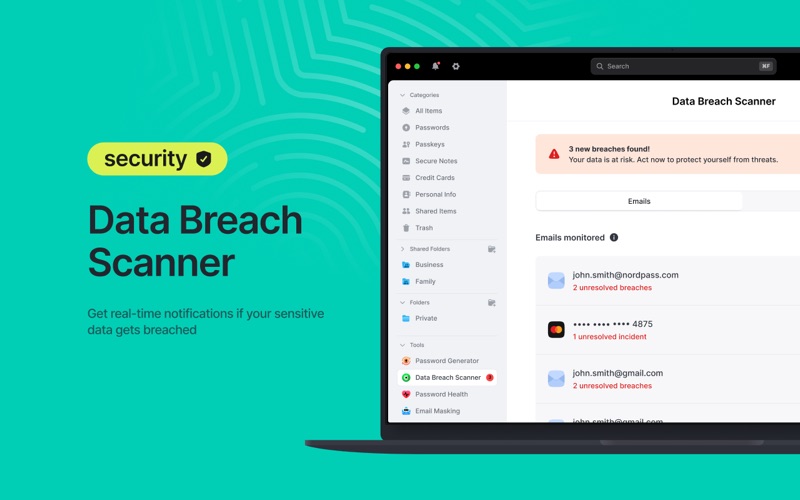
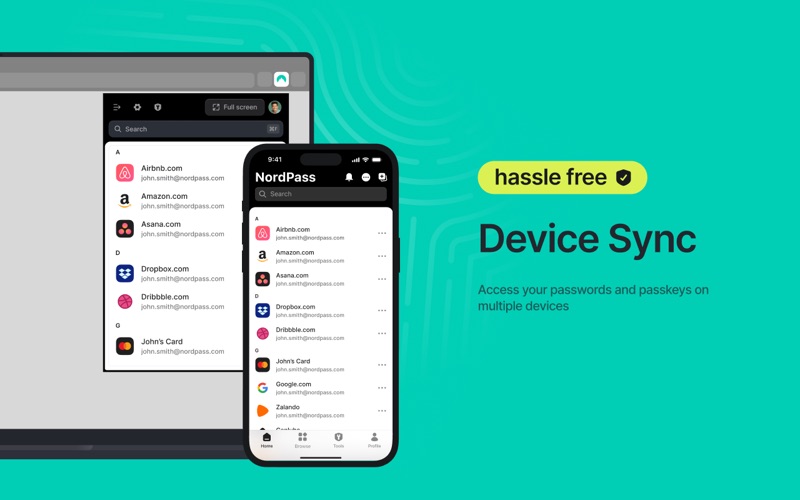
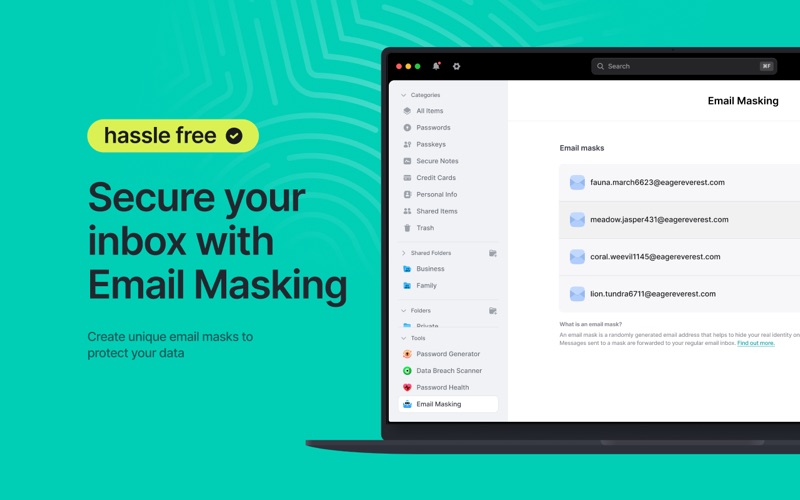
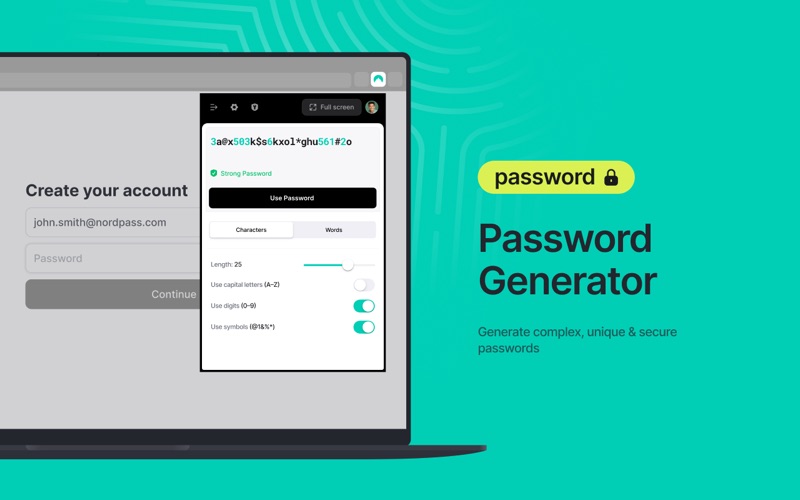
NordPass is your freedom from password stress. Generate and securely store strong passwords and autofill them with a single click. Designed by the security experts behind NordVPN, the NordPass password manager offers a refined yet user-friendly approach to password management. Effortlessly generate strong passwords, identify weak passwords, discover whether your data has appeared in a data breach, and benefit from the convenience of our autosave and autofill features. But there’s more to NordPass than meets the eye. Beyond passwords, trust NordPass to store your passkeys, credit cards, personal notes, and even files with 3GB of storage reserved just for that. Never compromise on security. Keep your passwords safe with NordPass. Here’s more of what you get when you choose NordPass: AUTOFILL AND AUTOSAVE Log into your favorite website without manually typing your password every time, and autosave new passwords with a click. DOCUMENT STORAGE Securely store and organize PDFs and scans of passports, IDs, and any important paperwork. Add expiry dates and get automatic reminders before anything runs out. PASSWORD GENERATOR Generate strong passwords for your online accounts with a single click. PASSKEY STORAGE Step beyond passwords. Store passkeys next to passwords in NordPass, access them anytime, anywhere. PASSWORD HEALTH Identify weak, old, and reused passwords with the dedicated Password Health tool. DATA BREACH SCANNER Check if any of your sensitive data has been compromised and take immediate action. BREACH MONITORING Receive real-time alerts about your breached data and stay ahead of potential threats. EMERGENCY ACCESS AND PASSWORD SHARING Share passwords securely with trusted individuals and provide emergency access to close contacts. CREDIT CARD AND PERSONAL INFO STORAGE Have direct, instant access to payment details when online shopping or personal details when booking trips without the need to remember or manually type them out. DEVICE SYNC Save a password on your laptop and access it on your mobile while on the go. UNLIMITED STORAGE AND DEVICES Store countless passwords and access them on all of your devices, even when you’re offline. MFA AND BIOMETRICS Enhance security with Multi-Factor Authentication, OTP generators, and biometric access. FILE ATTACHMENTS Securely attach, store, and retrieve files with 3GB of storage. PASSWORD IMPORT AND EXPORT Switch from another password manager to NordPass without losing any data. XCHACHA20 ENCRYPTION All your data in NordPass is encrypted with the cutting-edge XChaCha20 encryption algorithm, ensuring unparalleled password security. ZERO-KNOWLEDGE ARCHITECTURE With NordPass's zero-knowledge architecture, only you have access to your data. Download NordPass and forget your password stress. Forever. For more information, visit: https://nordpass.com/ For Privacy Policy, visit: https://nordpass.com/privacy-policy Feel free to contact our Customer Support team with any questions you may have: [email protected]
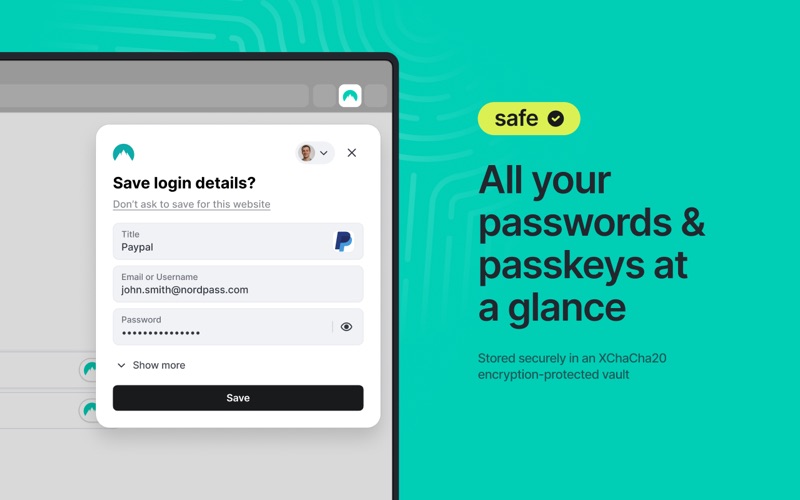
Screenshots

Reviews

  • Not a real app

    2
    By ToryWho
    This is not a real app. It is just an extension for Safari. I don’t use Safari. So it is useless and uninstalled. I wanted an app that runs in its own window, like Bitwarden for pulling passwords for applications that aren’t browsers. Yes, they still make those. I’ve been happy with the other Nordpass apps on other devices, but not this one. I guess I’m stuck with just the Firefox extension on MacOS. Very disappointing
  • Sadly doesn’t live up to the Nord name

    2
    By Aalvar82
    I’ve used other Nord products in the past like their VPN, which I loved. The app is inconsistent across different platforms and even browsers. The app works flawlessly 99% on my iPhone, wish that same user experience was replicated on my Mac, even more so when it comes to the Safari extension. On Safari, I constantly have to refresh webpages so the NordPass icon appears in fields to autofill. Sometimes on the same website it will be in all fields and other times some, and other times none; it’s all over the place. I’ve also noticed in Safari I have to manually search for a password instead of NordPass automatically giving me options to click to login. I also use their extension on my Brave browser, and while it’s not flawless it works much better than in Safari. For example, when I try to login into United Healthcare I have to manually search for UHC in Safari, where in Brave it “knows” that UHC is an option, and presents it a choice for me to click to autofill. Prompting is also an issue on Safari, as well as Brave (which is better though) when creating accounts. Most of the time the Brave extension prompts you to create a secure password, and asks if you want to save after logging in. Safari doesn’t do this half time. If it worked as smooth on Mac like it does on iOS, I’d give it 5 stars. Why even come out with an app for Mac if you can’t design a reliable extension to work for its native browser? Come on Nord, get back to the drawing board on this one.
  • I'D REALLY GIVE IT A ZERO

    1
    By seedmeister
    I followed the advice to get this from a national tech radio host and don't know why she liked it. My grandson mananged to install it on my main computer but gave up on my lap top. It is not easy to log in and is really too complicated for this grandpa to use.
  • Confusing right out of the gate

    1
    By Annoyed2313
    Stay away from this product. When you download it you have to get both the app and an extension and it’s just a nightmare of complexity. Customer service could not help effectively. The other reviews indicate it is a pain to use — if it’s this hard to install I am not going to deal with it.
  • Useless extension

    1
    By Umid Muminov
    This isn’t a native app, it’s a Safari extension, which makes it useless without the browser. Managing passwords or changing settings is impossible without first opening the browser extension. I tried to figure it out for days, but it didn’t work for me. My refund request was denied, so it’s a waste of money. I strongly recommend investing a few more bucks and purchasing a legitimate password manager instead of this primitive tool.
  • Customer service

    1
    By Out to luch
    They have no phone number for support and they want you to trust them like a Bank.
  • Rock solid

    5
    By GrendelsMothra
    I have tried a few different password management apps. Nord was the easiest to input my password information into, plus it makes it easy to organize, use, the only problem I had was at first I didn’t realize the difference between the master password and the password - once I understood they’re two different things everything fell into place for me. Plus I can use my yubico fob with this account, making it even more secure (but you can use an authenticator if you’d rather)
  • so many login problems ALL the time

    1
    By sbsmithjax
    Nordpass should be avoided if you have a macos and are using chrome. I have to LOGIN CONSTANTLY, to the norpass browser extension. And I mean constantly, sometimes 5-10 each time I sit down with my computer to work. In addition, the macos Nordpass app can be fully logged in and working, and the browser extension will not be loggedin, not allow you to login, and every single new tab or window you open you have to try to log back into nordpass. Here is a screenshot showing my fully logged in status on the macos app, and logged out, with errors and no way to login to the browser on the same machine at the same time. INSANELY BAD.
  • Quirky - at best

    1
    By Meg Oxbigg
    I can't get the Safari extension to work where I have any confidence using the program. I'm not sure installing this software on this machine was worth it. I never had any issues with Google or iCloud storing passwords. Even if Nord is more secure, I'm not sure its worth the inconvenience. VERY FRUSTRATING!
  • Working well; I haven’t had any issues

    5
    By Philthy G
    Moving from 1password

keyboard_arrow_up