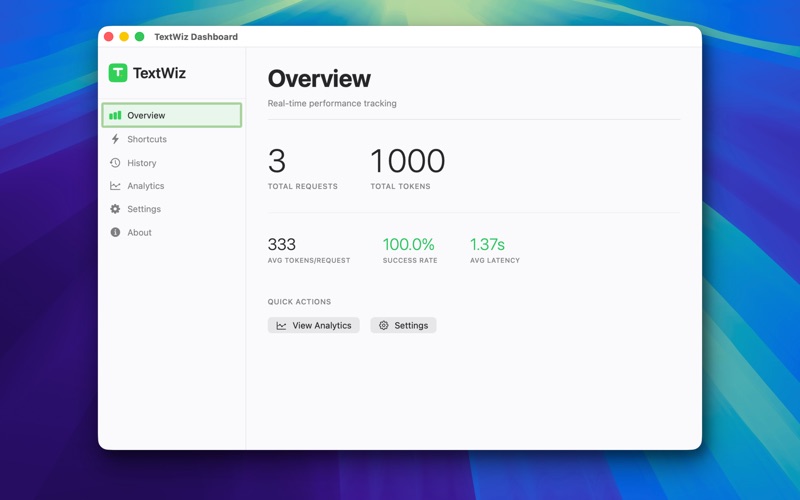
Select text. Press one key. Transform it with AI. TextWiz is the fastest way to rewrite, proofread, and improve any text in any Mac app — without copy-paste gymnastics or switching tools. • Works everywhere — Mail, Slack, Notes, VS Code, Safari, and more • 7 built-in wizards — Rewrite, Proofread, Concise, Professional, Friendly, LinkedIn, X Post • Private by design — run everything locally with Ollama for zero-cloud mode HOW IT WORKS • Copy any text, then press Command+Shift+Space to open the TextWiz panel • Or right-click your selection and choose Services → Process with TextWiz to transform the text in place • Pick a wizard, watch the AI streaming result, and copy the improved text with one click KEY FEATURES • Two-way text capture — Clipboard hotkey (⌘⇧Space) and the macOS Services menu for in-place replacement. No Accessibility permission required. • Floating Panel UI — Side-by-side comparison with streaming AI output and inline diff highlighting • Multiple AI Providers — Choose between Google Gemini, Groq, Mistral, OpenRouter (cloud) or Ollama (local, private) • Built-in Wizards — Rewrite, Proofread, Concise, Professional, Friendly, X Post, LinkedIn Post, and Improve Prompt • Custom Wizards — Create your own with custom prompts, models, and settings • Diff Highlighting — See exactly what changed, word and character by word and character • Local Analytics — Track your usage in a privacy-first, local-only dashboard • Request History — Browse and search your past AI requests • Secure — API keys stored in the macOS Keychain; no cloud logging; your data stays yours PERFECT FOR • Writers polishing drafts and exploring alternatives • Developers improving prompts and documentation • Professionals crafting emails, posts, and messages • Students editing essays and assignments • Anyone who wants AI at their fingertips without switching apps PRIVACY FIRST TextWiz runs entirely on your Mac. With Ollama, everything stays local — no data ever leaves your machine. Cloud providers are optional, and all API keys are stored securely in your Keychain. Requires macOS 14 Sonoma or later.