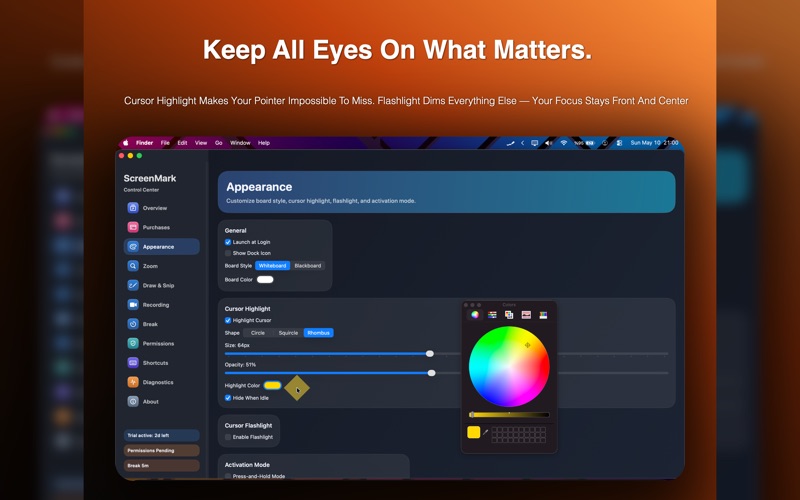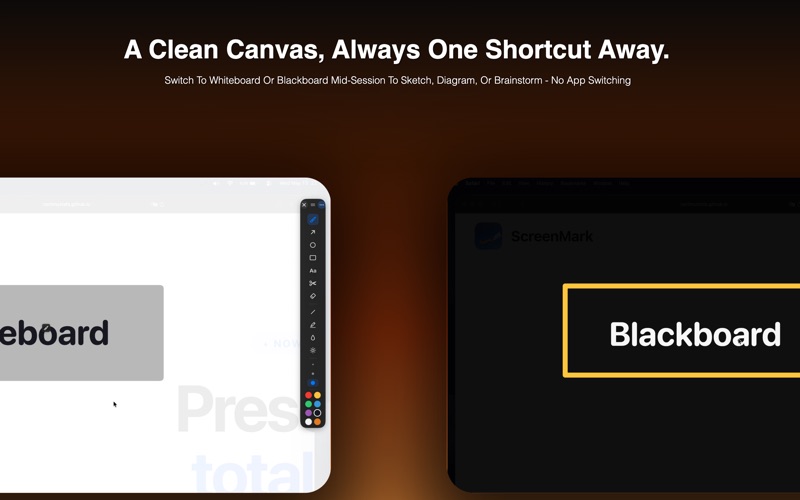
ScreenMark turns your Mac menu bar into a complete presentation control center. Whether you are teaching, presenting to clients, running a demo, or leading a workshop, ScreenMark helps your audience focus on what matters without interrupting your flow. One keyboard shortcut brings up the tools you need. No switching apps. No hunting for controls. Just you, your screen, and your audience. ZOOM Instantly magnify any part of your screen without moving windows or changing your layout. Use Full Screen Zoom for smooth whole-screen magnification, Follow Lens to zoom around your cursor, or Cursor Focus to keep your pointer centered and easy to follow. DRAW AND ANNOTATE Draw live on top of any app, including slides, browsers, terminals, documents, and more. Use pen, shapes, arrows, text, and colors to highlight important areas during your presentation, then quickly return to your previous app. FREEZE Lock your visible screen in place while you navigate freely behind it. Freeze mode is useful when you want to keep a slide, page, or screen visible while switching tabs, preparing your next point, or making changes in the background. HIDE DESKTOP Clean up your screen with one action. Hide Desktop hides your desktop icons for a tidy, distraction-free presentation, meeting, screen share, or recording. SNIP Select any region on your screen and capture it instantly. Your annotations can be included in the capture, making it easy to save or share important moments from your presentation. RECORD Capture your presentation with one click. ScreenMark supports system audio and microphone recording, with a menu bar indicator that shows when recording is active. WHITEBOARD AND BLACKBOARD Turn your screen into a blank canvas. Use Whiteboard mode for a bright, clean drawing surface or Blackboard mode for a dark board-style space for teaching, brainstorming, and explaining ideas. BREAK MODE Give your audience a proper pause. Break Mode includes full-screen backgrounds, a countdown timer, custom duration, and calming background music. Break Lock lets you protect your break with an optional 4-digit PIN, so your session cannot be exited until the PIN is entered. When the break ends, ScreenMark brings you back automatically. CURSOR SPOTLIGHT Highlight exactly where your cursor is with a soft spotlight or focused flashlight effect. This helps your audience follow along on large displays, online meetings, shared screens, and recorded demos. REMOTE CONTROL Run your presentation from across the room with the free ScreenMark Remote companion app for iPhone. Pair your iPhone with your Mac over a direct, private peer-to-peer Wi-Fi and Bluetooth connection. No account and no shared network required. From your phone, you can trigger highlight, flashlight, zoom, freeze, snapshot, drawing, switch tools and colors, and use the built-in pointer pad or motion air mouse to control your Mac cursor. KEYBOARD SHORTCUTS Every major tool has a dedicated shortcut. Trigger zoom, draw, freeze, hide desktop, spotlight, snip, record, whiteboard, blackboard, or break mode without opening extra windows. ALWAYS IN YOUR MENU BAR ScreenMark lives quietly in your menu bar and appears when you need it. No Dock clutter. No complex setup before each session. Just activate and present. SCREENMARK PRO Unlock the full ScreenMark experience with ScreenMark Pro. ScreenMark Pro includes: Live Zoom mode Follow Lens zoom mode Cursor Focus zoom mode Cursor Spotlight and Flashlight Advanced annotation tools Break Mode with custom background and sound Remote Control from your iPhone ScreenMark Pro is available as a monthly subscription, yearly subscription, or one-time lifetime purchase. A 7-day free trial is available. No payment is required to start the trial. ScreenMark Remote: https://apps.apple.com/us/app/screenmark-remote-controller/id6776369714 Terms of Use: https://www.apple.com/legal/internet-services/itunes/dev/stdeula/