Pedometer++

Pedometer++

By Cross Forward Consulting, LLC

Score: 4.78737
4.78737
From 174,607 Ratings

Description

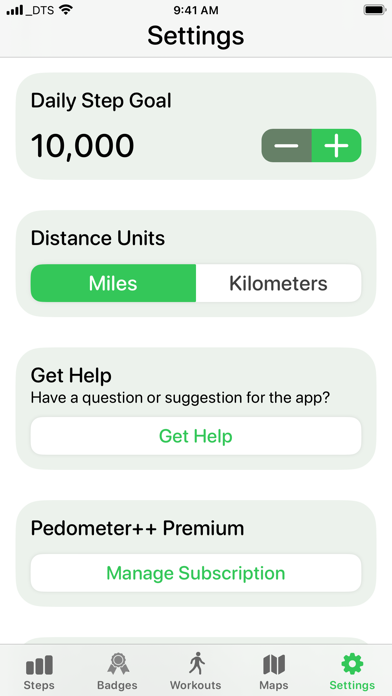
Available on the iPhone and Apple Watch, Pedometer++ is the best way to review your step count, walking distance, active calories, and heart rate data. Set a custom step count goal and track your progress over time. The built-in graphs make reviewing your data easy and fun. Everyone loves awards, and Pedometer++ includes a range of Badges to motivate and reward your hard work! The app also totals how far you’ve walked each day, and even counts the flights of stairs you encounter each day. With full-featured widget support, Pedometer++ can display your step count or update you on your daily progress right from your iPhone's lock screen or home screen. You can also share your workouts with others and view trends over time. The Apple Watch app puts all this data on your wrist. With a wide range of Complications, it’s easy to check your progress with just a glance. Add a single Complication to your daily watch face, or add several to build a comprehensive fitness-focused look! DETAILS: For best results, keep your iPhone on you as you move throughout the day, ideally in a pocket close to your hips. If you have an Apple Watch, you can set Pedometer++ to sync step data across your devices for the most accurate data possible. The Apple Watch app can also start and track indoor and outdoor walking and running workouts and can serve as your guide while hiking. ROUTES & MAPPING: Pedometer++ is your ultimate companion for exploring the great outdoors. It allows you to import GPX files for waypoints and routes set by others. You can also use the app to create your own routes. Simply tap on your desired start and end points, and Pedometer++ will find the shortest route between them. You can then tweak the route based on terrain, trail popularity, or personal preference. Pedometer++ shows the distance of a route, the elevation changes you will encounter, and the estimated time it will take you to reach your destination. You can also monitor the weather that is expected along your route. The best part is that custom routing is available on the iPhone and Apple Watch. Of course, being out in nature often means losing cell service, so Pedometer++ allows you to download offline map data for large areas, not just for your specific route. Offline map data is also available on the iPhone and Apple Watch, as long as your Watch is within range of your phone. NOTES: Pedometer++ integrates with the Apple Health app to collect and display step data collected by your Apple Watch. Pedometer++ includes an optional premium subscription. This is offered on a monthly or annual basis. If you choose to purchase a subscription, your payment will be charged to your iTunes account. Subscriptions automatically renew unless canceled within 24 hours before the end of the current period. After purchase, you can turn off auto-renewal anytime by going to your Account Settings on the App Store. Access to iPhone-based workout tracking is only available to Pedometer++ Premium subscribers. LEARN MORE: Privacy Policy: https://pedometer.app/privacy Terms of Use: https://pedometer.app/terms

Screenshots

Reviews

  • Đạt được 10.000 bước

    5
    By Thái Kim Vũ
    Tốt
  • Decent app and interface but…

    3
    By Instiller
    Constantly losing streaks due to mistracking of steps. It logged only 8 steps for a day where I walked over 5,000, and have health data to back it up. Tried to import it into the app and it doesn’t show up as out of sync.
  • Update sadness

    1
    By Battlecow808
    Was my go to app for many years with the new update I find myself searching for a better option they removed step counter while working out and also removed the “other” workout feature which I used while not running/walking for heartbeat steps and timing of my regular workouts I hope the developers give us access to the old features again or I will need to remove this app
  • Trash

    2
    By Tracker review may 2026
    This app consistently fails to track my miles and steps accurately
  • Step count removed from workouts

    1
    By tom_c4
    Can't edit the workouts anymore to show step count.
  • Old functionality was better

    1
    By JBF194
    The old functionality with Apple Watch was much better. You could set better options including steps for the day in the work out and watch face. The new look is not nearly as good.
  • Major Upgrade Flaw

    1
    By rphagins
    There is NO way to add steps on the Apple Watch for indoor walking. There is room on the watch face to add steps. The old version had a step counter for walking.
  • Recent Apple Watch update ruined it for me

    1
    By Continuityficocicjxixjx
    Loved this app and had been using it daily for over a year. Unfortunately won’t be anymore, since the most recent update removed the feature I used it for: The ability to see step count DURING a walk or run.
  • Love it!

    5
    By Δήμητρα Τ.
    I love Pedometer+++ ! Even the basic version works well, counting my steps and giving me distance and other metrics. This is the first time I’ve used a step up and I’m very happy with Pedometer. I do not need to go to any other step app. If my health regimen improves greatly, I will purchase the next level of thermometer. But this one is great and works well with my Apple Watch 5 as well. Yay!
  • Step count and daily goal history changed after travel

    3
    By zlataazlataa
    My daily step goal is over 7,000 steps, and I was closing it every day. On some days I had at least 7,100 steps, and I clearly remember seeing in the app that the goal was completed. However, after I traveled to Turkey and then returned to Russia, the step count for three already completed days changed and dropped below my daily goal. This should not have happened, because those days had already been completed and the goal was reached. I’m not sure if this bug is related to changing countries/time zones, but it looks like the app recalculated or changed the data retroactively. Could you please check this issue and help restore the correct step counts / completed goal status for those days?

keyboard_arrow_up