Screen Mirroring - TV Cast Air

Screen Mirroring - TV Cast Air

By EVOLLY.APP

  • Category: Utilities
  • Release Date: 2020-02-05
  • Current Version: 2.4.8
  • Adult Rating: 17+
  • File Size: 55.06 MB
  • Developer: EVOLLY.APP
  • Compatibility: Requires iOS 15.0 or later.
Score: 3.52764
3.52764
From 3,925 Ratings

Description

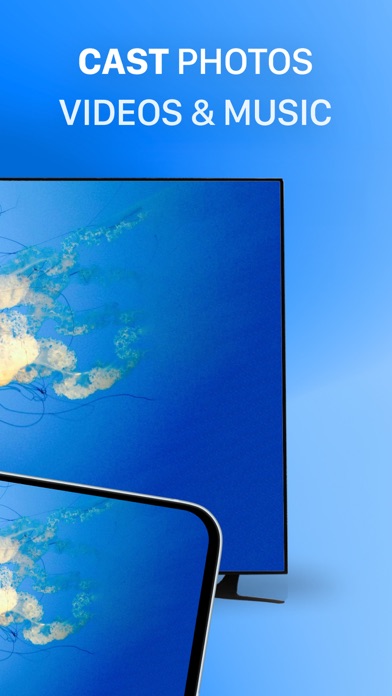
Screen Mirroring Z enables users to mirror their phone's screen to any smart TV wirelessly and in real-time without any delays. The app is ideal for making presentations, watching movies, or playing games on your TV. It supports TVs with web browsers and those that support the following discovery protocols: DLNA, DIAL, Chromecast, and UDAP. It is important to note that Screen Mirroring Z is not affiliated with any TV brands such as Samsung, LG, Sony, Roku, and others. The app has several features, including the ability to mirror your phone's screen to your TV, cast photos and videos from your photo library to your TV, and mirror your phone's camera to your TV. To mirror your phone's screen to your TV, you need to connect your phone and your TV to the same WIFI network. Then, open the app and connect it to your TV. After that, tap the "Screen Mirroring" button and follow the instructions to start mirroring. Screen Mirroring Z offers a premium version that allows users to remove ads and unlock all features. You can choose to make a one-time payment or opt for a yearly or monthly subscription (with a 3-day free trial). Payment will be charged to your iTunes account at the confirmation of purchase, and subscriptions automatically renew unless auto-renew is turned off at least 24-hours before the end of the current period. Subscriptions may be managed by the user, and any unused portion of a free trial period will be forfeited when the user purchases a subscription to that publication, where applicable. The app's privacy policy and terms of service can be found on the developer's website at https://evolly.app/privacy-policy/ and https://evolly.app/terms-of-service/, respectively.

Screenshots

Reviews

  • Just Doesn’t Work

    1
    By Krhudgins
    Connects to a link on the tv and there is just nothing displayed.
  • Worked once

    1
    By dani2945
    I downloaded the app. It seemed to work. Now I want to play my home video… it worked for three minutes then went to the QR code screen and wont budge from there
  • Does not work. And cancelling is obscure.

    1
    By 86 unhappy
    Did not work with Samsung tv, and cancelling is intentionally very obscure. Suspect will need to dispute the recurring charges. AVOID USING!
  • Horrible be careful if used

    1
    By Natian1112
    First it has spotty mirroring and second i went to use the free trail, but it charged my for the week subscription. Stole 7.45 from me and would not return it. Apple was no help so be careful if you plan on using it, shady business practices.
  • Worst app ever

    1
    By Thisisprimeexample
    Does not work properly
  • Stay away

    1
    By Ie2772skip03
    Pathetic
  • Unable to display

    1
    By Nena bendecida
    Even though it connected to my TV it didn’t display anything.
  • Horrible

    1
    By bella_kay1
    If I could put zero stars I would! Do not recommend at all
  • No manda sonido

    1
    By Odin Galvan
    No sirvev
  • Don’t buy this

    1
    By Great all-in-one messenger
    Super limited doesn’t give you the functionality of the OS. You can only use apps they provide.

keyboard_arrow_up