Smart Remote for Sam TV

Smart Remote for Sam TV

By EVOLLY.APP

  • Category: Utilities
  • Release Date: 2021-04-18
  • Current Version: 2.0.3
  • Adult Rating: 4+
  • File Size: 173.00 MB
  • Developer: EVOLLY.APP
  • Compatibility: Requires iOS 15.0 or later.
Score: 4.20744
4.20744
From 9,545 Ratings

Description

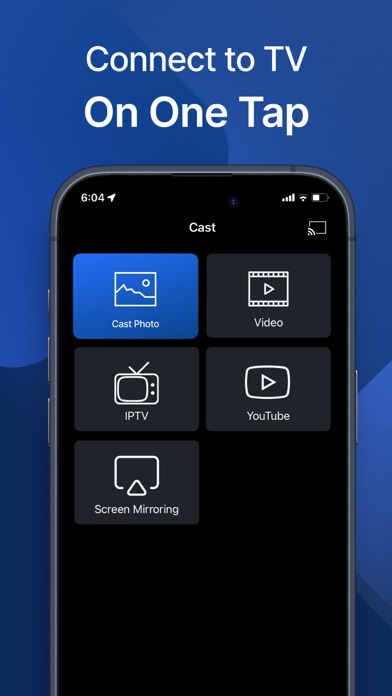
Sam Remote is the complete remote control app for Samsung TV. It allows you to control your TV right from your phone. Try it to enjoy better Samsung TV experience! Main features: - Auto detect Samsung TV - Complete Remote Control for Samsung TV - Work with Samsung TVs later than 2016. - A large touchpad for menu and content navigation - Keyboard and Voice Search *** Upgrade to Premium to remove ads and unlock all features*** You can choose one-time payment or a yearly subscription. (with 3-day free trial) or a monthly subscription. – Payment will be charged to iTunes Account at confirmation of purchase (After free trial period if offered). – Subscription automatically renews unless auto-renew is turned off at least 24-hours before the end of the current period. – Account will be charged for renewal within 24-hours prior to the end of the current period, and identify the cost of the renewal. – Subscriptions may be managed by the user and auto-renewal may be turned off by going to the user’s Account Settings after purchase. – Any unused portion of a free trial period, if offered, will be forfeited when the user purchases a subscription to that publication, where applicable. Privacy: https://evolly.app/privacy-policy/ Terms: https://evolly.app/terms-of-service/ This app is not an official product of Samsung Electronics.

Screenshots

Reviews

  • Not working

    1
    By 6mom
    It appears to connect on the phone, but the TV is not responding at all
  • Don’t waste your time

    1
    By good and there are some bada
    This remote app doesn’t work at all such a waste of time
  • it sucks booty

    1
    By Rokusghhhh
    make it free nexts time
  • Will not connect to my tv even after I paid for th app

    1
    By da ewqas
    Junk
  • Buttons don’t work

    1
    By Miko rounds
    I can’t get the Netflix to open the button does nothing on the remote
  • Better than I had

    3
    By Hal o'gen
    To be brutally honest, the physical Samsung remote that came with my TV is the worst remote for any appliance or device that I have ever used. Cumbersome, awkward, lags behind, hesitates and makes no sense. The sound control is horrible- not user friendly. It seems to me that several years ago, after paying over $1000 dollars for a 75” Qled 4K TV- that it should have come with a very deluxe and easy to use remote. Instead it has been thoroughly frustrating. In addition, getting my Comcast remote to work for the Samsung Plus was such a hassle too. I hate the idea of having to pay for a remote on my phone for my TV but it is so much easier and responsive. I can change channels and find what I want now with buttons that make sense and that are labeled correctly. I do not like that when I try to use many of the features a message keeps coming up on my TV that says “Not available”. I love my Samsung. I spend way too much time enjoying it. I wish there was a DVR service, though I have read that an external one will work- still researching that. A few things annoy me but it may be the different streaming apps. For instance, I enjoy watching the credits. I get curious as to where things were filmed and who wrote the music things like that. Tubi forces another movie right away that I did not choose. I was hoping there was a setting for that on the phone remote. Despite all my complaints- I do like the phone remote and I hope more features will be available and I think it should be free because they dropped the ball on the overly minimalistic remote t got with the TV. Doubt this will be published but if so- this is my honest review.
  • Bad purchase - some features are good. Not all OK.

    2
    By Eric1GT
    Deleting the app to reinstall and try again will not work because the app doesn’t recognize my previous purchase.
  • Not the Best

    1
    By JulesBleu
    The TV has to be on in order to function with the App- And when on it doesn’t always work!
  • Not working

    1
    By Gwalk1970
    Tried connecting for a while never connected waist of time
  • Sam TV app

    5
    By Moldguy1
    So far so good just downloaded it!

keyboard_arrow_up