QuickBooks GoPayment POS

QuickBooks GoPayment POS

By Intuit Inc.

  • Category: Business
  • Release Date: 2009-08-03
  • Current Version: 26.04.0
  • Adult Rating: 17+
  • File Size: 462.09 MB
  • Developer: Intuit Inc.
  • Compatibility: Requires iOS 16.0 or later.
Score: 4.7621
4.7621
From 6,364 Ratings

Description

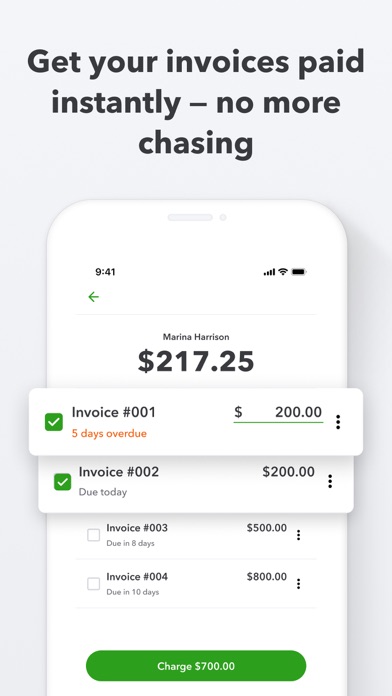
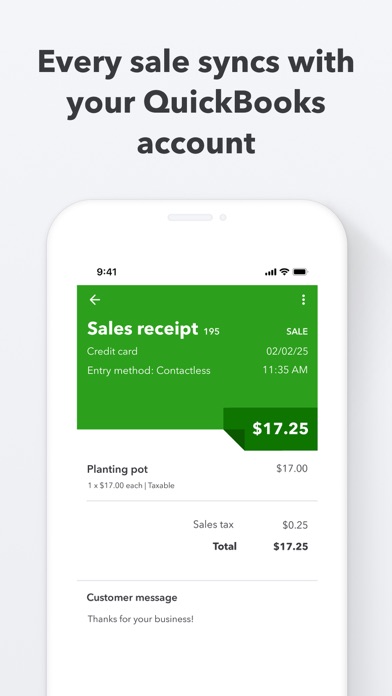
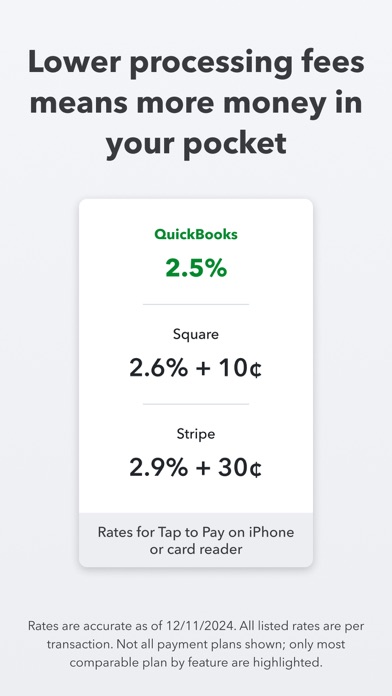
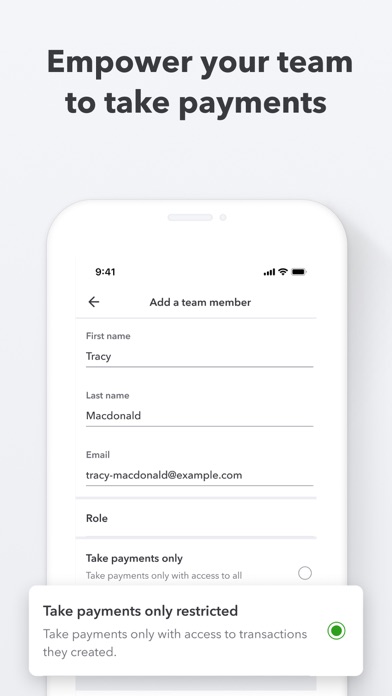
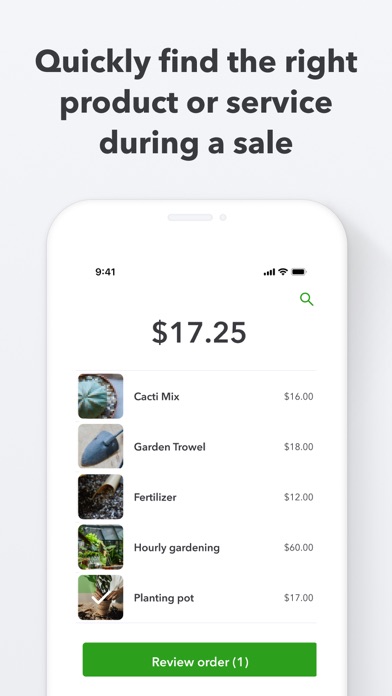
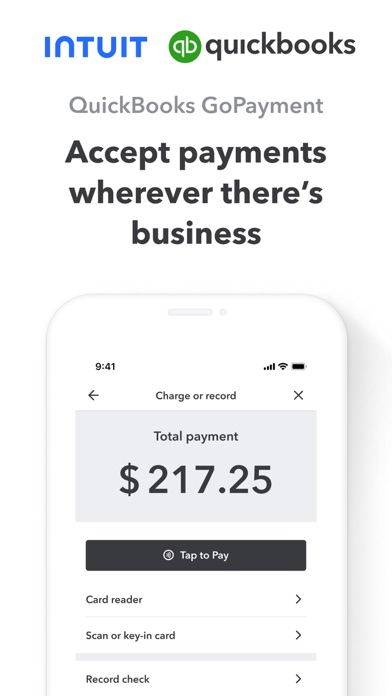
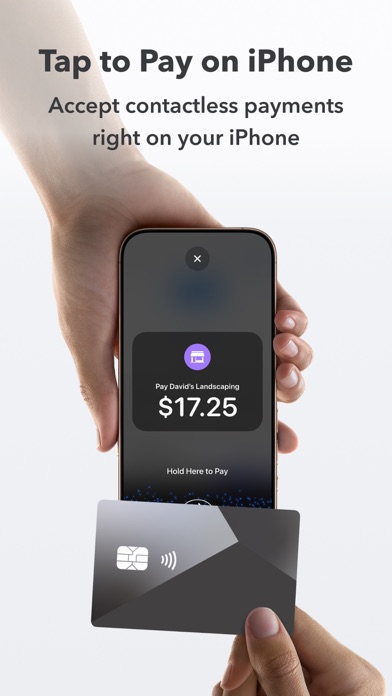
Get paid in-person or on-the-go with the QuickBooks GoPayment app. With Tap to Pay on iPhone in the GoPayment app, you can accept in-person, contactless payments, right on your iPhone — from physical debit and credit cards, to Apple Pay and other digital wallets — no extra terminals or hardware needed. It’s easy, secure, and private. Terms apply**. Use the GoPayment app as you scale, so your employees can take payments on their device or card reader without accessing your sensitive business data. Settle unpaid invoices on the spot and get fast access to your payments without the hassle of chasing them down. Every sale made with the mobile app or card reader syncs with your QuickBooks Online account, so your books are up-to-date with your latest sales. Start accepting payments right away with competitive processing fees at just 2.5% for in-person card payments - visit https://quickbooks.intuit.com/payments/payment-rates/ to see all rates. Other app features: - Collect or retrieve existing customer details and send a text or email receipt on the spot. - Easily add products or services during a sale, and the GoPayment app calculates the total with sales tax, tips and any discounts. - Easily create products and services—with labels and prices—so you can quickly find the right item during a sale. - All your deposits are listed in the app, with status updates on pending funds so you never wonder where your money is. - Visa, MasterCard, Discover, and American Express debit and credit cards are all accepted. Money movement services are provided by Intuit Payments Inc., licensed as a Money Transmitter by the New York State Department of Financial Services **Product features Tap to Pay on iPhone requires a supported payment app and the latest version of iOS. Update to the latest version by going to Settings > General > Software Update. Tap Download and Install. Some contactless cards may not be accepted by your payment app. Transaction limits may apply. The Contactless Symbol is a trademark owned by and used with permission of EMVCo, LLC. Tap to Pay on iPhone is not available in all markets. For Tap to Pay on iPhone countries and regions, see https://developer.apple.com/tap-to-pay/regions/. Apple Pay is a service provided by Apple Payments Services LLC, a subsidiary of Apple Inc. Neither Apple Inc. nor Apple Payments Services LLC is a bank. Any card used in Apple Pay is offered by the card issuer. Privacy Link: https://www.intuit.com/privacy/ Developer Website: https://quickbooks.intuit.com/payments/mobile-payments/ Intuit Payments' money transmission licenses: https://www.intuit.com/legal/licenses/payment-licenses/ Order A Card Reader: https://quickbooks.intuit.com/payments/readers/ Terms, conditions, pricing, features, service and support are subject to change without notice.
Screenshots

Reviews

  • Deposits placed on hold with no clear explanation!

    1
    By Markys324
    QuickBooks Payments placed all of my customer deposits on hold and said I should have received an email requesting additional documentation. I checked my email multiple times, including spam and junk folders, and I never received any request or clear instructions. All of my business information and documents were already completed inside QuickBooks, but there is no visible checklist in the app, no clear explanation of what is missing, and no clear timeline for when the funds will be released. This creates a serious cash-flow problem for a small business. If QuickBooks needs more documents, the request should be clearly shown inside the app and resent by email immediately. Holding customer deposits without clear communication is unacceptable.
  • Terrible

    1
    By Davemcg3000
    Works about half the time. Constantly glitches and have to restart phone. Sometimes connects with card reader and sometimes doesn’t. Sometimes works with phone tap and sometimes doesn’t. Customer screen frequently blank. Intuit could care less.
  • Okay

    5
    By Me oh Mya’sss
    Let’s see if it can keep up the good business
  • App Features

    4
    By Psychdoc777
    Limited search abilities
  • Glitchy app no customer service

    1
    By happyapply21
    If you ever have issues processing payments and need customer service help there is none. There customer service has no knowledge other then what a cheap AI can spit out.
  • Hard to use an app that won’t even sign you in

    1
    By bellsair
    I downloaded deleted downloaded deleted this app numerous times Quickbooks support has been telling me their app has been fixed. It’s not fixed. I can’t even sign in.
  • What the heck happened??

    1
    By DoodMama20
    I’ve been out of work for a few weeks and returned to find this app is now all messed up. I use it on my iPad and rely on it to accept payments from all my clients, so I was UNPLEASANTLY surprised to find that in the create a receipt screen (with iPad in landscape) the right side of the screen where you select the customer, write notes on their sales receipts, and where the button is to continue and connect to the credit card reader is BLANK! It’s all white… NADA. Only the left side of the screen where you pick what products or services you are charging, but thats it. So you can’t create a receipt or do a sale. I’ve tried deleting and reinstalling the app a few times, rebooted iPad, etc, but nothing has worked. It works on my iPhone, so I’m being forced to use that, but that’s not how I normally take payments and generate receipts. Intuit… PLEASE FIX THIS!!!
  • Many bugs need fixing: glitches and app closes, randomly things will not work, etc.

    1
    By 12msshsh
    ,
  • What a sorry excuse for a payment app

    1
    By TheHomeRepairGuy
    After being on hold for hours, I get a hold of tech support who had no clue what they were doing. It’s almost as if this company hired random people who lied on their resume and gave them a vague guidebook on troubleshooting. I made one transaction with this app and it’s been a headache since then. I was able to get funds deposited in my account from the transaction but when they went to charge me a fee for the transaction they couldn’t take their money. I was confused because the account and routing info I gave them was accurate but the first tech I spoke to just couldn’t comprehend what I was saying at all. How was it, that they were able to deposit money into my bank account but couldn’t withdraw their fee from that same bank account especially when my info on their site was correct? The guy I spoke to that tried walking me through it had an attitude with me because I interrupted him. I tried telling him that my account information was correct on my end and he had me enter it again, even after entering it again he said it wasn’t correct on his side. I told him it didn’t sound like an issue on my end and he said with an attitude “I can help you with this but that’s up to you”. I also called my bank to make sure there wasn’t an issue on their end and there wasn’t. Simply put, it’s a mess over at this company, I will be closing my account and going with an app I can count on.
  • App shuts down

    1
    By Wricket123
    I start up the app, this new version, on my iPhone, which is up-to-date try to run a credit card and the app shuts down. There’s nobody to talk to you to try and get an answer for this.

keyboard_arrow_up