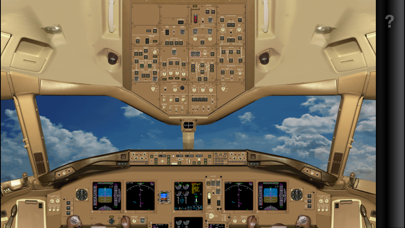
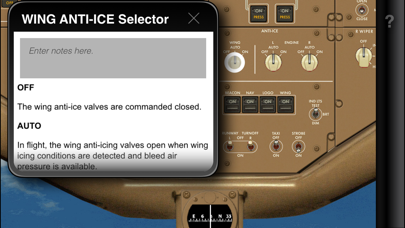
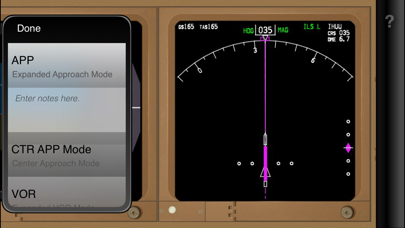
Master the Boeing 777 Cockpit — Panel by Panel, Switch by Switch Unlock the Boeing 777 flight deck with Acron Aviation B777 Cockpit Familiarization — an interactive, intuitive tool designed for pilots, aviation students, and serious enthusiasts. Explore the world-renowned 777 cockpit by tapping on controls, panels, and displays to reveal detailed component descriptions and operational insights — all from the convenience of your device. Key Features: • Interactive Cockpit Overview: Tap any switch, button, or screen for clear explanations and detailed system overviews. • High-Fidelity Cockpit Visuals: Navigate high-resolution, realistic cockpit layouts, carefully designed for easy exploration. • Ideal for Real Pilot Training: Whether preparing for a B777 type rating, airline upgrade, or a deep dive into widebody system controls, this app accelerates cockpit familiarization. • Capture Notes: Add custom notes to any component for personalized, quick reference. • Offline Access Available: Review anywhere — no internet needed once downloaded. Why Choose Acron Aviation B777? • Designed by pilot training technology expert Acron Aviation, with access to officially licensed aircraft cockpit data. • Quickly master the layout and function of every major cockpit system control. • Save time in ground school and type-rating preparation. • Build deep, confident cockpit familiarization critical for flight deck operations. • Designed by aviation professionals for maximum clarity and learning efficiency. Take control of your B777 journey — learn every switch, panel, and display at your own pace, and approach your training with confidence. Download Acron Aviation B777 Cockpit Familiarization and start mastering one of the world’s greatest airliners today! Note: The aircraft manufacturer offers differing cockpit configurations, layouts, and/or options to their customers. The graphics and related descriptions used in this application represent a specific configuration and may not exactly correspond to your respective aircraft. For customization for your organization, please reach out to an Acron Aviation Sales member for more information.