Clipboard Manager - Pasta

Clipboard Manager - Pasta

By Applorium Ltd

  • Category: Productivity
  • Release Date: 2019-01-17
  • Current Version: 1.5.9
  • Adult Rating: 4+
  • File Size: 5.13 MB
  • Developer: Applorium Ltd
  • Compatibility: Requires iOS 11.0 or later.

Description

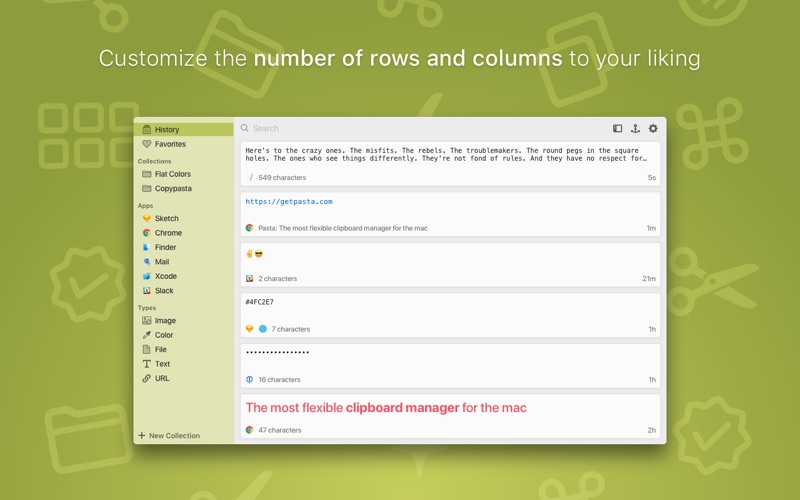
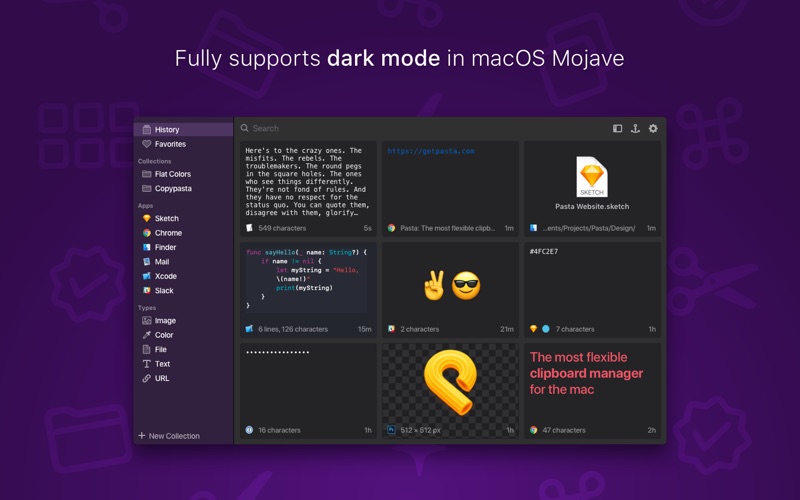
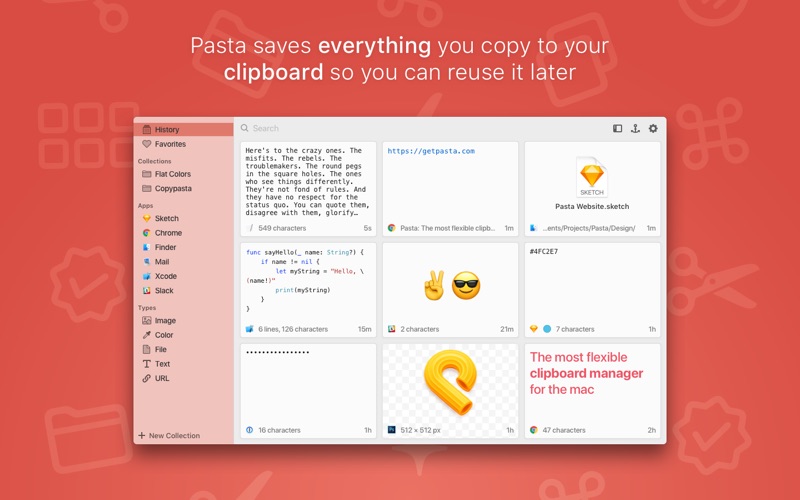
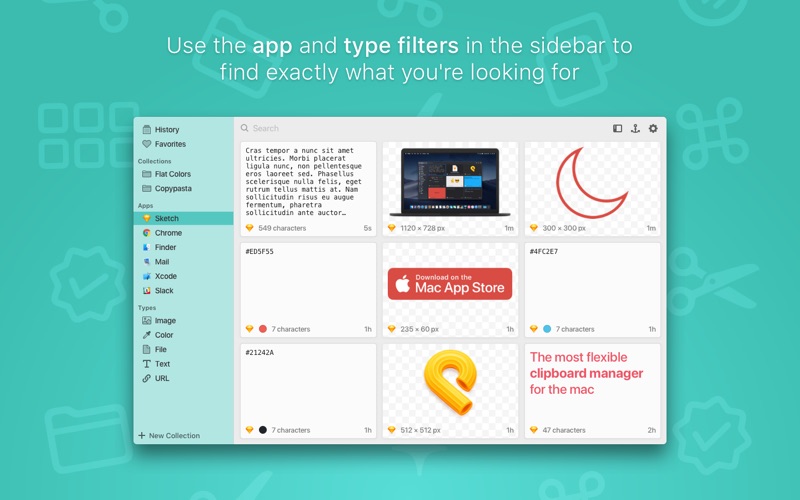
Pasta is a beautiful and flexible clipboard manager for the mac. It saves everything you copy to your clipboard so you can reuse it later. Pasta is free to use. However, the free version only keeps the latest 20 clippings in your history. The Pasta Pro upgrade unlocks this limitation as well as the Collections feature. FILTER BY APP AND TYPE Filter your clippings by the app where they were copied or by what they contain. Finding a clipping has never been so easy. FAVORITES Save your most used clippings in the Favorites collection. COLLECTIONS **Pro Feature** Organize your clippings into collections. LIGHTNING FAST SEARCH Pasta's powerful search can find clippings by content, application, type or even the window's name. YOUR PASSWORDS ARE SAFE When copying sensitive information from apps like 1Password, Pasta will obfuscate it on screen and will encrypt it when saved to disk. SAVE UP TO 10,000 CLIPPINGS **Pro Feature** You can save up to a thousand clippings in your history. The free version only saves the latest 20 clippings. FLEXIBLE GRID INTERFACE Pasta's flexible grid interface helps you to better see your clipboard history so you can quickly find what you're looking for. FAST AND UNOBTRUSIVE Bring up Pasta with a keyboard shortcut or using the menubar, double-click the clipping you want to restore, Pasta then gets out of your way. LIGHT AND DARK MODES Pasta supports macOS Mojave's Light and Dark modes. This is the best feature of all :) AND MUCH MORE - Works nicely with Universal Clipboard - Quick look images, text, website links, etc. - Enhanced representation of color codes, calendar events, links, etc. - Touch Bar support - Shortcuts for everything. You won't need the mouse - Use the anchor button to keep the window on top - Drag and drop clippings onto other applications
Screenshots

Reviews

  • excellent idea excellent app

    5
    By Uddin
    This is a very useful little utility.
  • amazing

    5
    By unaffiliated reviewer
    i tried two other clipboard managers before settling with pasta. The first was paste but it was a 89.99 lifetime purchase which is beyond unreasonable. The second was pastepal which reviews on paste reccomended. That one wouldn’t let me paste and every time i pasted it would push this window nagging me to upgrade to pro, literally obliterating any usage i had for that app. This one comes with a perfect free version and doesn’t plead for your credit card every eight seconds. all things aside it is not very lightweight.
  • The worst clipboard manager ever

    1
    By Gawdess
    It won’t even let you see what is in your history, and won’t paste anything even when you try repeatedly. And more aggravatingly it won’t give you, the admin of your Mac, permission to delete and remove the hierarchy files.
  • Update ruined my main use for it

    3
    By Bearuhmya
    Recently, the "Types" of automatically organized clippings changed and now there is only Text, Images, and Urls. "Color" is no longer one of them. I almost exclusively used Pasta for storing hexcodes to make it quick to copy and paste them while designing things. If there is a way to bring it back this would be 5 stars, without it (and the fact the devs would make such a drastic change without notifying users or providing a reason) takes it down quite a bit.
  • it was good but now crashes frequently

    2
    By Alex-073
    works well but crashes regularly, i have a launch plist set up to relaunch it and yeah the frequency of it popping up because it crashed and reopened is getting annoying.
  • Not working in Sonoma

    1
    By Yghdgfkgcssfgd
    I love this app and used it religously for a year. Having updated to the Sonoma operating system, it is no longer working - it won't even open. Hopefully, there will be a fix soon?
  • This is the ONE!

    5
    By TellzB
    FINALLY!!!!!!!! A real ClipBoard for MAC...!! This is wonderful, literally upgraded after using for 5 min.!
  • Almost perfect

    4
    By just_a_dev
    Amazing App, great interface, great compatiblities, almost perfect... However missing two deal breaking features which makes "Paste" the only option for business enviornment workflows: 1. exclusion app list for copy origin to prevent credentials being logged 2. paste into current app (which is important for workflows including code snippet insertion into ssh terminal/vscode etc.) Will 100% pay for and choose this great App over "Paste" if these are implemented. Before then unfortunately will stick to Paste.
  • Really liked it until it started crashing and slowing down my machine

    2
    By Malcom St. Saintsonsen
    The UI and functionality is great. I was a big fan for a while. But then I started noticing something slowing my machine to a crawl, and it kept being Pasta. Had to force close from Activity Monitor multiple times. If that issue gets fixed, this will be my go-to, but it's unusable until then.
  • Excellent

    5
    By battletrain
    There are many good quality clipboard managers, and half of them handle images in addition to text, but Pasta is one of the only ones that is actively maintained, and also one of the only ones to allow the user to customize the display of the clips. I've tested them all and this is the best.

keyboard_arrow_up