Outliner: Scroll

Outliner: Scroll

By Applorium Ltd

  • Category: Productivity
  • Release Date: 2021-12-26
  • Current Version: 1.8
  • Adult Rating: 4+
  • File Size: 8.36 MB
  • Developer: Applorium Ltd
  • Compatibility: Requires iOS 15.0 or later.
Score: 4.68254
4.68254
From 63 Ratings

Description

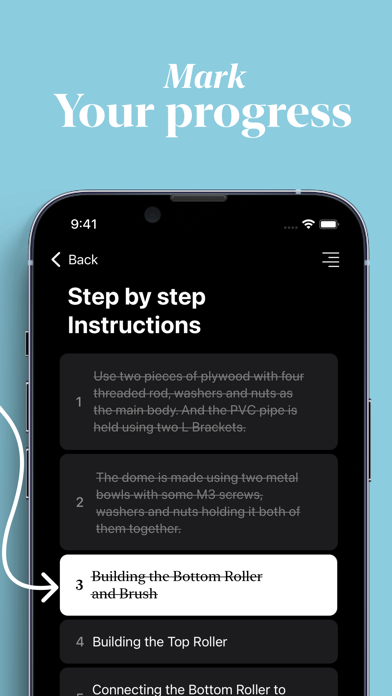
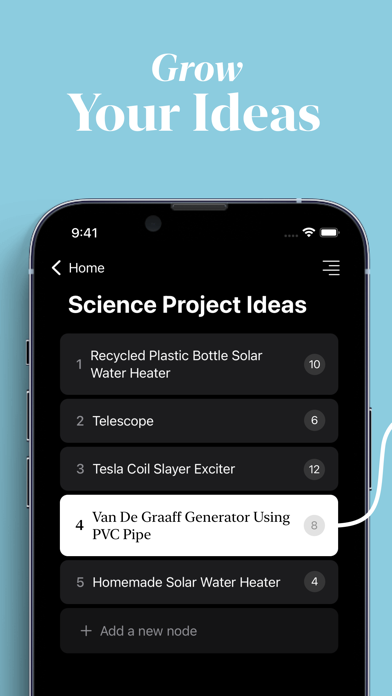
Scroll - Outliner for Notes, Lists & To-Dos Scroll is a modern outliner that turns scattered thoughts into a clear, structured record of everything on your mind. Notes, checklists, to-dos, plans, and ideas - all in one app, organized exactly the way you think. Most notes apps force you to choose: a quick list here, a long-form note there, a to-do app somewhere else. Scroll brings them together. Nest your notes as deep as an idea needs to go, collapse what you're not working on, and keep a precise, detailed record of your thinking without ever leaving the app. WHY YOU'LL LOVE SCROLL - Infinite outlining - Break any idea down into sub-points, then sub-points of those. Add as much detail as you want and keep it all neatly organized. - Everything in one place - Replace your notes, lists, and to-do apps with a single dynamic workspace that adapts to whatever you're capturing. - Instant search - Jump straight to the exact note you're looking for and start writing in seconds. No scrolling, no folders to dig through. - Track your progress - Mark items complete or cross them off to see what's done and what's left at a glance. - Built for focus - A clean, dynamic design that gets out of your way so you can think clearly and write freely. Subscription terms: - The subscription auto-renews at the end of each term. - Payment will be charged to iTunes Account at confirmation of purchase. - The subscription automatically renews unless auto-renew is turned off at least 24-hours before the end of the current period. - Account will be charged for renewal within 24-hours prior to the end of the current period. - You may manage your subscription and turn off auto-renewal by going to your Account Settings after purchase. Privacy policy and Terms of Use: https://applorium.com/privacy-scroll
Screenshots

Reviews

  • Keyboard issues

    3
    By EstefaníaJA
    When I’m typing the app doesn’t allow me to see the space I’m typing in, the keyboard blocks it. I don’t understand why
  • New update —after using for several weeks.

    2
    By Mauijoe
    New update have lowered rating down to two stars This app has a tonne of potential if the developer would just fix what should have been in place from the beginning. When you say an item is finished, it becomes completely invisible. However it’s still somewhere in the scroll structure (because it’s included in the count of items within the scroll structure) just not accessible to the user. If A user wants to edit the item for completeness they cannot. For that reason must lower the rating from 3 down to 2 stars. Would also like to see an item have a type of sub-item check list so that each subitem could be identified as open or complete. That would be very handy feature to have. Everything I said in original review still stands. Past several days have been heavily utilizing this app. When a user adds a photo- make sure to give the photo a title IN THIS APP, if not then it will not be added, although you can see the tiny icon there is no prompt instruction to enter a title. During edits- way too hard to edit in that tiny window. After struggling to edit the user then must go all the way to end of the text BEFORE hitting enter button and app accepts the edit. Yes, it’s still 3 stars for this second review. Yes, it’s 3 stars right now. Why? No color coding of the different outlines. User can only set the theme color for the entire app. I would like to color code each outline topic and have that color code go across the outline items. Started to add content, problem is editing long entires. The format defaults to a tiny edit window at bottom of the screen. Far too small and on the iPad it’s extremely hard to edit. Once edit is done the user is forced to scroll down to the end and tap the end point of the text BEFORE being to hit enter which accepts the edit. This is very cumbersome for a user if they are using the on screen keyboard. Another key missing feature is lack of ability to export press say on a web article and have the popup menu display the SCROLL icon. Please consider adding this function and feature in next upgrade. Do color, larger edit window and export icon selection then this app is a solid 4.5 stars.



  • Ease of use

    5
    By Digixan
    Surprised how simple it was to create. The focus felt natural without tons of features from an outline app just there to be there. Outliner Scroll lets you create with ease.
  • Data Management?

    4
    By tonyinindy
    Testing this app and enjoying it very much, but the developer has no website to speak of, and there’s no documentation anywhere. The interface is very intuitive so that’s not much of a problem. But where is my data and in what format? Opml would be great for import and export. I’d be very grateful for a response from the developer (or somebody else if I just missed it).
  • Simple, prefer over Notion

    5
    By bequi
    I’m using this app to brainstorm content ideas - and I’m loving it so far! So many people have recommended Notion to me - but I feel like Notion has so much of a learning curve - I end up avoiding my tasks. This app helps me keep all my to do’s neat and it’s very intuitive to use! Also the support has been very quick to answer questions about using the app which is appreciated. Love supporting smaller app creators!

  • Great Update

    5
    By iOSBliss
    I have been watching this app and am pleased to see a new update with bookmarks and widgets and a view for all reminders. Some ideas for future development: • Supprt links from URLs and ideally show previews of webpages too. • Share to function to share links text and images from other apps. • Tinted icons for iOS 18 (as well as a few more colorful ones to choose from) • Support callback hyperlinks (to launch links to content in other apps) • Full screen note view where we could write in an editor with multiple paragraphs for longer notes, articles or even journal entries • Option to show creation/modification date of note in a discrete way (maybe an info panel) • Multiple image support (and be able to select and add them at once) with ability to swipe them left to write to preview them (like photo app) • Drag and drop notes into sister notes to nest them (as an easier alternative to the move function) I realize that’s a lot, but I wanted to share those suggestions... All in all, It’s still a fantastic app for outlining and short notes, just wish I could use it for more of the things I would like to use it for ... and hope to see it continually be developed. Because it is a very beautiful and unique app. Keep up the good work.
  • LOVE THIS APP

    5
    By The Fable Faery
    This is the perfect app for capturing all my ideas in a distraction-free writing enviornment. I use it mainly for creative writing, but I have found it useful for other purposes as well. I also love that it feels like I am texting myself. When I found out that this app was on my iPad and MAC I was even more excited! Highly recommend. :)
  • Good but could be better.

    4
    By DayannaBC
    This app is nice and easy to work. Not to mention that has helped me with my planning over the last days. However, developers please work on the following: - Drag and move notes without having to use the move option, its just too complicated. - Deleted bin ? - I just lost a list and no idea in how to recover it - Maybe a way to separate completed vs incompleted. Its also amazing the fact that you can export the lists! Thank you so much and excided for the upcoming upgrades.
  • Excellent response from developers!

    5
    By twhsnsn
    App is awesome and developer was extremely responsive to any issue I had and fixed it right away!! Thank you so much! Can't wait for future updates!!
  • Great Simple and Lightweight App

    4
    By billymaaa
    Been using this app for the last few weeks and so far I’m liking it’s simplicity and ease of use. As much as I like it, there are a few things I wish the developers would implement for future versions. 1. Ability to drag and drop list items between tabs on Mac 2. Options to add a checkbox/circle next to each list item to mark it as completed instead of having to right click or hold touch 3. Ability to customize width of tabs on Mac 4. Ability to write in markdown

keyboard_arrow_up