Evernote Scannable

Evernote Scannable

By Evernote Corporation

  • Category: Productivity
  • Release Date: 2015-01-08
  • Current Version: 3.2.4
  • Adult Rating: 4+
  • File Size: 44.01 MB
  • Developer: Evernote Corporation
  • Compatibility: Requires iOS 16.0 or later.
Score: 4.85084
4.85084
From 418,000 Ratings

Description

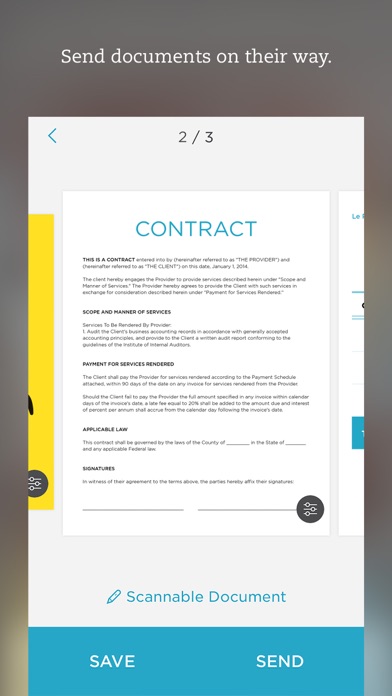
Scannable moves paper forward. Scan contracts, receipts, business cards, and any paper that comes your way. Save or share documents instantly and move on. Automatically capture high-quality scans anywhere - Scan fast: Point your camera at documents, expense receipts, or whiteboards. Scannable immediately captures them. - Save time: Scannable automatically rotates, crops, and adjusts images so your scans are clear and easy to read. - Share or save: Send documents to colleagues via email or text, or export them as PDF and JPG files to Evernote and other apps. Deal with paper professionally - Turn business cards into contacts: Pull information from business cards and save it all to your contacts list. - Go paperless: Scannable works seamlessly with the ScanSnap Evernote Edition Scanner to get multi-page documents where they need to go. - A scanner for everyone: With Scannable, your whole team can control a ScanSnap Evernote Edition Scanner from their own devices and send paper on its way. Scannable is free to download and use.

Screenshots

Reviews

  • Used to be incredible

    1
    By PotatoZoid
    Used to be an incredible and life saving app, for free. Then I updated and it’s trying to charge 2.99 a week to use the useful features. Highly disappointed.
  • Useless without the additional app

    1
    By Hailey 55555
    This is not a stand-alone app and is not useful unless you download an extra app to be able to move your documents off of the app
  • Scammable

    1
    By peterlouis.com
    The app says you can open your app for free in Evernote but you cannot . So they let you waste time scanning a large file to coerce you to pay or you can’t access it.
  • Greatest app ever created!

    5
    By TNGuitar
    I say that every time I use this app. It does exactly what it’s supposed to do. Great app!
  • Well used to be great now just good

    2
    By richink6
    I use this in conjunction with their sister app Evernote. Scanner works well and integrates with Evernote. I’m paying more for my Evernote but some how the features I used to enjoy are t available without an additional subscription
  • Been horrid since Evernote acquired it

    1
    By Hawzzy
    They make it deliberately so much worse than it used to be. Before I could just scan some pictures and send them to myself and now it’s all locked behind horrible Evernote paywall multi app dysfunction. It’s a no from me dawg.
  • Updates Changed Everything

    3
    By Gods Kid 1
    I used to love this app. Somehow through app updates it has turned from an incredibly useful app to a complete headache. First, I am constantly being logged out of Evernote, which by itself isn’t the issue, except it takes two to three attempts to sign back in. Second, every time I’m logged out of Evernote it seems to change my default settings from pdf capture to auto capture. It doesn’t seem like a big deal except it starts to capture as a photo and 90% of what I use it for is capturing receipts to upload into our book keeping software, which only accepts pdf format. Unfortunately it goes unnoticed for extended amounts of time. This takes away any convenience this app has since I now have to either recapture all the receipts or I have to upload and convert outside of the app. Disappointing to say the least. The more I use it the less hopeful I am for its future usefulness.
  • No business card contact export

    1
    By CosJap
    Evernote quit supporting auto export of business card scans to contacts, although it still touts it as a selling point. This app is now useless. Also, important question, why is this app necessary as an Evernote subscriber? There’s already a scan app within Evernote? This is a redundant app only meant to help promote Evernote in the App Store when people are searching for scan apps.
  • Помойка

    1
    By KSer7.0
    Позволяет сохранить только в Evernote. Помойка полная!!!
  • Horrible

    1
    By NYT Journo
    horrible! the jpeg and pdf saving functions mix up all the time

keyboard_arrow_up