Spark Classic – Email App

Spark Classic – Email App

By Readdle Technologies Limited

Description

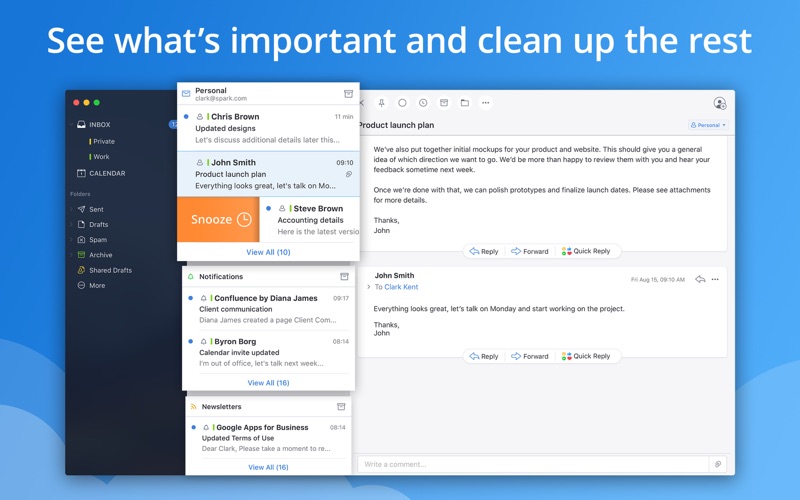
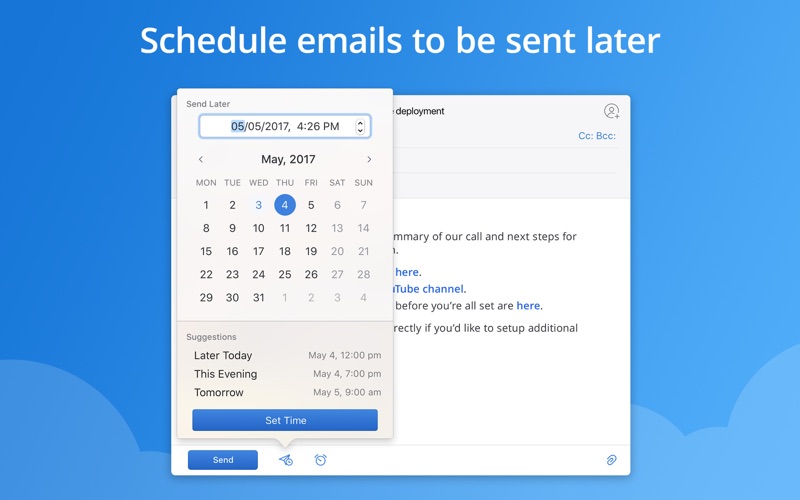
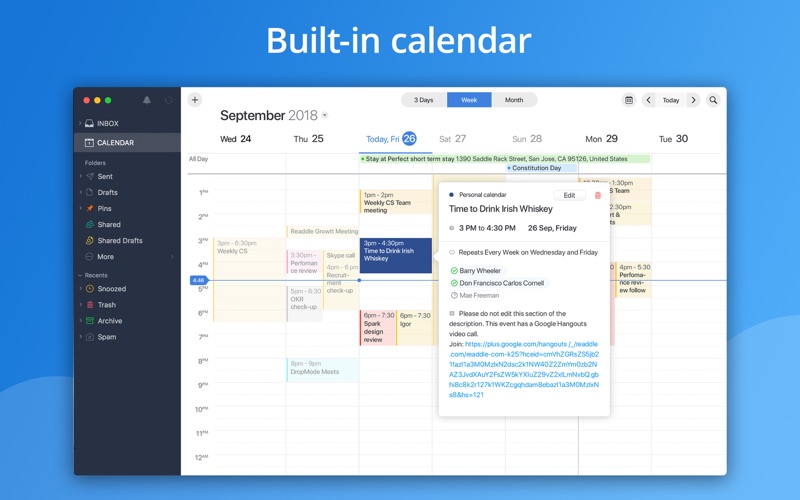
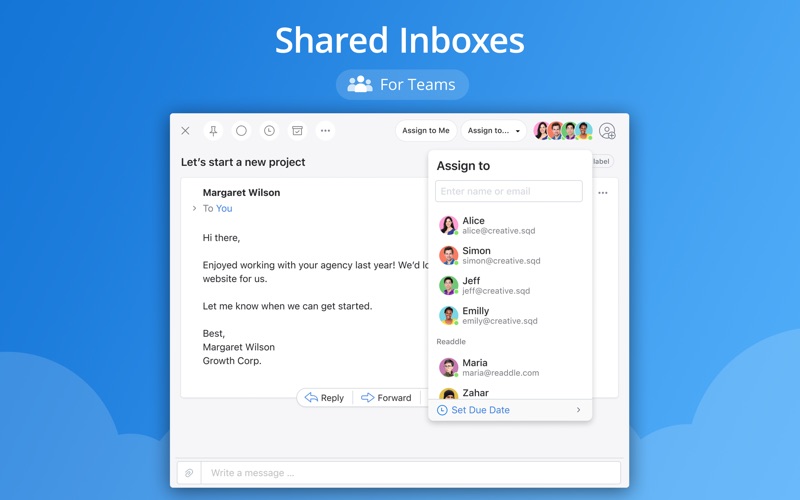
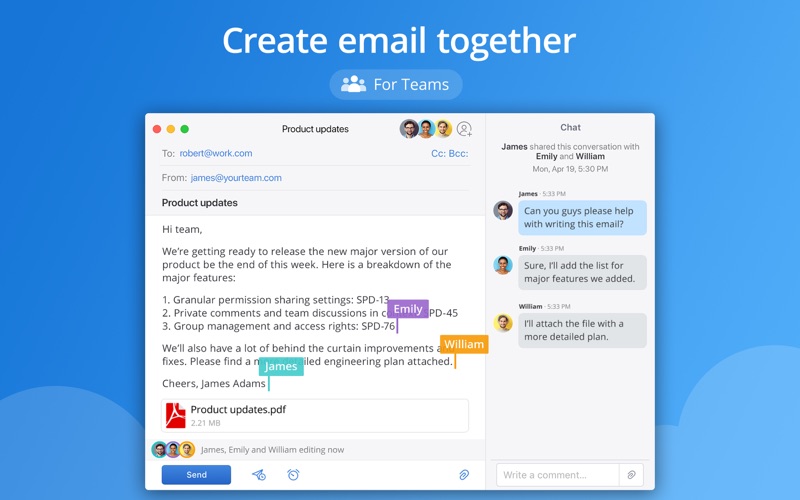
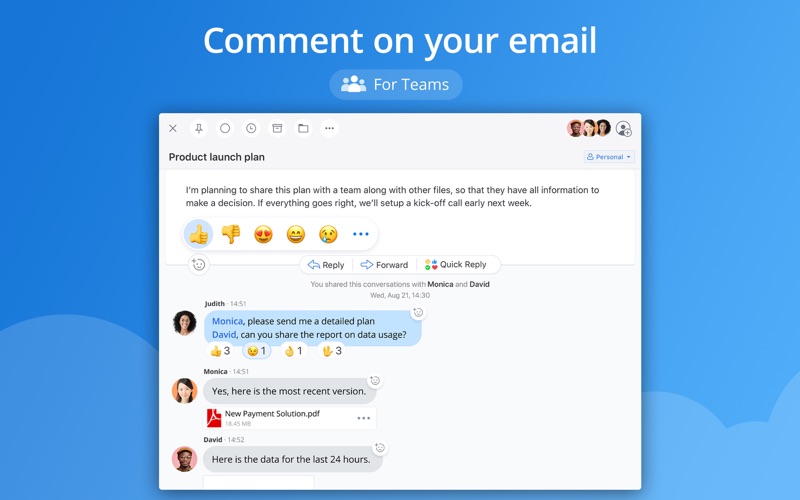
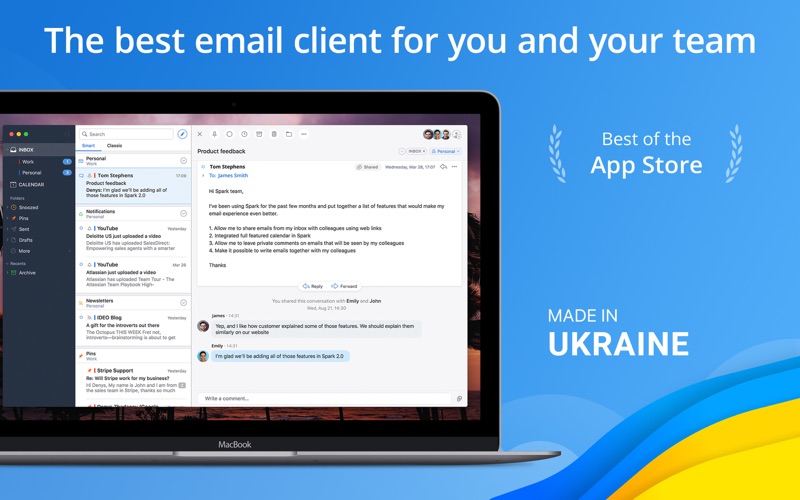
This is Spark Classic. Since 2022, all new features have been added to the latest version, which is a separate application from this outdated version. To use the newest version of Spark, search and download: Spark Mail - AI Email and Inbox. Spark is the best personal email client and a revolutionary email for teams. You will love your email again! "Best of the App Store" - Apple "It's a combination of polish, simplicity, and depth" - FastCompany "You can create an email experience that works for you" - TechCrunch **Beautiful and Intelligent Email App** We are building the future of email. Modern design, fast, intuitive, collaborative, seeing what’s important, automation, and truly personal experience that you love - this is what Spark stands for. **Farewell to Busy Inbox** Smart Inbox lets you quickly see what's important in your inbox and clean up the rest. All new emails are smartly categorized into Personal, Notifications and Newsletters. **Discuss email privately** Invite teammates to discuss specific emails and threads. Ask questions, get answers, and keep everyone in the loop. **Shared Inboxes** Spark lets you handle an inbox together with multiple people, assign emails just like tasks, set deadlines, and track progress. No email will slip through the cracks! This feature is invaluable for small teams like info@, sales@, or support@. **Create email together** For the first time ever, collaborate with your teammates using a real-time editor to compose professional emails. **Schedule emails to be sent later** Schedule emails to be sent when your recipient is most likely to read them. It works even if your device is turned off. **Snooze That One For Later** Snooze an email and get back to it when the time is right. Snoozing works across all your Apple devices. **Find Any Email In An Instant** Powerful, natural language search makes it easy to find that email you're looking for. Just search the way you think and let Spark do the rest. **Get Notified About Important Emails Only** Smart Notifications filter out the noise, letting you know when an email is important, saving you from notification overload. **Powerful Integrations** Integrate Spark into your workflow and take productivity to the next level. Supports Dropbox, Box, iCloud Drive, and more. **Built-in calendar** A full-featured calendar works right in your email to help you always be on top of your schedule. Create events easily using natural language. **Create links to email** Create secure links to a specific email or conversation. Share the link on Slack, Skype, CRM, or any other medium so your team can see it and collaborate around it. **Sign Off With A Swipe** Before you send an email, quickly swipe to choose the right signature for the occasion. **Email with Emotion** Quick Replies get the point across with just a tap. Love, like or acknowledge an email in an instant. **Email Never Looked This Good** That terrible mess in your inbox is now replaced it with a beautiful, threaded message design. **A Truly Personal Experience** Customize Spark to work as you do. You decide which swipes do what, what cards are shown, and how many emails you want to see. You’ll love your email again! Read more about our Terms of Service and Privacy Policy here: https://sparkmailapp.com/terms https://sparkmailapp.com/privacy If you need us, you can always find us at [email protected]
Screenshots

Reviews

  • Great App…But..

    3
    By Colorado RV'r
    Repeat pop-up wanting you to upgrade.
  • Once great, now unusable

    1
    By ragan fox
    What happened? The app no longer shows me all my emails—especially from Outlook/Exchange. The issues have become so terrible that I’ve gone back to Apple’s native mail client. Such a shame.
  • Great App, Frustratingly Run

    4
    By AddieHD
    There’s a lot to like about Spark, but a handful of things that really hold it back from being what I really want out of an email client. Starting with the good: It’s broadly competent and pleasant to use. This sounds like damning with faint praise, but so many apps don’t clear this bar that I think it’s worth calling out when one does. The UI is clean and intuitive, there are useful customization options, the main things you want to do in an email app are right at your fingertips, and the things you only do occasionally are easy to find. Linking email accounts can be finicky sometimes, but no more so than any other third party email client, and once everything’s set up I’ve only had to fix things a couple times in the years I’ve been using it. I’m not sure I’d go so far as to say I “love my email again,” but Spark certainly does a great job of smoothing out most of the frustrating parts of interacting with it. That’s what makes it so unfortunate that there are a handful of choices that hold it back. To oversimplify a bit, the main thing that doesn’t work for me is the way the app is managed. The biggest thing here is the subscription model. I’m not asking for the app to be free, and I understand that subscriptions are useful for continuous development, but the reality is that I’m just not willing to pay monthly for an email client. This is fine for the most part, since the free version is very useful, but the features that they do choose to paywall are often things that come standard with any email service, like blocking senders or setting up filtering rules. I understand paying for things that are unique to Spark, but when I can just log into my email provider and set up the same filters that the app is trying to charge me for, it just feels arbitrary. I’ve also been disappointed by the company’s strong pivot to AI over the last few years. While I appreciate that they’ve largely partitioned this off to their new version of Spark, it’s also been pretty apparent that the classic version has been largely forgotten.
  • It Remembers Your Folders

    5
    By jwPhoto64
    If you store any emails before deleting them, you probably have multiple folders attached to your inbox. Well, Spark will see a new email in your inbox and then when you need to store it, it will remember the topic/sender/subject and help you place it into the right folder. Great feature. And so far, it has outperformed all other email programs I have tried.
  • This is the email client as Apple’s “Standard Equipment”

    4
    By JerrySA1
    This is the email client as Apple’s “Standard Equipment”
  • Worked great, but no longer works with latest Tahoe update

    3
    By Vidalburgos
    Worked great but now crashes when trying to authenticate with my Outlook mail which is tied to my spark account so I can’t simply remove and re-add. Just using the latest Spark Desktop for now.
  • Your best friend for Spam

    5
    By Alex7652
    It doesn’t get easier than using Spark to manage Spam and even unwanted newsletters that aren’t spam. It categorizes them all for you and you can do a bulk, “Mark as read” super easily on them all.
  • BETTER than the New Spark App

    5
    By Sound.Ship
    Use this if you want better stability and the ability to sign in to godaddy created Outlook emails. The new spark does not allow you to do that.
  • Destroyed a great app

    1
    By Jassim Abdulnabi
    this is wast a great app but the design overhaul was misstep. too much changes all at once for an app that’s used daily. I am looking for alternatives or a way to install previous versions.
  • Excellent!

    5
    By srfisher101
    I’ve been using Spark almost as long as it’s been in the App Store. I’m so used to the Classic version, that I haven’t yet transitioned to the new version. My hat is off to the great development and support teams at Readdle. Thanks!

keyboard_arrow_up