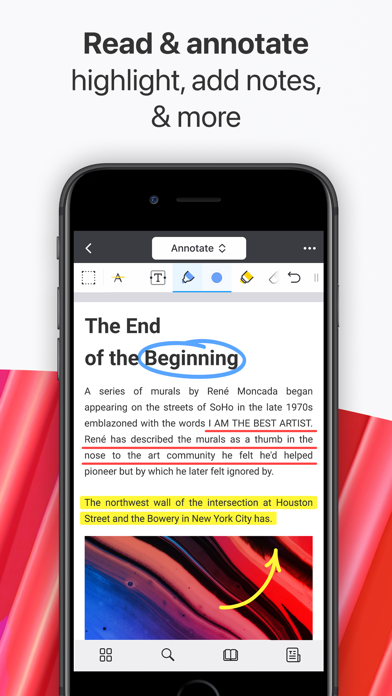
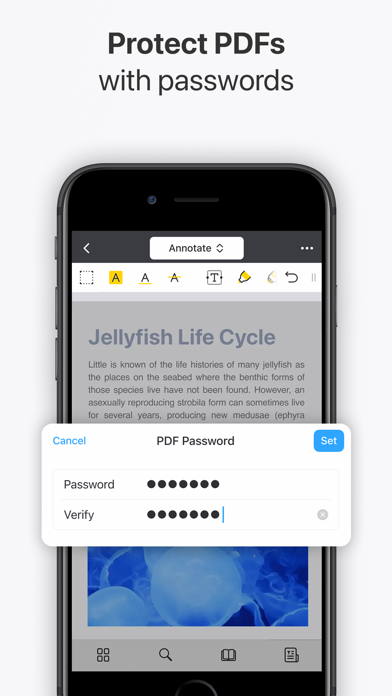
Unlock your potential with a fast and easy PDF Expert app with all the features you need in a well-designed and intuitive user interface. BEST FOR iPHONE, iPAD, MAC & VISION PRO Read PDF files easily, highlight and annotate PDFs, fill out forms, convert any file to PDF, merge several files into one, add notes, summarize and navigate PDF documents in seconds with AI-powered tools. Unlock unlimited possibilities with PDF Expert Premium features and work across all your Apple devices, effortlessly letting you complete any PDF task on the go. “PDF Expert is one of my must-have iPad apps and a desktop-class PDF reader.” – MacStories “The best app for managing, editing, and reading PDFs on your iPad.” – The Sweet Setup ▶ WITH PDF EXPERT, YOU CAN: READ PDFs WITH JOY • Pick Day, Night, or Sepia mode and enjoy reading anytime, anywhere. • Enjoy both vertical and horizontal scrolling. • Export PDF files from email, web, or any app that supports the Apple system-wide Share menu • Use Text to Speech to hear the selected text read out loud HIGHLIGHT AND ANNOTATE PDFs • Mark important info in books using colors, text, or stickers • Add stamps such as Approved, Confidential, etc. • Record your voice and add it to the doc FILL OUT FORMS • Fill out PDF forms using interactive text fields, checkboxes, and radio buttons • All the major form formats support, including acro forms and static XFA forms ***PREMIUM FEATURES *** EDIT PDFs DOCS EASILY • Edit or modify existing text directly in a PDF – just as you would in a Word document • Add links: link any part of the text or image to a different page or website • Add outlines to big PDFs to simplify navigation for hundreds of pages • Easily add, replace, and resize images in your PDFs SUMMARIZE AND ANALYZE HUGE PDFs WITH PDF COPILOT – YOUR SMART AI ASSISTANT • List Main Points – instantly scan and highlight key takeaways from any PDF • Summarize – get concise summaries of entire PDFs, or annotations • Ask Anything – find specific details with AI-powered answers and references • Explain – no more Googling! Get instant, contextual explanations of words or phrases MERGE AND COMBINE PDFs • Merge and combine multiple PDF files into one • Add, delete, and rearrange pages with a thumbnail preview • Rotate and reorder pages in PDFs EDIT SCANNED DOCUMENTS • Access the scanned PDFs that you’ve created using PDF Expert • Open your scans to fill out, sign, comment, and share CONVERT FROM AND TO PDF • Convert PDFs to Word, Excel, PPT, JPG/PNG, TXT, and vice versa • Converts any file in seconds SIGN DOCUMENTS • Use e-signatures to sign contracts on the go • Create custom stamps or import one from the images PROTECT YOUR FILES • Restrict access to PDF Expert with a password • Permanently blackout or erase sensitive information like credit card numbers • Secure and Safe trusted brand software COMPRESS PDFs • Compress large PDF files to save space on your device • Merge several files into one and compress it to reduce the file size CONSTRUCTION TOOLS • Scale and measure drawings using our Measure tab • Polygon and polyline shapes • Redline tools COLLABORATE ON THE GO PDF Expert provides the best platform for paperless collaboration between team members. Annotate and add notes in project materials, fill and sign contracts and invoices, and exchange files via email or cloud on the go. OTHER AMAZING FEATURES: • Fully customizable toolbar • Create a Link (drag and add a landing page or a Web) • Presentation Mode • Print and Share ONE ACCOUNT FOR ALL YOUR APPLE DEVICES Now, you don’t need to purchase Mac and iPhone & iPad versions separately. PDF Expert introduces a single Premium subscription for all your Apple devices. Read more about our terms and conditions here: https://pdfexpert.com/privacy https://pdfexpert.com/terms Don’t hesitate to reach out to us at http://readdle.com/contact