Amazon Kids Parent Dashboard

Amazon Kids Parent Dashboard

By AMZN Mobile LLC

  • Category: Entertainment
  • Release Date: 2024-06-24
  • Current Version: 1.12.0
  • Adult Rating: 17+
  • File Size: 66.58 MB
  • Developer: AMZN Mobile LLC
  • Compatibility: Requires iOS 16.0 or later.
Score: 4.51861
4.51861
From 34,045 Ratings

Description

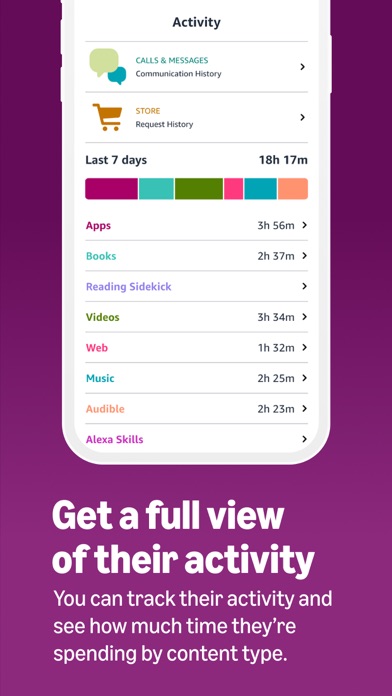
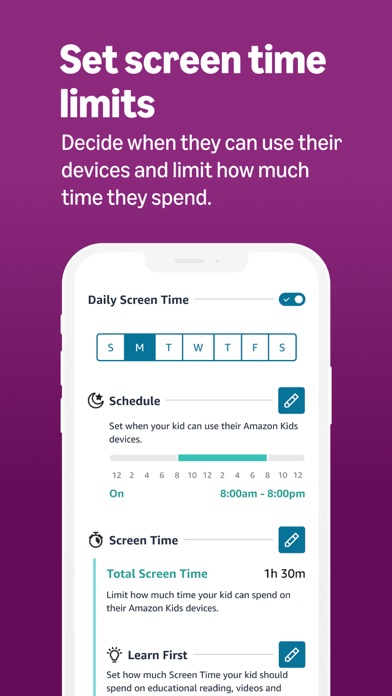
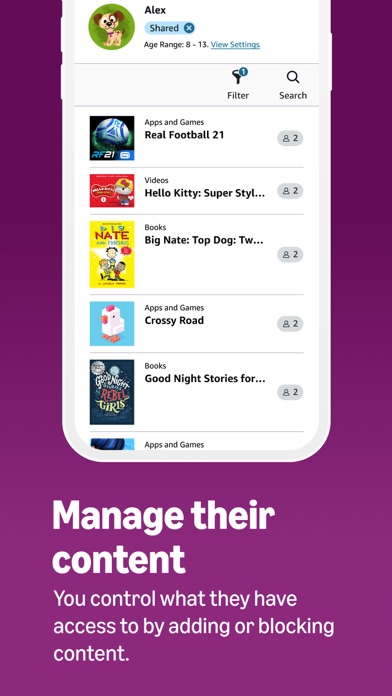
Easy-to-use Parental Controls The Amazon Kids Parent Dashboard app is specifically designed to help parents and guardians build safe, healthy digital behaviors with their family across Amazon devices and the Amazon Kids+ subscription. Manage and customize your kids’ experiences with easy-to-use parental controls for up to 4 child profiles. Configure age-appropriate settings, set time limits, keep track of child activity, manage content, and more. The Amazon Kids+ Parent Dashboard App works with Fire tablets, Amazon Echo speakers, Kindle e-readers, Fire TV, and other mobile devices. An Amazon Kids+ subscription is not required to use the free parental tools. Easily adjust whenever & wherever • Adjust parental controls from the convenience of your phone without interrupting your child’s experience. • Pause/resume your kids' access to their device even if your kids aren’t near you. Featured parental controls • Time limits: set time limits for a child’s total screen time for the day or the use of certain types of content. Or, set a time when your child's devices turn off at night and how long they stay off. • Learn first: prioritize books and learning apps before kids focus on entertainment content. • Child activity: review your child’s use of particular types of content, or see specific titles to learn more about what each child is enjoying. • Manage your child's content: block specific Amazon Kids+ titles, add content from your Amazon library, or adjust the age filter based on your child's maturity, tastes, and sensitivities. Tips from family safety experts • The Family Trust team within Amazon Kids partners with leaders in children’s safety, privacy, and development to ensure Amazon Kids is helping families build safe, healthy digital behaviors. Customize each child profile • A child profile allows kids to explore content and other experiences on Amazon in a safe digital environment. A child profile is needed to set parental controls with Amazon Kids Parent Dashboard. • Provides kids with a customized, age-appropriate experience specifically designed for kids. • Create up to 4 child profiles per Amazon Household. Amazon Kids+ Amazon Kids+ is a digital subscription designed for kids ages 3-12 that can be accessed across compatible Amazon and mobile devices. With Amazon Kids+, kids can enjoy ad-free apps, videos, games, books, and kid-friendly Alexa experiences in a safe and trusted digital environment equipped with easy to use parental controls. Try 1-month for free today. For customers located within the European Union, United Kingdom, Brazil, or Turkey: By using this app, you agree to Amazon’s Conditions of Use applicable for your country. Please also see the applicable Privacy Notice, Cookies Notice and Interest-Based Ads Notice for your country. Links to these terms and notices can be found in the footer of your local Amazon homepage. For all other customers: By using this app, you agree to the applicable Amazon Conditions of Use (e.g. www.amazon.com/conditionsofuse) and Privacy Notice (e.g. www.amazon.com/privacy) for your country.
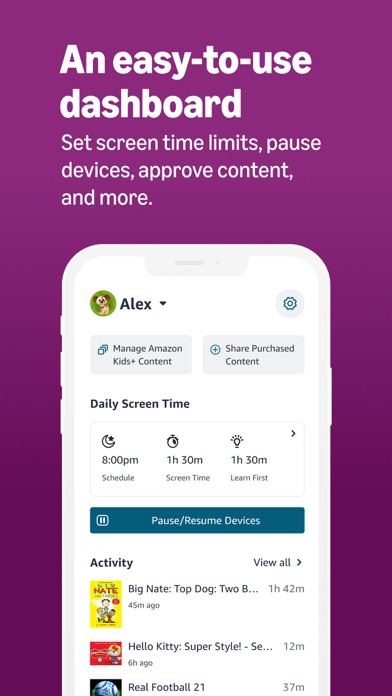
Screenshots

Reviews

  • Counterintuitive at best

    1
    By ααα
    Counterintuitive at best
  • Not the best Parental Controls

    2
    By Audhdenby
    The “pause device” feature hardly ever works, even when connected to the same WiFi network. Having to reset the schedule every time you want to use it outside of scheduled hours gets super frustrating. I wish there was an option to make an exception to the schedule for the day, instead of having to change the schedule. Otherwise the features are fine.
  • Not user friendly

    1
    By KimberMill
    Will not easily navigate to add content
  • Does not lock in your settings

    1
    By Anastasia 1233567
    I am having to go on here every couple of days to reset the settings the way I want them. I block all web activity and it last a day or two. Then here comes one of the children on the web. I do not want my children on the web. It also resets time limits and cut off times. What is the point in a parent control app if it does not work ?!?! I would not have a problem with the web if there was a way to block children from searching the web. You all should have a feature like you do for in app request. When a child searches the web it should send the parents an approval request. It’s a shame I cannot let the kids get on our ABC Mouse account without having to unlock web browsing. This is a very poorly setup Amazon has. You all need to revamp the parental controls ( Parental dashboard) we as parents in this day and time need more control of what are children are able to access and still allow them to go on certain websites like ABC Mouse and other learning sites. To try to talk to an Amazon representative is ridiculous there is no way I have found that you can contact anyone. Amazon regarding your children’s fire tablets and dashboard need to pay more attention to what parents are saying. You need to pay more attention to what children content is on age appropriate content. It’s ridiculous the things I catch them watching at their age. At one point they were having nightmares because of things they had seen on their tablets. Not all parents agree on letting their children watch or play certain videos and games. We should be able to individually customize our children’s content. That being said we are starting to search for different children’s tablets and subscriptions.
  • This is a good app

    5
    By Gina Yaccarino
    It helps me put my child in comfort
  • Limited games you can download

    1
    By TiffanyKaia
    Wanted a better checkers game because the only version you can access with this tablet is dysfunctional and crashes every time we play it. You cannot find another game to play.
  • This app is absolute garbage.

    1
    By lauren1289
    Can’t do a damn thing. Nothing makes sense, everything is broken.
  • Horrible device!

    1
    By p093wcps
    I have tried getting this thing to work, it says it’s connected to WIFI, but not to Bluetooth. I finally got it to pause and resume, but it still doesn’t respond to my voice. Now it’s too late to return it.
  • Most useless and annoying

    1
    By Kid Doc Smitty
    I use Amazon kids on my echo dot for my son. It started out ok for couple days but due to whatever reason now it keeps saying “I can do that”. Somehow after each prompt it keeps going out of amazon kids and even after asking it to open Amazon kids, it can’t find Cookie Monster mystery stories when it’s been playing it everyday. It does not give age appropriate skills or have any memory. In this age of adaptive AI, its technology is cave man primitive
  • Settings never work

    1
    By Shayzerr
    Whats the point of setting a time for the tablet to turn off if it doesn’t work?? This has been an issue on every tablet I have purchased. In addition, when the tablet is lost, even though location is turned on it never pings/rings so you can find it or you get a message saying its not able to be located. Amazon Customer Service is useless as always.

keyboard_arrow_up