PhotoScan by Google Photos

PhotoScan by Google Photos

By Google

  • Category: Photo & Video
  • Release Date: 2016-11-15
  • Current Version: 1.7
  • Adult Rating: 4+
  • File Size: 33.72 MB
  • Developer: Google
  • Compatibility: Requires iOS 15.0 or later.
Score: 4.81449
4.81449
From 87,379 Ratings

Description

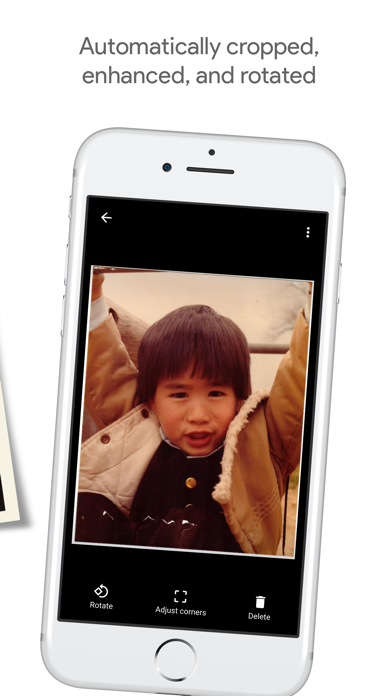
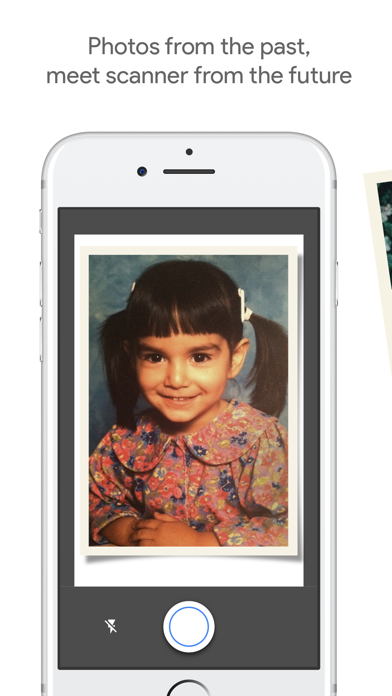
Photos from the past, meet scanner from the future. PhotoScan is an app from Google Photos that lets you scan and save your favorite printed photos using your phone’s camera. PICTURE PERFECT AND GLARE FREE Don’t just take a picture of a picture. Create enhanced digital scans, wherever your photos are. – Get glare-free scans with an easy step-by-step capture flow – Automatic cropping based on edge detection – Straight, rectangular scans with perspective correction – Smart rotation, so your photos stay right-side-up no matter which way you scan them SCAN IN SECONDS Capture your favorite printed photos quickly and easily, so you can spend less time editing and more time looking at your bad childhood haircut. For documents and photos in glare-free environments, toggle off glare removal for even faster scans. SAFE AND SEARCHABLE WITH GOOGLE PHOTOS Back up your scans with the Google Photos app to keep them safe, searchable, and organized. Bring your scans to life with movies, filters, and advanced editing controls. And share them with anyone, just by sending a link.
Screenshots

Reviews

  • Best app for “taking a picture of a picture”

    5
    By Joe T. Plumber
    This is still the best app for when you need to “take a picture of a picture”
  • Inferior to Camera

    2
    By Space hater
    I scanned about 20 photos for a memorial, and found the results to be disappointing - blurry and washed out. I switched to the default camera app on my iPhone 17 pro, and got clearer results with better color.
  • Best Program for Scanning Old (or any!) Photos

    5
    By Lego0218
    I’ve used PhotoScan by Google Photos for years for capturing digital copies of photos from old photo albums. The resolution and quality is so much better than a picture of a picture! And much easier and quicker to use than a scanner. Highly recommend!
  • Good and bad

    3
    By Jampeanut
    The picture scanning feature is good and removes glare well. However, you can only export one photo at a time and it always names it 000. It should be easier to save in Google Drive.
  • Amazing

    5
    By Ytyt111
    Backing up old photos
  • Amazing

    5
    By The ducky lucky
    Pro tip: take the photo in a room without a ton of natural light for the best no glare photo. Removed glare amazingly.
  • Is not able to detect photo size accurately.

    1
    By 30.f
    Seems like it would work if it could accurately detect the photo boundaries! I am photographing an old album (square) and have placed in on a black sheet with adequate lighting but the app is not able to sense where it is- so unfortunately it’s back to photoshop for us. Please add the ability to manually set photo boundaries so this issue can be circumvented!
  • Love it

    5
    By Photorenee
    This is great. The pictures look better than the originals. And they go to Google Photos and I can send them to Lightroom.
  • Buggy

    1
    By jonny cat
    Scanning feels buggy these days. The corners are almost always aligned in odd spots.
  • Revise

    3
    By Scooby doo but “oo” is “ee”
    It gets the job done but I have to adjust the corners a lot

keyboard_arrow_up