Google Tasks: Get Things Done

Google Tasks: Get Things Done

By Google

  • Category: Productivity
  • Release Date: 2018-04-27
  • Current Version: 26.23.0
  • Adult Rating: 4+
  • File Size: 150.58 MB
  • Developer: Google
  • Compatibility: Requires iOS 17.0 or later.
Score: 4.80009
4.80009
From 103,946 Ratings

Description

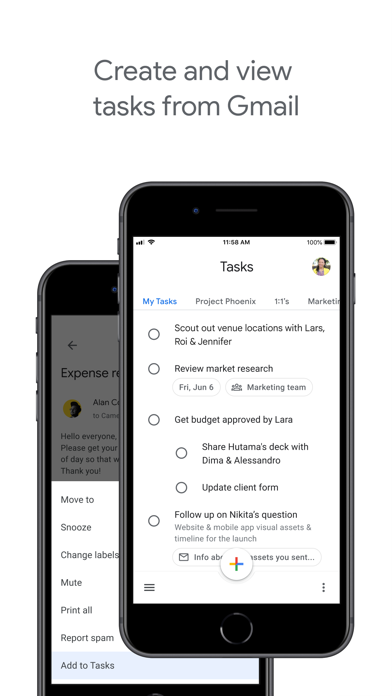
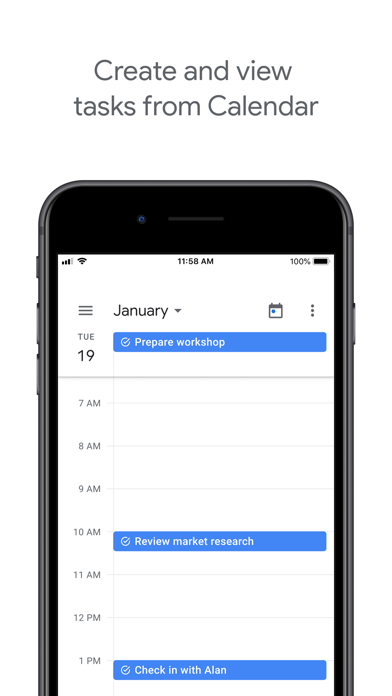
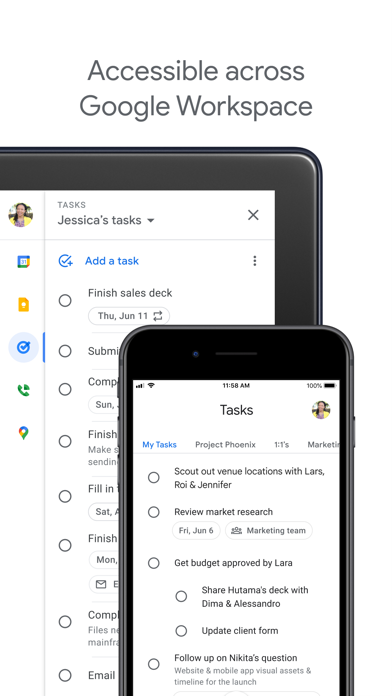
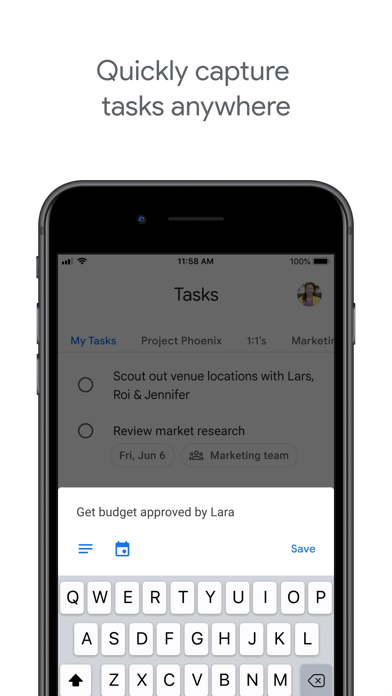
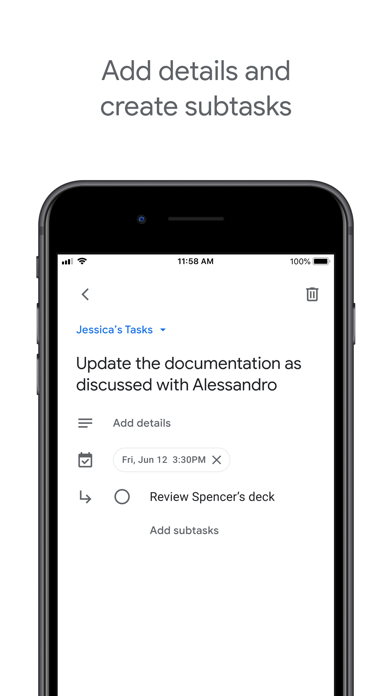
Get more done with Google Tasks. Manage, capture, and edit your tasks from anywhere, at anytime, with to-dos that sync across all your devices. Integrations with Gmail and Google Calendar help you get tasks done—faster. Quickly capture tasks anywhere • Create task lists with your most important to-dos • View, edit, and manage tasks on the go, from any device • Manage tasks created in Gmail or Calendar on the web from your mobile device Add details and create subtasks • Break down your tasks to subtasks • Add details about the work you need to focus on • Edit details about any task as your work progresses View tasks created from emails • Create a task directly from an email in Gmail • View your tasks in the side panel of Gmail • Trace a task back to its source email Stay on track with due dates and notifications • Set a due date for every task to help you achieve your goals • Organize your tasks by date or prioritize using drag-and-drop • Receive due date notification reminders to keep your tasks on track Part of Google Workspace • Bring Google's suite of powerful, intelligent apps to your business • Leverage Google’s AI to bring data insights and analysis to every employee • Connect with your team seamlessly using one suite: Gmail, Tasks, Calendar & more Take control of your task management and install Google Tasks. Start managing your to-do list on the go with the Tasks planner app from Google.
Screenshots

Reviews

  • Needs to be able to share tasks with other accounts.

    1
    By CJB mn
    I like that this is integrated with Google suite but unlike calendars and docs etc ya see is are only for you. No shared home grocery lists no project management in your team. This could be so much better instead it’s just irritating.
  • Rowan Orthopedic Hospital

    5
    By Ticket #1
    A really awesome
  • Where is Alphanumeric Sorting?

    1
    By Todd Clifton
    I cannot be all alone in wanting to sort the task lists I create in alphanumeric order. But maybe I am, because this app gets high praise. Wunderlist / Microsoft To-Do it most certainly is not. Be better, Google.
  • Good notnyet great

    4
    By KGMSJay
    Good task manager overall but needs a few more bellls and whistles. 1) Habit Rinders would be amazing. 2) A new coat of paint would make this is best option on iOS.
  • How is this app so bad?

    1
    By themikeyousee
    1) The Widget is borderline useless especially the square one. The rectangle one isn’t as bad. 2) The UI is bad, old looking, lacks modern appeal. 3) No badge support so you don’t know what’s due unless you use the widget or open the app. It goes in the Notification Center and that’s it. 4) No logic for entry; “Do the laundry at 6 PM on Monday” will literally just write that out instead of adding those times. 5) No voice integration with Siri like Microsoft ToDo and other Reminder/Tasks apps. 6) No meaningful updates. It’s in maintenance mode.
  • Đề xuất bổ sung tính năng tìm kiếm (Search)

    5
    By SouthWind23
    Tôi rất hài lòng với ứng dụng vì giao diện đơn giản và dễ sử dụng. Tuy nhiên, hiện tại ứng dụng đang thiếu một tính năng rất quan trọng là tìm kiếm (search). Khi số lượng công việc tăng lên (ví dụ 200+ task), việc tìm lại một công việc cụ thể trở nên rất khó khăn và mất nhiều thời gian. Trong khi đó, các ứng dụng tương tự như “Lời nhắc” trên iPhone đã có tính năng tìm kiếm, giúp người dùng truy cập nhanh vào task cần thiết. Vì vậy, tôi mong đội ngũ phát triển có thể bổ sung thanh tìm kiếm trong thời gian sớm nhất để nâng cao trải nghiệm người dùng. Xin cảm ơn!
  • I love it

    5
    By JonnyLightbender
    It’s perfect! Please don’t mess it up!!
  • New update not saving tasks

    1
    By JeremyDePaz
    New update not saving tasks. It’s useless after the last update
  • Title sort on mobile?

    5
    By Tait25
    This app is basically perfect except that it would be nice to have the same sort options on mobile as on the web app! Also if you moved a task with subtasks, what if the subtasks moved with it?
  • Can’t reorder the lists from left to right

    4
    By s42capy97
    Individual lists are working very well for me and I like having a list that pulls out the starred items automatically. I do wish I could re-order the lists from left to right as I realize the list I created very early on is really all low priority items. It doesn’t make sense for it to be the second list that I can see on my phone. I’d like to re-order them to push that one off to the right.

keyboard_arrow_up