iMovie

iMovie

By Apple

  • Category: Photo & Video
  • Release Date: 2011-01-05
  • Current Version: 10.4.4
  • Adult Rating: 4+
  • File Size: 3.02 GB
  • Developer: Apple
  • Compatibility: Requires iOS 15.6 or later.

Description

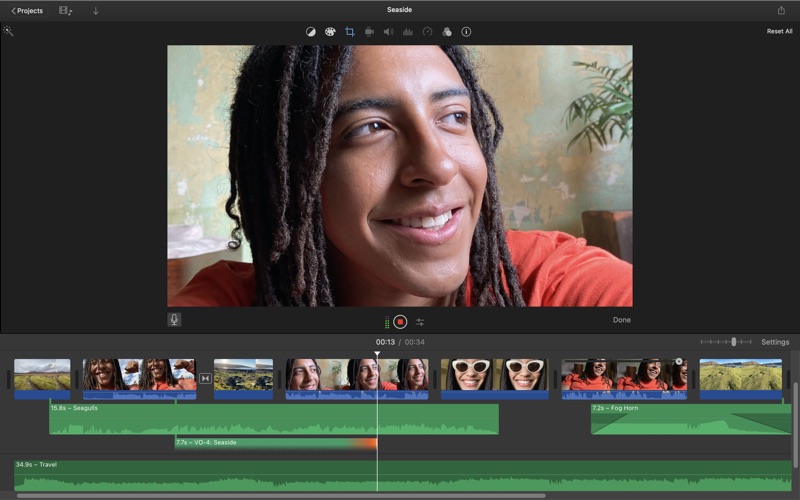
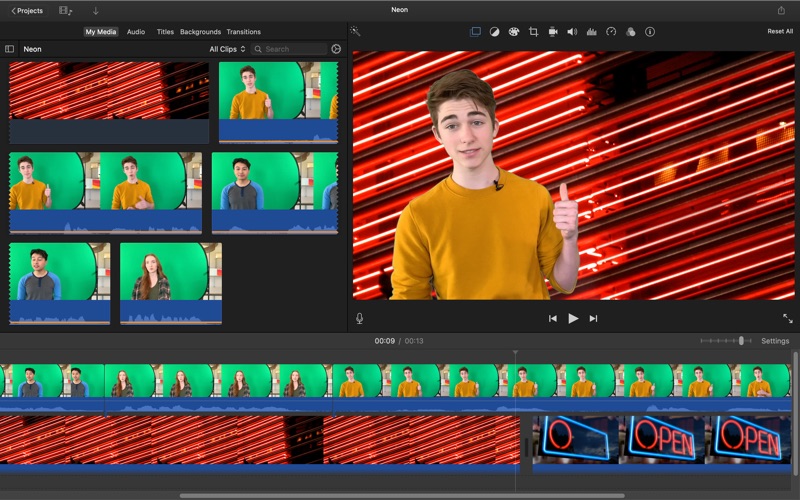
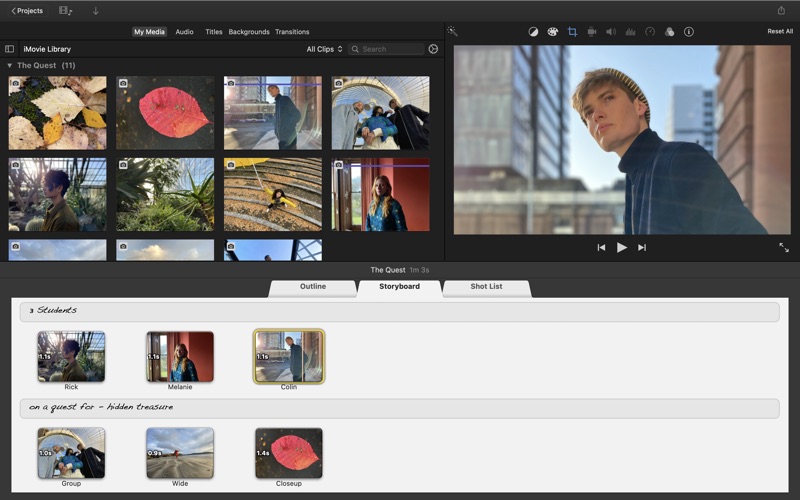
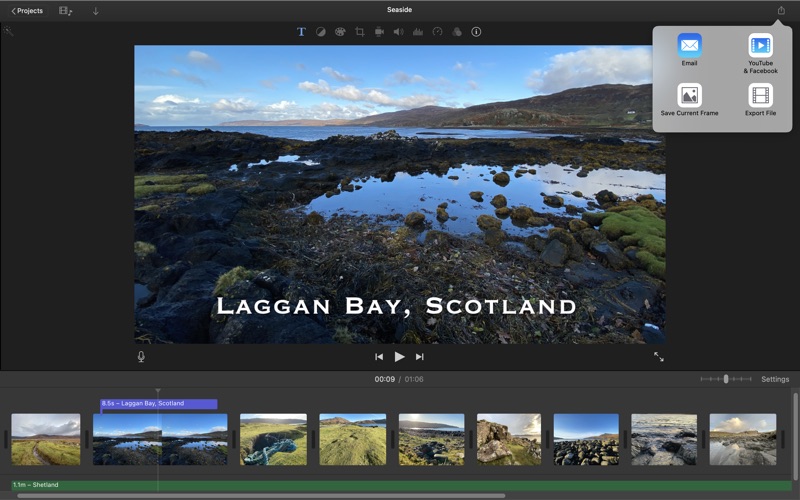
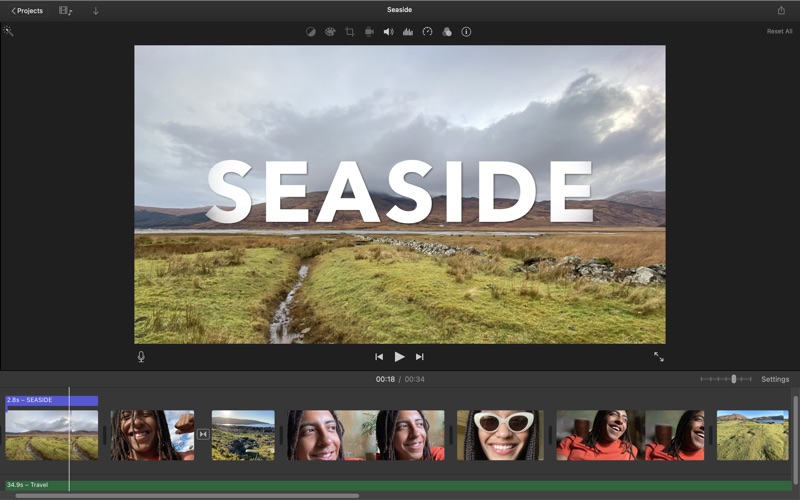
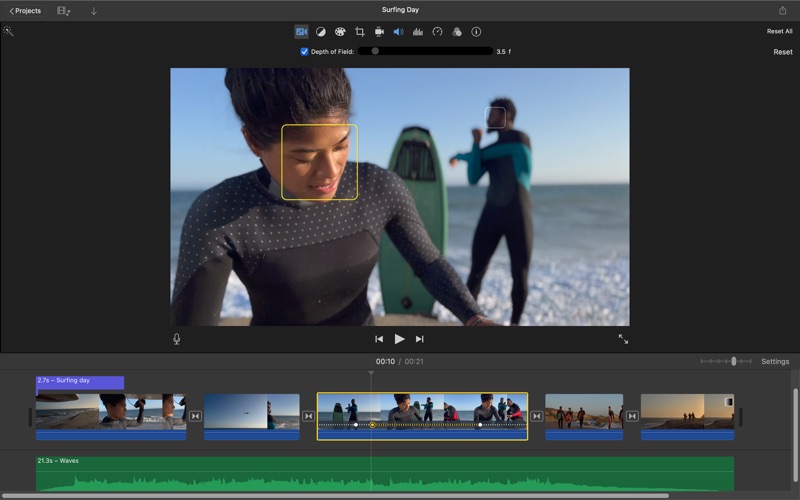
With a streamlined design and intuitive editing features, iMovie lets you create Hollywood-style trailers and beautiful movies like never before. Browse your video library, share favorite moments, and create movies that you can edit at resolutions up to 4K. You can even start editing movies on an iPhone or iPad, and finish them on a Mac. Browse and share video * See all your video clips and photos organized in one place * Quickly share a clip or a portion of a clip * Background import lets you begin watching and sharing video instantly Make Hollywood-style trailers * Choose from 29 trailer templates with stunning graphics and original scores by some of the world's top film composers * Customize movie studio logos, cast names, and credits * Select the best videos and photos for your trailer with the help of animated drop zones Create beautiful 4K and HD movies * Edit movies at up to 4K resolution with video from iPhone 6s or later, GoPro, and other Ultra HD cameras on compatible Macs * Change focus points or the depth effect for video shot in Cinematic mode on iPhone 13 or later (requires macOS Monterey or later) * Support for 1080p HD video at 60 frames per second for smoother, more life-like action shots * Import Magic Movie, Storyboard and Movie projects created with iMovie on iPhone or iPad into the timeline * Enhance your movie by adding titles, transitions, and 3D globes and travel maps * Speed up and slow down the action with fast-forward and slow-motion effects * Create sophisticated picture-in-picture, side-by-side, and green screen effects * Create a soundtrack using built-in music and sound effects, songs from your iTunes library, songs you've recorded in GarageBand, and your own narration Fine-tune every clip * Instantly improve the look and sound of your video using one-click Enhance * Give your video a boost with easy-to-use color controls * Stabilize shaky video for a smoother picture that's easier to watch * Automatically zoom in on faces and glide across panorama photos with the Ken Burns Effect * Choose from 48 fun video and audio effects * Send your project to Final Cut Pro and take advantage of advanced editing tools, professional effects, third-party plug-ins, and more Share with friends and family * Email videos with Mail Drop when signed in to iCloud * Export a video optimized for YouTube, Facebook, and other popular video destinations * Share any video frame as an image Create App Previews for the App Store * Import iPhone and iPad screen recording videos captured with QuickTime Player * Highlight features with 11 animated titles designed to showcase apps in action * Export finished videos using the App Preview share option System Requirements: macOS 15.6 or later, 4GB of memory, 3.5GB of available disk space.
Screenshots

Reviews

  • Cannot import from iOS, no Magic Movie

    1
    By Guy Stevenston
    This is a great free option for people looking to get into video editing. But why does my iPhone have an option in iOS iMovie to export to edit on my Mac when the Mac app doesn’t even support the file type? On the same note, the Mac app should have Magic Movie mode to quickly create videos; this runs on much more powerful hardware than my iPhone, but only the iPhone has that feature? All said, this Mac app needs real updates to become a well-rounded piece of software as you’d expect from Apple.

  • Vertical Video???

    2
    By BladeWaters
    Don’t understand how Apple has created a dinosaur by not integrating an automatic vertical video setting, for the amount of social media videos being created. I use FCPX but, seems Apple is alienating 90% of of a demographic. That percentage may be incorrect, but you know 86.75% of statistics are made up.

  • doesn't work

    1
    By Breathe3rika
    I literally can't even use it anymore I'm so aggravated
  • Great for bigginners

    3
    By z-2017
    iMovie is okay, but it’s missing a lot of features such as: 1. You can only have 2 thing in the time line 2. Not censor effects 3. No right side bar 4. No way to make a clip smaller 5. Limited titles 6. You can only export 1080p video
  • Great for personal use. Good starter for small business, but not for scaling your video production

    4
    By dsminter
    I have accomplished a lot with iMovie, but have now outgrown it. It performs well and almost never crashes. UX is clunky in places. Example, placing objects on the timeline has some strange limitations about how they attach. Captions are extremely limited, as you are stuck with their formats and screen placement. Cropping features are good. Audio overlays work pretty well. I don’t use it for any special effects, so no opinion there. Recently I had a freelancer do some work in iMovie. He had a newer version (by only one point release) and so project files were useless until I do a MacOS upgrade. Kind of frustrating as my current is not that old. Some freelancers do not use iMovie, so that limits the talent pool. I will be upgrading to Final Cut Pro this weekend to better address my business needs. It remains to be seen if and how current projects in iMovie will port over to FCP. And, of course, it is free with the Mac. So overall, I am satisfied.
  • I love this stuff!

    5
    By Stace24seven
    I love IMovie because it gives me the chance to have freedom because I am getting hunted down by the world government (I’m hallucinating)
  • ITS AMAZING

    5
    By Guuuuuiuuuuuuuuuuu
    YOU CAN MAKE FREE MOVIES YAYYYY!!!!!!!!!
  • Failure of an App

    1
    By Insyweensy
    iMovie has one job: produce a video file. It cannot do this, and it will not tell you it has failed. I edited 45 minutes of footage into a 35-minute video. When I hit export, the app simply did nothing — no file produced, no error message, no warning, no indication of any kind that anything had gone wrong. The export silently failed and iMovie returned me to the timeline as if I had never asked. This is the worst possible failure mode for editing software. A loud, ugly error message would have at least told me to troubleshoot, change formats, or move my project elsewhere before I sank more hours into it. Instead, iMovie pretends everything is fine while quietly refusing to do the one thing it exists to do. My finished video is now permanently stranded inside the application, unwatchable by anyone who doesn't have my Mac. If you are considering iMovie for anything you actually care about: don't. Use literally any other editor that will at least have the decency to tell you when it has broken.
  • Seriously, why is Apple software so bad?

    2
    By Cajun Burgular
    I find it astonishing that Apple doesn’t simply sit down and watch users using the software. If they did, they would immediately see how the “ecosystem” of files, libraries, cloud, etc. is just insanely confusing. Functionality that should be easy to find isn’t. Adding text, transitions, etc… it should all (in 2026) work flawlessly and be intuitive. Instead Apple still makes little buttons with meaningless images on them, provides the strangest idioms for naming, importing and just USING “projects”, etc. It’s free, so I gave it an extra star.
  • New update ruined what was once easy

    1
    By FlamingBlitz
    I used to be able to select a bunch of images I imported, like 1k images, and change both their time and image size with relative ease. EVER SINCE AN UPDATE HAPPENED I NOW HAVE TO SELECT A SMALL AMOUNT OF IMAGES AND CHANGE THEM INDIVIDUALLY MAKING WHAT WAS ONCE AN EASY PROCESS A LONGER MUCH MORE ANNOYING ONE. AND IF I DO SELECT EVERYTHING AND TRY TO CHANGE THE SIZE OF THE IMAGE, IT CAUSES THE SOFTWARE TO STOP RESPONDING. SO WHOEVER MADE THIS UPDATE REVERT IT BACK.

keyboard_arrow_up