GarageBand

GarageBand

By Apple

  • Category: Music
  • Release Date: 2013-10-22
  • Current Version: 10.4.14
  • Adult Rating: 4+
  • File Size: 697.96 MB
  • Developer: Apple
  • Compatibility: Requires iOS 15.6 or later.

Description

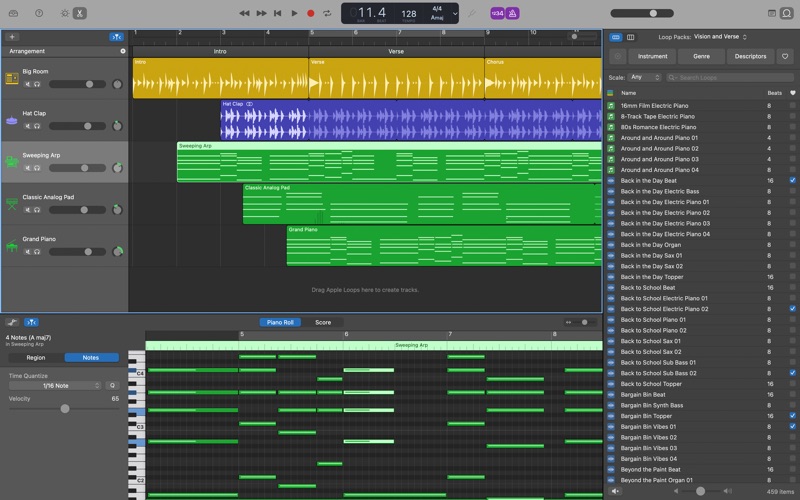
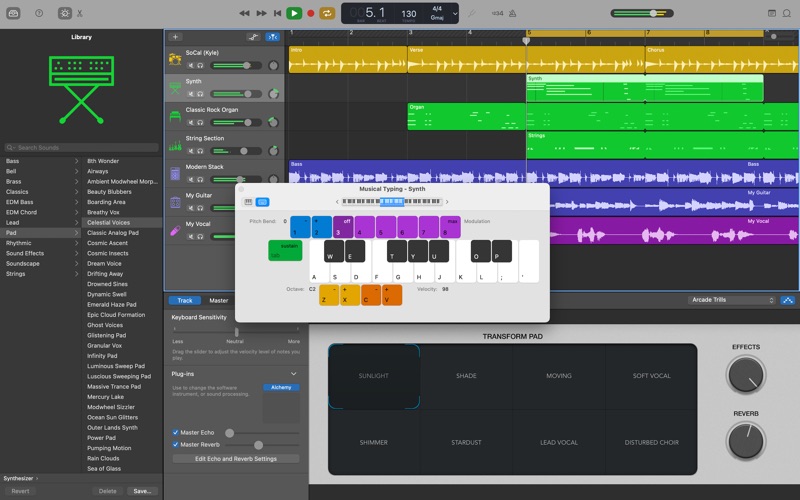
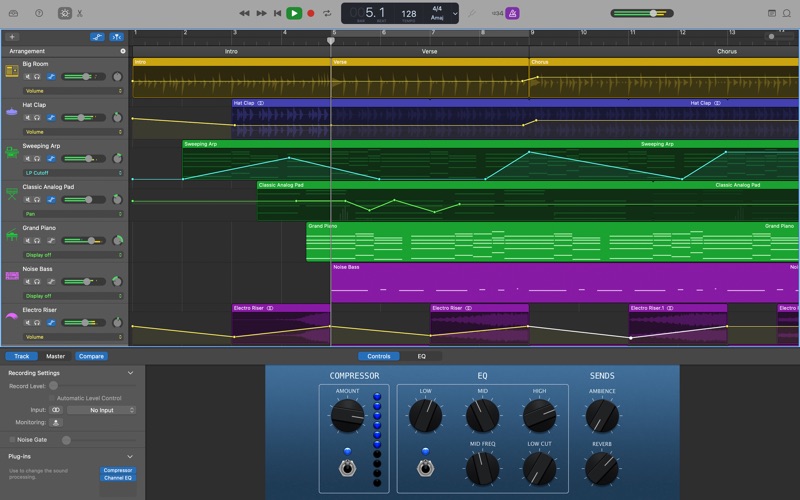
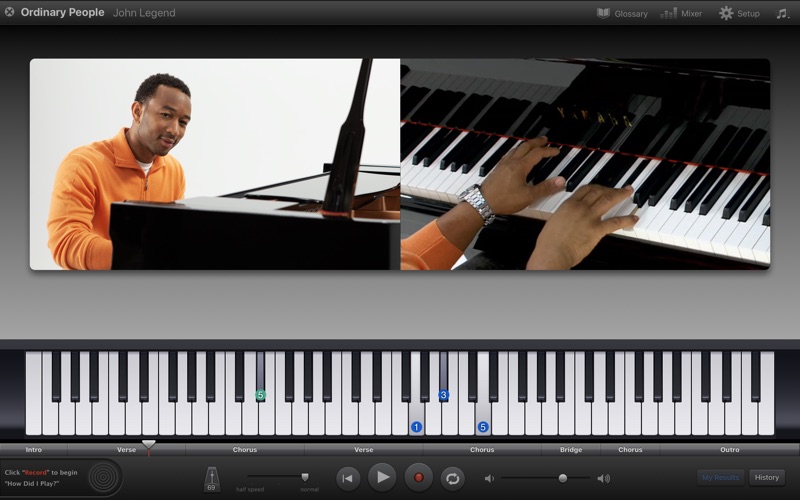
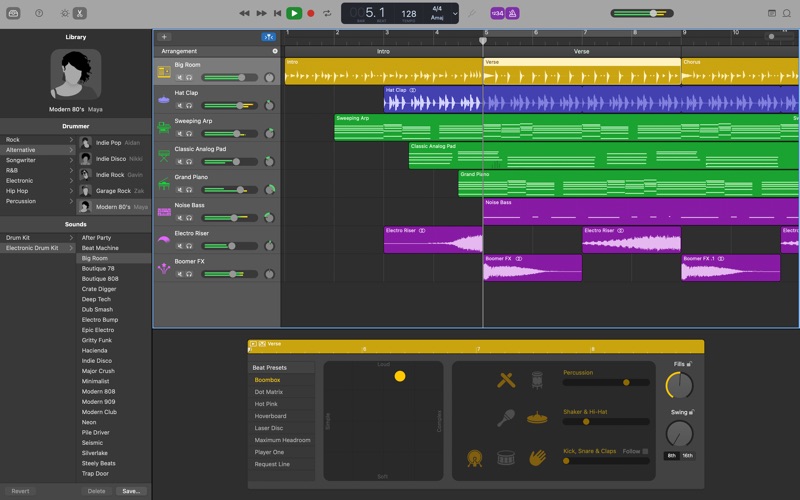
GarageBand is the easiest way to create a great-sounding song on your Mac. Add realistic, impeccably produced and performed drum grooves to your song with Drummer. Easily shape the sound of any instrument in the Sound Library with Smart Controls. Mix and match electric guitar amps, cabinets, and pedals with Amp Designer and Pedalboard or crank up the bottom end with Bass Amp Designer. Control GarageBand and play any software instrument wirelessly on your iPad using the Logic Remote app. Use iCloud to keep your GarageBand projects updated across multiple Mac computers, or even import GarageBand for iOS songs directly from iCloud. Intuitive Design • Simple interface designed for easy music making • Find the sweet spot in every track with the interactive visual EQ • Enable Quick Help and get useful hints wherever you hover your cursor Drummer • Add a virtual session drummer, percussionist, or beat producer to your song that takes direction and plays realistic beats • Choose among 33 players from popular genres like EDM, Hip Hop, Rock, and Alternative • Use a simple set of controls to shape your drummer’s performance • Each player can perform over a million unique groove and fill combinations Sound Library • Get inspired with a fresh new collection of sounds and instruments from some of todays biggest producers • Explore new Apple Loops covering the latest electronic and urban genres • Drummer loops can be added to your song and then customized with performance controls Smart Controls • Easily shape any sound in the library with a custom set of knobs, buttons, and sliders • The look and personality of Smart Controls changes with each instrument Amps and Stompboxes • Use Bass Amp Designer to dial up classic and modern tones • Build your own guitar rig with Amp Designer using 25 legendary amps and cabinets • Design a custom Pedalboard from a collection of 35 fun and creative stompbox effects Record. Mix. Master. • Create a song with up to 255 tracks • Quickly change the timing of an audio recording using Flex Time • Use Groove Track to align the rhythm and timing of all your tracks with a single click • Choose your best performance with multi-take recording iCloud • Use iCloud to keep your GarageBand projects up to date across your Mac computers • Start a song anywhere on your iPhone, or iPad, then import it wirelessly to your Mac to take it even further • Remotely add new tracks to your project using GarageBand on your iPhone or iPad Works with Logic Remote • Use your iPhone or iPad and Multi-Touch gestures to wirelessly play any GarageBand instrument on your Mac • Access Smart Controls on your iPad to shape any sound while you’re playing • Navigate your song and browse the Sound Library from your iPad Learn to Play • Get started with 40 Basic Lessons for guitar and piano covering classical, blues, rock, and pop • Free Artist Lessons show you how to play a hit song taught by the artist who made it famous
Screenshots

Reviews

  • Bugs!!!

    3
    By etatkins0
    I’ve been using GB for years with only occasional problems, but this latest update has many bugs. I’m using Tahoe 26.5. Whenever I do a left corner change the app crashes. The slider under the tracks disappears, making movement forward or backward difficult.
  • Apple won’t allow Spotify app on Mac

    1
    By Riley Quinn of scott
    So they get this
  • Its great, but….

    4
    By Paint, Sketch, Create
    Okay, don’t get me wrong, I would give this 5 star review, but it needs a little more. First of all, the chord tuner works a little-off. And, I mistuned my guitar from that. (really badly, lol) And, yes, I checked it was on standard tuning. I also wish there was a song writing option. I have to use the notes on it to do that. Please add a script you can type your song in. And, for beginners, the settings can be tricky. Any way, still love the app!
  • GarageBand, it was perfect while it lasted for Intels

    5
    By Theodore Grefalda
    GarageBand was a good music software while I used it with my Mid 2012 MacBook Pro. It was easy on the Hardware and Software and didn’t put much stress on it. Once the latest version for GarageBand came out, due to the new MacOS that will come out and make all Macs with Intel Processors obsolete, it refused to open. I rated this as a 5 star, not anything lower, because it was a music creating software that helped me with putting up my own ideas for music, and when I wanted to put MP3’s onto my iPod without using sketchy MP3 converter websites, GarageBand was always my first choice. It has always been a pleasure to use GarageBand.
  • C3 is not middle C. C4 is middle C.

    1
    By Jeffnva
    Not one person agrees that C3 is middle C, but apple seems to believe if they call C3 then it will be middle C. I don’t give a heck about C60 key or your bs 1980’s piano logic. I have deleted garageband because it’s terrible and I wonder what else you’re trying to change in the real world of piano pedagogy. I would give it negative stars if I could because I wasted my time only to ultimately delete the terrible program.
  • Expanded multiple takes in 10.4.14

    1
    By DTuranski
    10.4.14 has a bug that shows all unused takes in every track and cannot be collapsed. Totally unusable to me. I hope this is fixed very soon
  • :(

    1
    By qlng7
    i cant use it
  • Files are now taking minutes to open, not seconds.

    3
    By Neumuzik
    This latest update (10.4.14) can take a minute or more just to open a project file now. Something has seriously gone wrong with this update.
  • Best app ever to exist in the music industry

    5
    By Nfhfhd chfbfhfhdhfnchchcbcbcbc
    I used to use GarageBand on IOS (iPhone OS) and it worked amazing! Its great for people who want to make music but don’t know how to use normal DAWs
  • No Beat Sequencer

    4
    By pro video-editor
    I like Garageband, and I've been using it for a while, but there are some things that I'd like to point out. It's not very intuitive, I keep having to look things up to find them on my Mac. Second, on iOS GarageBand, there is a beat sequencer that helps you create drum loops, but on MacOS, it has been removed. It seems like it would be a relatively simple thing to transfer over, so why don't they? The only other alternative is to play the drums on the musical keyboard but playing drums on a keyboard is so much harder than just adding the elements I want and it looping for me.

keyboard_arrow_up