Xcode

Xcode

By Apple

  • Category: Developer Tools
  • Release Date: 2012-02-16
  • Current Version: 26.5
  • Adult Rating: 4+
  • File Size: 2.81 GB
  • Developer: Apple
  • Compatibility: Requires iOS 26.2 or later.

Description

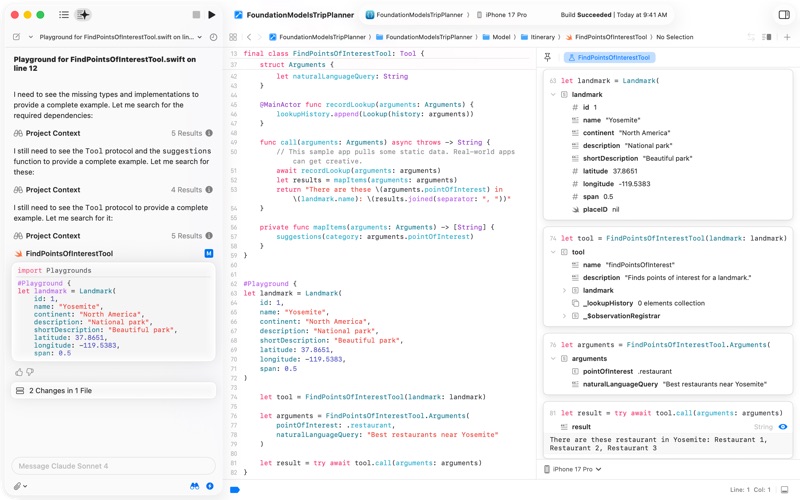
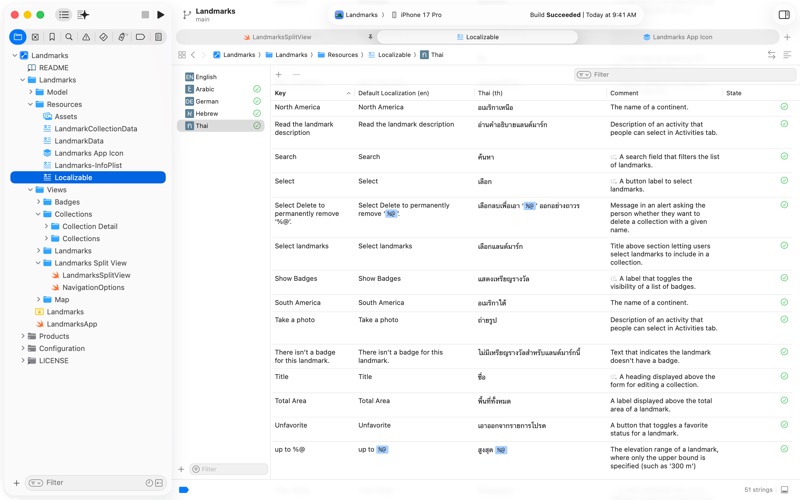
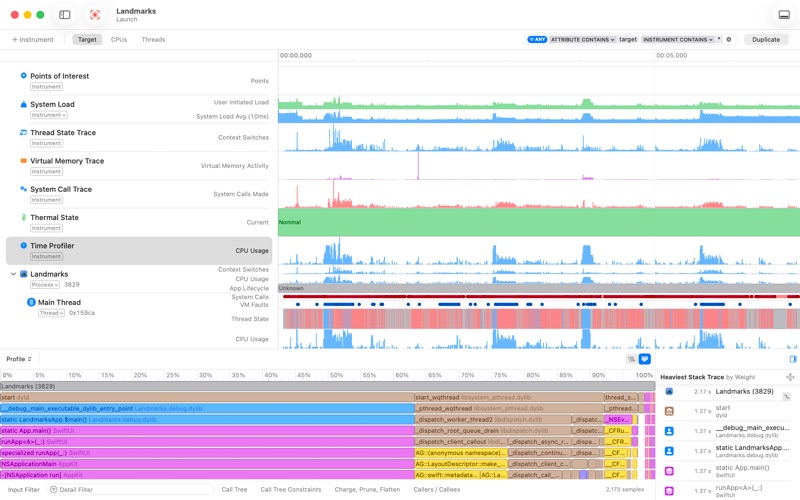
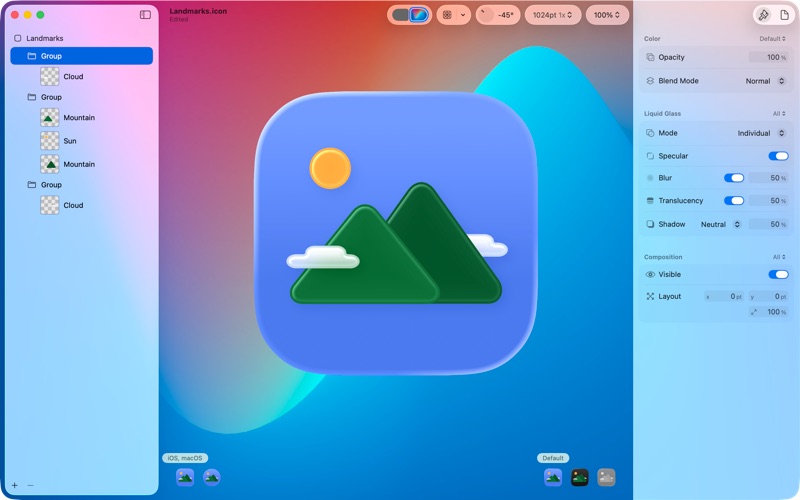
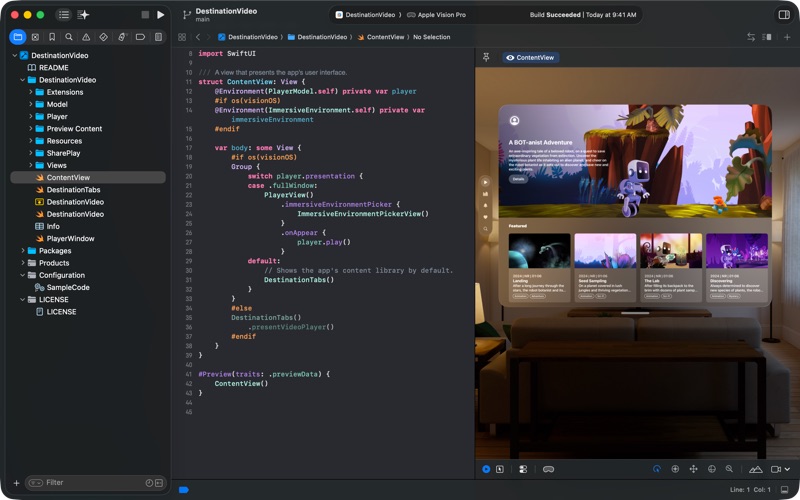
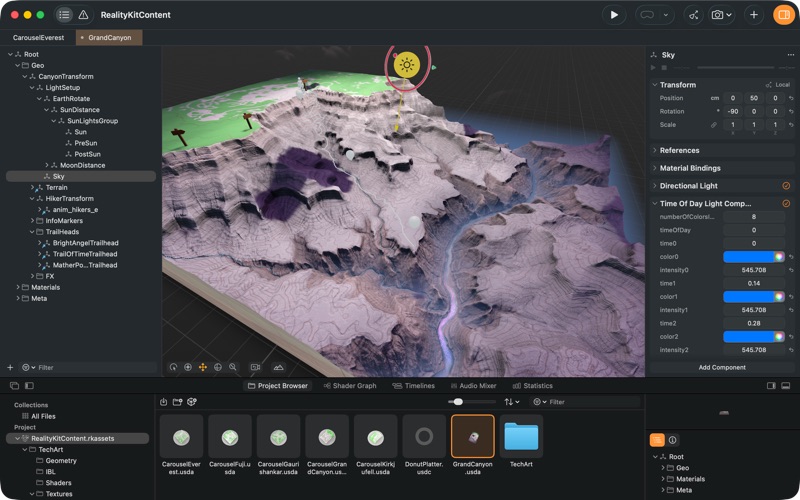
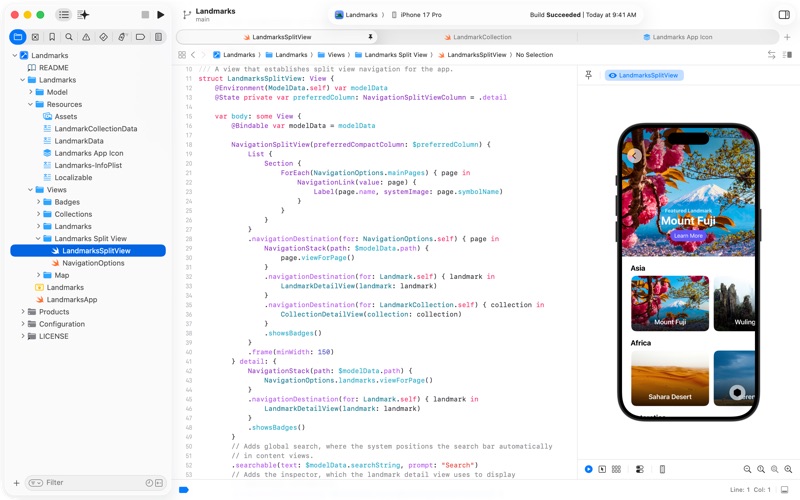
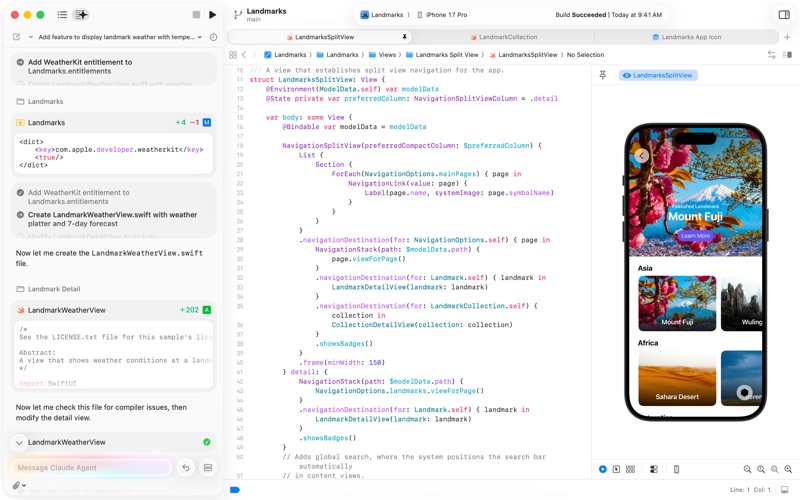
Xcode offers the tools you need to develop, test, and distribute apps for Apple platforms, including predictive code completion, generative intelligence powered by the best coding models, advanced profiling and debugging tools, and simulators for Apple devices. It enables a unified workflow that spans from the earliest stages of app development to testing, debugging, optimization, and app distribution to testers and users. And with the Swift programming language, Xcode makes developing apps easy and fun. Simulator enables rapid prototyping and testing of your app in a simulated environment when a real device isn't available. Instruments helps you profile and analyze your app, improve performance, and investigate system resource usage. And you can use Icon Composer to design stunning layered icons out of Liquid Glass, Reality Composer Pro to create spatial content, train custom machine learning models with Create ML, and identify potential accessibility issues with Accessibility Inspector. To test or run applications on an Apple device, all you need is a free Apple Account. To submit your apps to the App Store, you must be a member of the Apple Developer Program. Some features may require internet access and may not be available in all regions or on all Apple devices.
Screenshots

Reviews

  • 12GB?

    1
    By Mr. Anderson 911
    Why ? That is the question.
  • Xcode Apple Watch Development Is a Broken

    1
    By Sam Sadeghian
    Xcode’s Apple Watch development is broken at the exact point that matters most, the watch development tunnel. The watch is paired, the iPhone is connected, yet Xcode fails to establish the tunnel, flips between disconnected and unavailable states, and then throws misleading nonsense like fake watchOS deployment mismatch errors instead of admitting the real CoreDevice tunnel failure. Apple controls the Mac, iPhone, Watch, and Xcode, so this kind of opaque, self-contradictory failure is embarrassing.
  • Good, just 1 bug

    5
    By JumpingPantsMcGee
    Honestly, Xcode is my favorite developer tool, I can code apps, games, and a bunch of other stuff all in 1 application. If there’s an error, no problem cause it connects to AI tools. The bug however is that when there is an error in your code it tries to keep on executing it, which builds up so much lag that its hard to get rid off
  • Opposite of productivity

    1
    By Unwilling Xcode User
    When Xcode updates, it will no longer allow you to continue using your previous simulator as a run destination. They will force you to install the new version of iOS and create a new simulator. There is no way around this — ChatGPT 5.5 and Claude 4.7 confirmed. Generally, you’ll find Xcode is full of counterproductive, counterintuitive behavior. Objectively the worst tool for professional or recreational mobile development — avoid at all costs.
  • Please Add Full External SSD Storage Support for Xcode

    4
    By Antony Banderos
    Overall, Xcode is an excellent application and an essential tool for creating apps for macOS, iOS, and the Apple ecosystem. However, Apple really needs to improve support for working fully from an external SSD. Right now, Xcode can be installed on an external drive, but many of its related folders — simulators, caches, archives, DerivedData, device support files, and other large development data — are still stored on the internal system drive. This quickly fills up the main Mac drive, especially for users with limited internal storage. It makes development difficult even when a fast external SSD is available. Please add a clear built-in option to move all Xcode-related data to an external drive: simulators, caches, archives, DerivedData, logs, device support files, and downloaded components. Xcode itself is great, but storage management is a serious problem. Please make full external SSD support a priority.
  • Please make it smaller

    2
    By yadavnaom
    Please I just need developer tools and a simulator you can’t even install! Terrible.
  • Amazing tool!

    5
    By Step91
    With agentic AI coding in it, it’s become such an empowering tool!
  • Incremental improvements

    3
    By Yolanda Hodoor
    There’s no other game in town. I often edit in other editors but for the build and run experience I’ll always (need) to come back to Xcode.
  • Annoying.

    3
    By Conabe LLC
    Xcode requires macOS, requires like 20GB of disk space, barely works, takes like a full minute to open, and is the only possible option for iOS development. It’s also a massive pain to use.
  • Workable but sometimes SO dumb

    2
    By randomperson64
    It does the job and is free, but it’s remarkable how godawful the autocomplete is in this application, and it’s also absolutely terrible at diagnosing when things go wrong. Way too many “mystery errors” that are often stemming from a simple fix or an obvious typo, but turn into a needle in a haystack because Xcode can’t or won’t tell me what specifically is the issue. It often feels like Xcode doesn’t have access to the context of my full repository, which is especially baffling/frustrating when every other IDE in the world is capable of in-context autocomplete and consistently highlighting code errors.

keyboard_arrow_up