Xbox Family Settings

Xbox Family Settings

By Microsoft Corporation

  • Category: Lifestyle
  • Release Date: 2020-09-23
  • Current Version: 2026.2.26
  • Adult Rating: 4+
  • File Size: 80.06 MB
  • Developer: Microsoft Corporation
  • Compatibility: Requires iOS 16 or later.
Score: 4.06933
4.06933
From 6,231 Ratings

Description

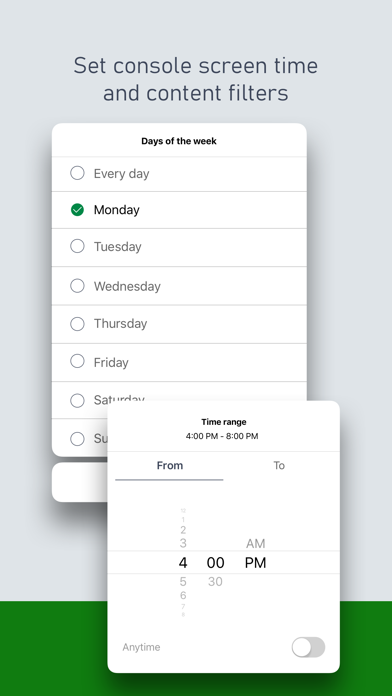
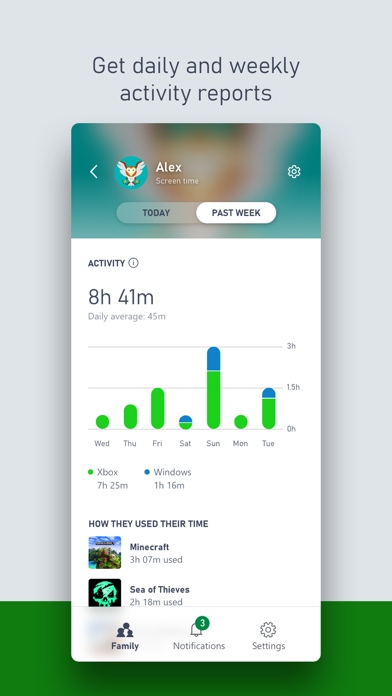
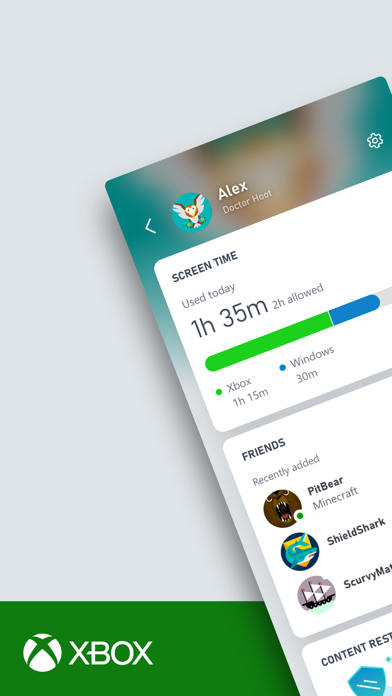
Game time now comes with more peace of mind with the Xbox Family Settings app. Easily manage your children’s activities on Xbox consoles and enable gaming options that are right for your family. Quickly get into the fun by adding your children to your family account in a snap. Set screen time, update content restrictions, and stay on top of incoming friend requests, all in real time. Please refer to Microsoft’s EULA for Terms of Service for Microsoft’s gaming applications on iOS. By installing the app, you agree to these terms and conditions: https://aka.ms/MobileGamingEULA
Screenshots

Reviews

  • Constantly Broken

    1
    By Jecho_3
    They broke this app. It does show screen time usage anymore
  • game time

    2
    By 7–11 40.31046° N, 79.61814° W
    It would be great if Xbox allowed parents to flexibly set game time and reward kids for doing something useful. For example, kids could earn game time for certain achievements, and parents could set those rules themselves. This would make it more of a motivation for kids to do something productive before they play. We all want our kids not just to be into games, but to grow into healthy and smart individuals. It would be great if Microsoft supported this approach and making gaming part of a balanced and motivating experience rather than just pure entertainment. No offense, but such an idea would be a lot more convincing.
  • Bad implementation.

    1
    By ConcernedCitizen117
    Too buggy to use consistently. When extending time it goes through 50% of the time. When it does go through it won’t always tell you for example today. Added 30 minutes with 5 minutes down. In the app it showed 30 extra minutes added. On Xbox it did not. The 5 min ran out and signed out the account. I checked the app and the 30 minutes that were added that were visually shown in the app as added (30 min remaining), were removed. I had add another 30 minutes (second attempt for same exact thing) and finally after signing in the 30 minutes were added. But the 5 minutes warning never showed up for the addition 30 minutes added. This whole ordeal is something that happens in one way or another often.
  • Adding time instead turns to revoked time

    2
    By patterks
    When the time is running out and I want to add another 15-30 mins, it shows that time was added in the app but then almost immediately kicks my child off the game. If I go back and check the app it will show time was revoked. Happens every single time for the last few weeks or so.
  • LET NE

    1
    By Granny yyyy
    LET ME JUST CHANGE MY AGE IM 17
  • Terrible App

    1
    By kgansel
    I’m highly disappointed in this app. It is not very responsive and acts up quite a bit. Not to mention the million times that you have to login to change the chains for your children. Coming from the switch platform when my kids were younger this app is terrible compared to the switch app, which does not give you nearly as many options to control screen time and other items.
  • How can Microsoft suck this bad

    1
    By DTX boston user
    My kid loves Minecraft, but the only way I can apparently manage his account is through this god forsaken app. To add $ to his account (which I don’t even want to do) took me 30 minutes today during which I had to: listen to animal sounds and identify the cat sound among three options - not once, not twice, but FOUR TIMES to “help beat the robots” ?!? And then after I successfully passed that hurdle it told me it could not log me in right now and to “try a different method or try again later.” Honestly, this app must have been developed by a sadist, or an idiot.
  • Big flaws render it basically useless.

    2
    By SteveSchmchr
    The only feature that works and you can trust is the Add Money functions. The time tracking just never updates. Not sure how it can give him warnings but not relay the time he’s been on it to my phone. That doesn’t make any sense. While I type this the people are flying around the moon on that Orion dealy, and yall can’t make the one feature on your app work. Come on guys. Do better.
  • LOVE IT

    5
    By Ty Hellums
    Best app ever for anyone with kids who wanna set a restriction on time and games without moving from your bed
  • Used to work great

    1
    By Slobs2
    It used to be a good app, but it no longer shows usage for today. All usage from today shows up as the day before. If you go online the usage is correct for today. The app is flawed.

keyboard_arrow_up