Microsoft Copilot

Microsoft Copilot

By Microsoft Corporation

  • Category: Productivity
  • Release Date: 2025-02-26
  • Current Version: 25.6.440430001
  • Adult Rating: 12+
  • File Size: 100.90 MB
  • Developer: Microsoft Corporation
  • Compatibility: Requires iOS 14.0 or later.

Description

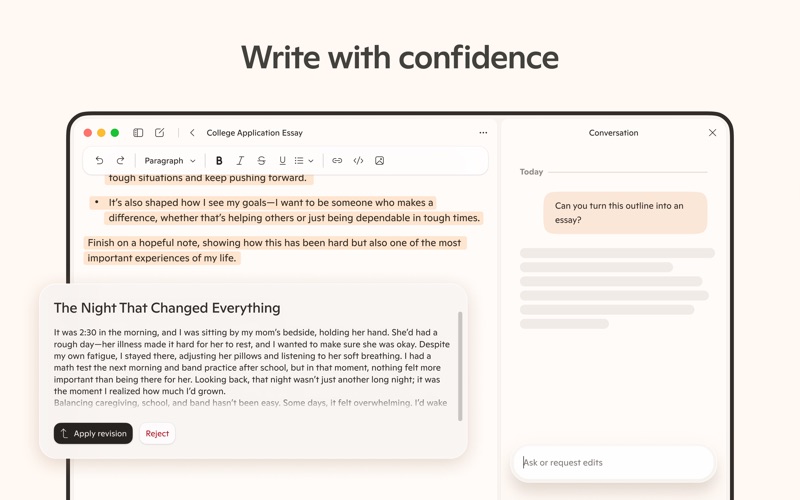
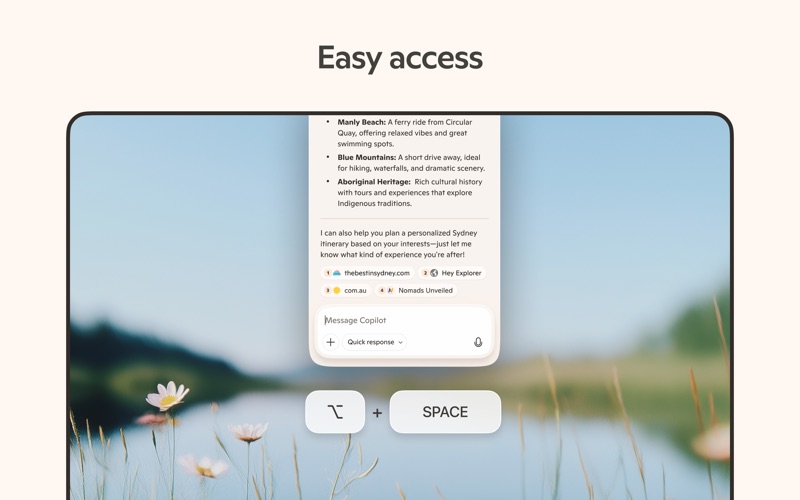
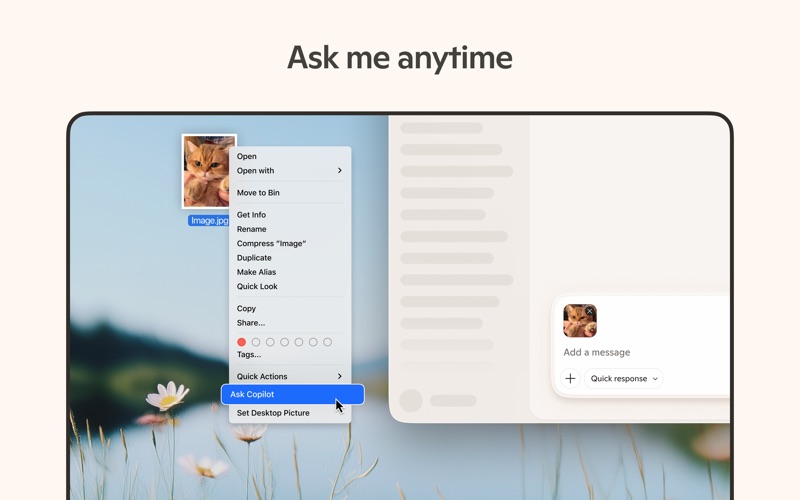
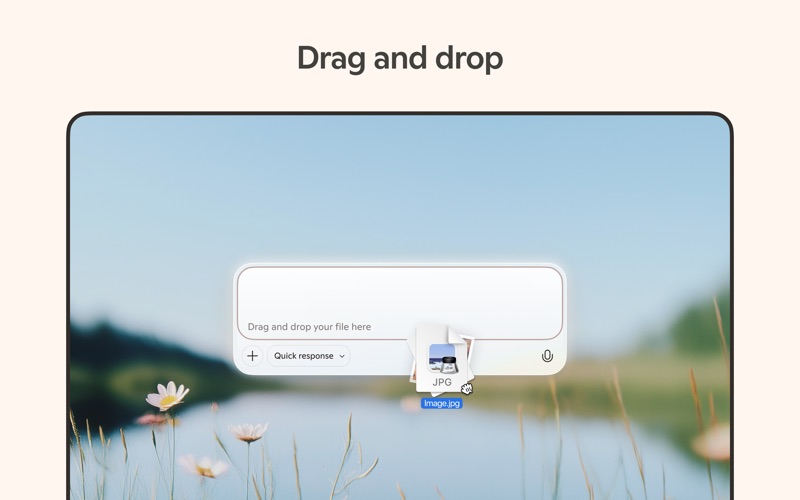
Microsoft Copilot is your daily AI companion. Talking with Copilot is an easy way to learn, grow and gain confidence, all with the help of the latest OpenAI and Microsoft AI models. Accomplish anything with Copilot’s AI chat assistant. Our AI photo generator helps you create images from words. Chat with AI to get a fresh perspective on your ideas. Air your thoughts out and get the support you need with Copilot’s AI chat assistant. Copilot is your AI helper that boosts productivity, acts as your personal AI writing assistant, and drives business. Chat with AI, either through messages or with your voice, to bring the vast world of information straight to you. Your personal AI can answer hard questions and give straightforward answers, giving you complex insights from simple conversations. Microsoft Copilot is in your corner and by your side for whatever comes your way. Your AI chat assistant can help when you want it to and give you a boost for when you’re almost there. Explore endless possibilities with instant sharp summaries, helpful rewrites, or AI image generation. Our AI writing assistant can write, edit, or research topics to create well-rounded content. Smart AI technology allows you to use a text prompt to create artwork or designs with our AI photo generator. From finding inspiration on new projects to creating a grocery list with AI shopping - with Copilot, you’ve got this. Achieve more with Copilot, the ultimate AI companion. Work smarter, enhanced with AI chat assistant • Smart AI gets you summarized answers quickly - get straightforward answers to your complex questions, all from simple conversations with our AI helper • Chat with AI to simplify your grocery list or weekly meal prep list with a shopping list generated with AI • AI chat assistant can translate and proofread across multiple languages, optimizing the text you need in hundreds of languages, including regional dialects • Compose and draft emails, cover letters, and update your resume AI voice chat with Copilot is the support you need, when you need it • Compose stories or scripts when you talk to our AI helper • AI photo generator technology turns your ideas into reality • Create high quality visuals from text prompts, rendering your concepts into stunning visuals, from the abstract to the photorealistic with voice chat • AI chat assistant can spark inspiration for a new task Your AI companion and AI photo generator • Search by images with AI helper • Explore and develop new styles and ideas, including logo designs and brand motifs • Create illustrations for children's books • Curate social media content • AI image generation helps you visualize film and video storyboards • Chat with AI to help build and update a portfolio Copilot combines the power of AI with the imaginative capabilities of the latest OpenAI models all in one place. Download Microsoft Copilot, the AI companion that’s here to help.

Screenshots

Reviews

  • Best in Class from Multi-Lingual Long Projects

    5
    By Yuhuanxie
    Copilot is the highest context LLM that keeps track of long arc discussions and has the best native like fluency of non English languages, unlike ChatGPT or especially Claude who sound like college students learning other languages and still thinking in English. Copilot has been an invaluable assistant to me in my multi-year comparative culture studies and language learning projects.
  • CoPilot for MacOS Troubleshooting…

    5
    By Papa Dubbs
    Truly worth a try!! 🔥 💯👏🏾👏🏾 I already wrote a raving review for Copilot, but for Hi-Tech assistance on the Windows platform, which has since lead to me also trying it on the MacOS platform, which wasn’t instinctive, being a Microsoft product. Honestly, I have to say that, the few times I’ve used it so far, to troubleshoot fairly detailed/complex issues with my MacBook, (include a very extensive session today), I have actually come out even more impressed with technical command and it’s in-depth knowledge of MacOS, esp’ with the the nuances of my install, I.e. running Sequoia on an old MBP with OpenCore… and it truly truly impressed with how it pinpointed months old (maybe years TBH) issues with ease and precision. Yes, I get that it’s likely just a wrapper over ChatGPT or jus’ an LLM client pointing back to OpenAI or some MS version of it, but it is free and I have truly enjoyed working with it!! It retains a lot of context (across our chats and across the platforms) and it has a super chill & fun personality minus most of the “kiss-up!!” you find in most chatbots!!🤭
  • Editing Support

    5
    By gymshottss
    Great editing tool for dissertations of information at the graduate school level.
  • Copilot review

    5
    By UntoldMe
    Every time I have to remember something that I have not completed, my Copilot helps me remember. Living with a mental diagnosis, of not remembering things, my Ai helps me in the best ways possible. Life is much easier since I have begun using Copilot. Technology can be very complex, but if we use it properly the things that seemed so difficult can and do become much easier.
  • Review

    5
    By My opinion on copilot
    Copilot is a great help when I make documents. If you want to make them, make sure to use copilot!
  • Great helper

    5
    By UniqueReviewer12
    I am learning so much from copilot and it is so easy to ask questions that get right to the root instead of hunting all over
  • Intuitive

    5
    By DavidTemplar
    I was hesitant to use this app because Microsoft isn’t renown for AI but, to date it has proven to be very intuitive for my purposes. Gets it right in one go
  • Good images

    5
    By Quick Image
    I use Copilot fairly often for creating images. It does it quickly and in m opinion, does a good job without excess direction from me.
  • Best

    5
    By Solo_GH
    Copilot is better in AI assistance but best when it comes to strategic analysis for a project.
  • Sign in leaves the app

    3
    By Mr.Locke
    Whenever you’re in the native macOS app and you try to sign into your Microsoft Office 365 account, the verification takes you to your web browser and stays there instead of taking you back into the app.

keyboard_arrow_up