Microsoft Authenticator

Microsoft Authenticator

By Microsoft Corporation

  • Category: Productivity
  • Release Date: 2015-05-30
  • Current Version: 6.8.45
  • Adult Rating: 4+
  • File Size: 164.42 MB
  • Developer: Microsoft Corporation
  • Compatibility: Requires iOS 16.0 or later.
Score: 4.72166
4.72166
From 635,925 Ratings

Description

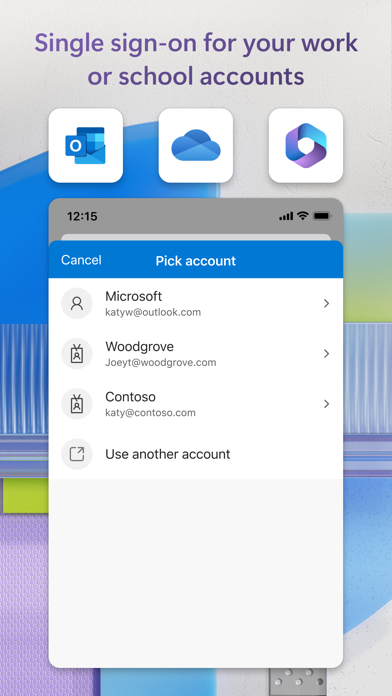
Use Microsoft Authenticator for easy, secure sign-ins for all your online accounts using multi-factor authentication, passwordless, or password autofill. You also have additional account management options for your Microsoft personal, work or school accounts. Getting started with multi-factor authentication Multi factor authentication (MFA)provides a second layer of security. When enabled, during login after entering your password, you’ll be asked for an additional way to prove it’s really you. Either approve the notification sent to the Microsoft Authenticator, or enter the one-time password (OTP) generated by the app. The OTP codes have a 30 second timer counting down. This timer is so you never have to use the same time-based one-time password (TOTP) twice and you don’t have to remember the number. The OTP doesn’t require you to be connected to a network, and it won’t drain your battery. You can add multiple accounts to your app, including non-Microsoft accounts like Facebook, Amazon, Dropbox, Google, LinkedIn, GitHub, and more. Getting started with passwordless Use your phone, not your password, to log into your Microsoft account. Just enter your username, then approve the notification sent to your phone. Your fingerprint, face ID, or PIN will provide a second layer of security in this two-step verification process. After you’ve signed in with two factor authentication (2FA), you’ll have access to all your Microsoft products and services, such as Outlook, OneDrive, Office, and more. Getting started with autofill Microsoft Authenticator app can also autofill passwords for you. Sign-in on the Passwords tab inside the Authenticator app with your personal Microsoft account to start syncing passwords, including the passwords saved in Microsoft Edge. Make Microsoft Authenticator the default autofill provider and start autofilling passwords on apps and sites you visit on your mobile. Your passwords are protected with multi-factor authentication in the app. You will need to prove yourself with your fingerprint, face ID, or PIN to access and autofill passwords on your mobile. You can also import passwords from Google Chrome and other password managers. Microsoft personal, work or school accounts Sometimes your work or school might ask you to install the Microsoft Authenticator when accessing certain organization resources. You will need to register your device to your organization through the app and add your work or school account. Microsoft Authenticator supports cert-based authentication by issuing a certificate on your device. This will let your organization know that the sign-in request is coming from a trusted device and help you seamlessly and securely access additional Microsoft apps and services without needing to log into each.

Screenshots

Reviews

  • How am I supposed to get a code on the authentication app when I’m ALREADY ON IT

    2
    By Dasean Real
    Annoying and buggy. Stupid loop needs to be fixed asap. Locks you out of your account yet when connected to a work profile it’ll ask you for a code on the app itself when you’re already on the app
  • Flawed

    1
    By RafeW1
    You need the Authenticator to log in to the Authenticator so what do I do?
  • Yep

    4
    By Billy bob Jean Jackson
    It’s Microsoft good luck
  • Trash.

    1
    By DanielGainz
    One of the worst Authenticator apps ever if you ever need to update the phone number that’s tied to it. Let me know if this makes sense. In order to sign into the Microsoft authenticator like if you get a new phone and then change your phone number you have to have access to the phone number that was tied to a previously even if you have access to the phone number, it will ask you to authenticate it through the Microsoft authenticator which you’re trying to sign into to be able to approve a sign in in the first place. Long story short you have to have access to the Microsoft authenticator to approve a Microsoft authenticator sign in attempt even if you don’t have access. Absolute garbage.
  • Not working

    1
    By Bbeast0227
    I’m a student using this to get onto onshape. each time I attempt to sign into this app, it tells me to put the password into the app but I can’t because I’m not signed in and then I try to do it by going out then back in, there’s nothing to input 88, then I retry and the same thing happens. each time I attempt to sign into onshape, it says the same thing and drags me to this app to sign into the app. This does not work, I wish it did so that I could get my homework done.
  • Circles

    1
    By Icemandg0718
    I have an account that I keep trying to sign into, but it is requiring me to sign in using Authenticator app. So in order to sign in with the Authenticator app I have to sign in with the Authenticator app. And it goes round and round.
  • Impossible to resolve problems

    1
    By Theycallmeugly
    I have been trying for days to add my work back to my phone and have been unable to do so since this app doesn’t give me anything but a hard time to get it set up. Absolute garbage would not recommend to use if you get a new device
  • Passkey

    3
    By dakiddada
    Been really difficult accessing the Passkey altogether in the Authenticator app, to even be able to update and use it
  • MS Authenticator

    1
    By BarabasJohn
    Horrible, confusing process
  • FREE Trial ain’t free

    1
    By Jenkenkxhome
    Had this app at one point and it disappeared. So trying to re-install only to find that they want money. So disappointing!

keyboard_arrow_up