Microsoft Outlook

Microsoft Outlook

By Microsoft Corporation

  • Category: Productivity
  • Release Date: 2019-01-26
  • Current Version: 16.109.1
  • Adult Rating: 4+
  • File Size: 965.86 MB
  • Developer: Microsoft Corporation
  • Compatibility: Requires iOS 14.0 or later.

Description

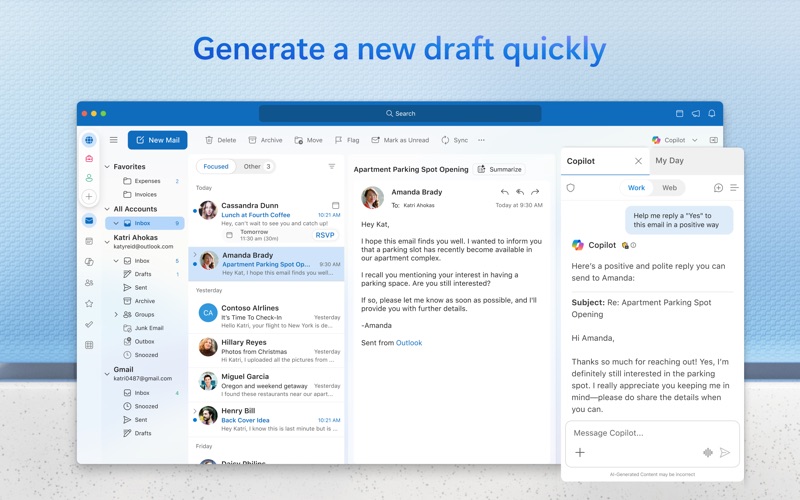
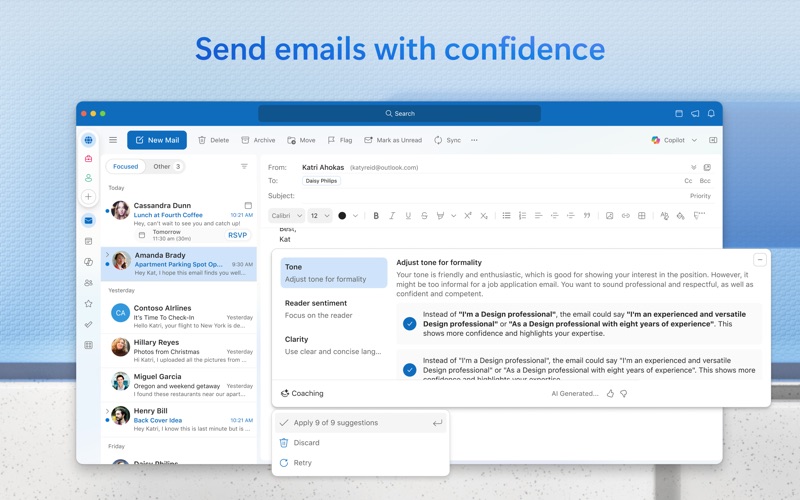
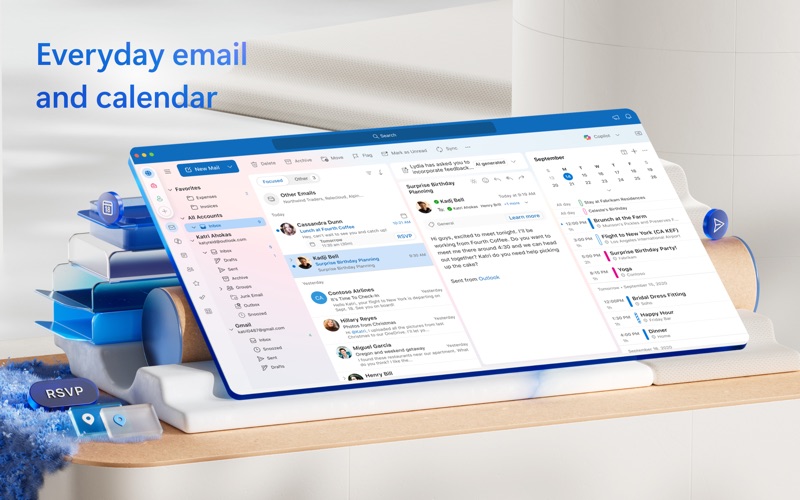
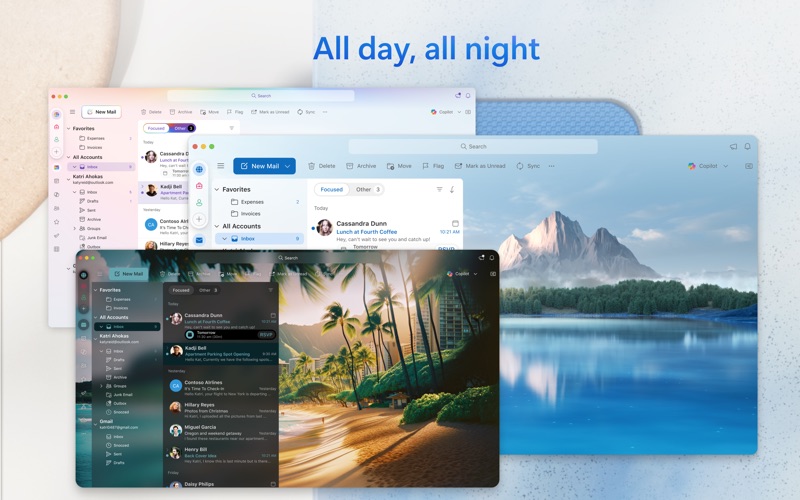
Outlook helps you stay connected and organized at the office and at home with easy access to emails, files, calendar events, and contacts across all your accounts so you can quickly get things done. With Outlook for Mac, we have reimagined the experience that you know and love, bringing even more power and simplicity to the product. Here’s what’s new with Outlook for Mac: Now free with your personal email accounts • Multi-account experience for email, calendar, and contacts, so you can focus and get things done without leaving the app • Compatible with Microsoft 365, Outlook.com (including Hotmail and MSN), Gmail, Yahoo! Mail, iCloud, IMAP, and POP accounts • Add a premium subscription to go ad-free Fast, beautiful, and effortless • Reimagined from the ground up and crafted natively for Mac so that it feels smooth, easy to use, and powerful • End-to-end redesign brings simplicity and customization to your email and calendaring Enhanced speed and performance • Optimized for Apple Silicon • Fast load times and quicker syncing of accounts with Microsoft sync technology Personalized to fit your style • A fully customizable toolbar with your most-used commands at your fingertips • Personalize your workflow with swipe gestures, email pinning, hover actions, theming, display density, and much more Search that works for you • Find what you need quicker and more reliably with enhanced search suggestions, and more An integrated calendar • Make most of your time, plan meetings, check availability, track RSVPs, and share your calendar • Use My Day to surface your agenda and a two-week calendar view alongside your inbox • Set meetings to always-virtual and make your default meetings start or end early Privacy and world-class security • Help protect your data using Microsoft Information Protection This app is provided by either Microsoft or a third-party app publisher and is subject to a separate privacy statement and terms and conditions. Data provided through the use of this store and this app may be accessible to Microsoft or the third-party app publisher, as applicable, and transferred to, stored, and processed in the United States or any other country where Microsoft or the app publisher and their affiliates or service providers maintain facilities. Please refer to the Microsoft Software License Terms for Microsoft Office. See “License Agreement” link under Information. By installing the app, you agree to these terms and conditions. Consumer Health Privacy Policy: https://go.microsoft.com/fwlink/?linkid=2259814
Screenshots

Reviews

  • Gmail Style Client

    1
    By Tmw973
    Gmail style email clients are superior with organization and ease of use/finding and organizing emails. I will be switching soon.
  • Stop Asking

    1
    By Only morons ask for reviews
    Every time you ask for a review, you get 1 star. Maybe stop bugging me for reviews.
  • No Customer Support

    1
    By Frustrated Kar
    Having trouble with my email account. Your website keeps directing me to the same link that does not answer the problem. There is NO ONE TO TALK TO! Your phone nmumber directs me back to the same unproductive website. Going in circles with no resolution. Meanwhile i cannot get my emails.
  • Disappointed

    1
    By Weary of Microsoft
    Outlook used to do a really good job of filtering spam. Now, not only does it not do the one thing it was good at, but it also consumes system resources, making other applications as slow and cumbersome as itself. I would give it zero stars if possible.
  • Mister Luis

    5
    By LuisTorres1995
    So great to be back on Outlook. Left corporate America and now Microsoft is so great. I can connect all of my charitable emails under one platform.
  • CO - Pilot

    5
    By Matsweeper01
    Outlook works great and co-pilot is awesome addition but it needs to stop autocorrecting “him” or “her” to “them”. If I write an email and say “I told him to provide a documento to help him”. The co-pilot will suggest, “I told them to provide a document to help them”. I have to go back and change this. STOP USING THEM. CLEARLY from my original document I state HIM or HER. I only use THEM when there are more than one physical human people (as in plural).
  • H

    1
    By Sane lae lae mon
    It’s not free
  • Microsoft Outlook Review

    5
    By info.txt
    I love Microsoft Outlook and it’s very easily accessible.
  • Makes me miss windows

    1
    By Grand -88
    Glitchy, slow, and very limited adaptation of outlook
  • Allow a way to Set A Default Email “From” address

    3
    By SE3DC
    Currently, Outlook defaults to the “from” address that is used to sign into your outlook account. I have an alias established and I do NOT want to use that alias as my from email address. This forces me to remember to the address box and change it which I sometimes forget to do. I would like a way to set a default From address.

keyboard_arrow_up