

OneDrive

OneDrive

By Microsoft Corporation

  • Category: Productivity
  • Release Date: 2014-02-24
  • Current Version: 26.062.0402
  • Adult Rating: 4+
  • File Size: 109.20 MB
  • Developer: Microsoft Corporation
  • Compatibility: Requires iOS 13.0 or later.

Description

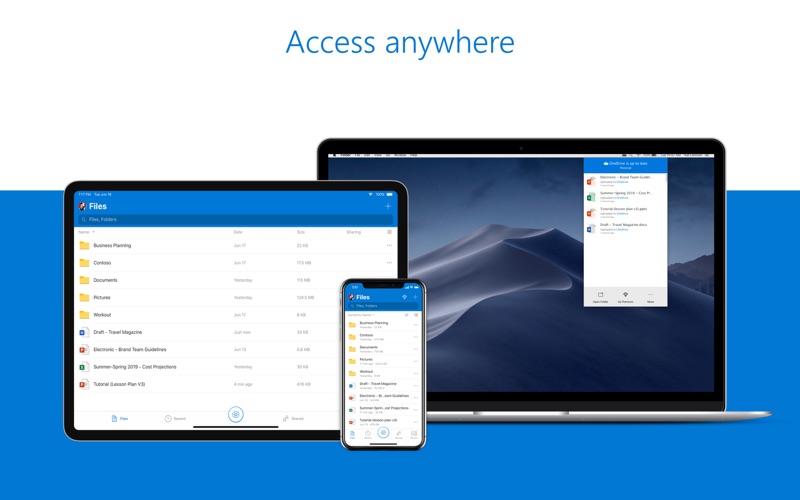
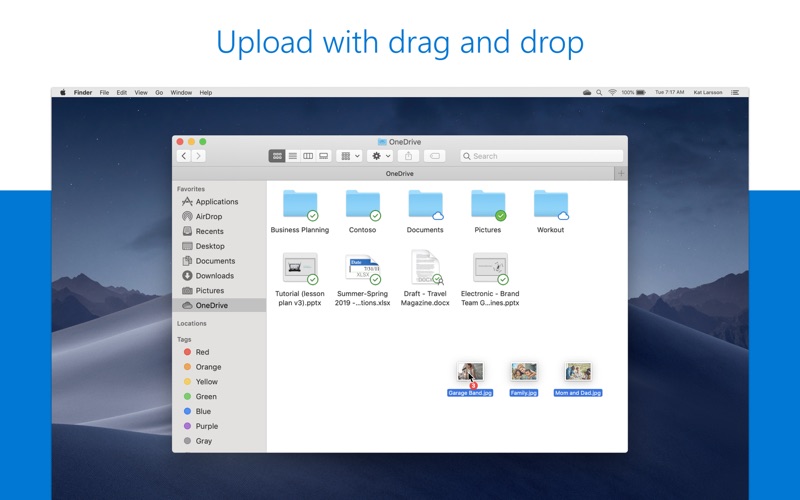
Start with 5 GB of free cloud storage or upgrade to a Microsoft 365 subscription to get 1 TB of storage. Microsoft 365 includes premium Microsoft 365 apps, 1 TB cloud storage in OneDrive, advanced security, and more, all in one convenient subscription. With Microsoft 365, you get features as soon as they are released ensuring you’re always working with the latest. Microsoft OneDrive keeps your files and photos backed up, protected, synced, and accessible on your Mac and across all your other devices. Easily share documents, photos, and other files with friends, family, and colleagues. Know that your files are safe with advanced security features that protect what’s important. Protection and Security • Your OneDrive files are backed up and available even if something happens to your Mac. • Your files are encrypted in OneDrive. • Keep important files secured with Personal Vault.** • Restore documents with version history. • Stay protected with ransomware detection & recovery.* Access • Access your files using Finder in Mac OS, OneDrive online or in the mobile app. • Access files offline on your smartphone, Mac, or tablet. • Save local space on your Mac with Files On-Demand. File sharing • Share docs, photos, videos, and albums with friends and family. • Work in the same document with others in real time with Microsoft 365 apps. • Get notifications when a shared document is edited. • Set password-protected or expiring sharing links.* • Keep files private in OneDrive unless your share them Microsoft 365 Apps • OneDrive works with Microsoft Word, Excel, PowerPoint, OneNote and Outlook. • Access, back up, view, save. and share your Microsoft 365 documents. • Collaborate in real time on Word, Excel, PowerPoint, and OneNote files stored in OneDrive. *Requires a Microsoft 365 subscription **Mac users can access and use Personal Vault by visiting onedrive.com on a browser. Learn more about Microsoft 365 Microsoft 365 is a cloud-based subscription service that brings together premium versions of Word, Excel, PowerPoint, Outlook and OneDrive, with the best tools for the way people work today. Please visit: http://go.microsoft.com/fwlink/?linkid=2015120 for information on Licensing Terms. Unlock the full Microsoft 365 experience with a qualifying Microsoft 365 subscription for your phone, tablet, PC, and Mac.  Microsoft 365 annual subscriptions purchased from the app will be charged to your App Store account and will automatically renew within 24 hours prior to the end of the current subscription period unless auto-renewal is disabled beforehand. You can manage your subscriptions in your App Store account settings. This app is provided by either Microsoft or a third-party app publisher and is subject to a separate privacy statement and terms and conditions. Data provided through the use of this store and this app may be accessible to Microsoft or the third-party app publisher, as applicable, and transferred to, stored, and processed in the United States or any other country where Microsoft or the app publisher and their affiliates or service providers maintain facilities. Please refer to the Microsoft Software License Terms for Microsoft 365. See “License Agreement” link under Information. By installing the app, you agree to these terms and conditions.
Screenshots

Reviews

  • Keeps crashing out constantly

    1
    By Corlo P
    This was a good solution for storage and file syncing for a long time, but recently it is becoming a major headache on my Mac. The app keeps closing with no notification at all. Sometimes I’ve thought I had my files synced, but they were not since the app inadvertently closes once and again. I’m now thinking of stop using it at all, I’ll probably cancel my 365 subscriptions because I’ll have to pay somewhere else for a good cloud storage service.
  • App icon silently disappears all the time

    1
    By XThang
    It seems like the app crashed silently and the icon in the top bar disappeared after starting the app
  • No support for Personal Vault

    2
    By randallkingsavedbygrace
    It’s extremely disappointing that I cannot access my Personal Vault files directly in Finder. I’m required to go through a web browser. Other than that, the app and its syncing work great.
  • Not Mac Ready

    2
    By ShmittyX
    OneDrive is simply not ready for the iOS platform. Files get corrupted, sometimes my school files even show up in my work files after I know for certain I saved them to my school drive. I spend more time trying to reorganize files than it is worth. I wish it was simple, but it is not.
  • This

    1
    By Cbass6969
    Reeks
  • Absolutely Stupid…Still

    1
    By Zoso67
    UPDATE (3/21/26) After a year of ignoring this app I decided to check it again to see if Microsoft fixed the GLARING issue with the app……I have a 1TB external drive I want to use for One Drive. One Drive lets me choose it but then promptly stores the One Drive folders under \users\my username\library\cloudstorage\onedrive and just puts a alias in the location on my external drive that I chose when installing the app. I never remove this external drive. This is a stupid bug. Fix it. I noticed the installer creates the one drive folder under username\library before the installer even finishes loading. Clearly MS does not want you to change the location.
  • Feb-2026 - app doesn’t work*found fix in app folder…

    3
    By Jackal X
    Just launches, and then error loops and tells me to try restarting again. That is not a fix. *Update, found the solution online is a local script held within the Onedrive application resources 5 layers deep called “reset one drive” and “reset credentials”. WOuld be nice if error 93 sent me to a help page that had those options listed, and not “restart again and cross your fingers”.
  • Total failure

    1
    By _NM_
    OneDrive has been plagued with problems for as long as I can remember: For starters, it is slow, especially when it comes to uploading data. It does not allow editing files on iPad and iOS. Synchronization seems to stop around 40% drive capacity. I plan to get rid of MS Office.
  • the app keeps closing.

    2
    By c-MaCKiN
    i have an m4 macbook pro. this app keeps closing randomly. it’s so annoying lol.
  • The. Absolute. Worst.

    1
    By Geo-literate American
    I’ve been a paying customer of Microsoft365 / Office365 for longer than I care to share. I have uploaded literally hundreds of gigs into OneDrive. Now, as I need to back them up, it’s literally impossible for me to do so: technical issue after technical issue after technical issue. And the support is useless. Save your money. Save your time. Don’t use OneDrive. Use literally anything else.

keyboard_arrow_up


