Link to Windows

Link to Windows

By Microsoft Corporation

  • Category: Productivity
  • Release Date: 2023-02-28
  • Current Version: 1.26041.21
  • Adult Rating: 4+
  • File Size: 99.87 MB
  • Developer: Microsoft Corporation
  • Compatibility: Requires iOS 16.6 or later.
Score: 4.00054
4.00054
From 13,014 Ratings

Description

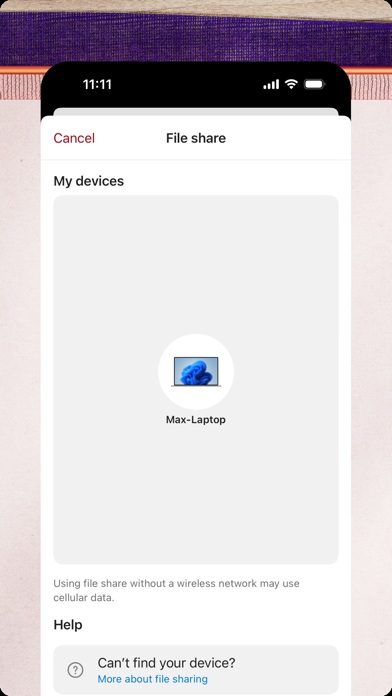
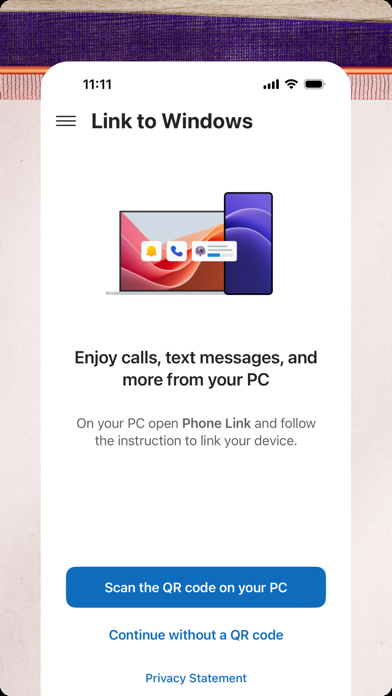
You love your phone. So does your PC. Get instant access to everything you love on your phone, right from your PC. To get started, connect your iPhone with the Phone Link Feature on your Windows PC. Enjoy these Phone Link features on your PC: • Make and receive calls • Manage your phone's notifications • Read and reply to text messages • View your phone contacts • Share files between your phone and PC Phone Link for iOS requires iPhone running iOS 16 or higher, and a PC with Bluetooth Low Energy (BLE) support running Windows 10 (with the May 2019 Update or later) or Windows 11. Not available for iPad (iPadOS) or MacOS. By installing this app, you agree to the Microsoft Terms of Use https://go.microsoft.com/fwlink/?LinkID=246338 and Privacy Statement https://go.microsoft.com/fwlink/?LinkID=248686

Screenshots

Reviews

  • Pink kisses

    5
    By Eve🤲🏽
    Ok
  • Decent

    3
    By Jgpeterson2015
    I am happy I can send text on my computer instead of picking my phone up every few seconds BUT you can’t use group text. Which I use for my crews at work. Also if a new message that you haven’t recently messaged before text that doesn’t come through unless you re sync.
  • Disappointed in text display

    3
    By Mjtcds
    Very few of the texts display. Before switching from Samsung virtually all of the texts were displayed.
  • Life Saver

    5
    By Quantumsyd
    Multi-task help so I can share my phone with my kids while working on laptop too!
  • Great

    5
    By mh🏳️‍🌈🏳️‍🌈
    I love being able to check my messages from my computer
  • I love being able to send and receive texts on my PC

    2
    By MathisBRogers
    Instead of having to grab my iPhone, like others, I wish it would display images and allow group texts, and display the entire thread. However one thing that aggravates me is, when I am typing a message and I receive a text from someone else, the new message pops up and I have to exit the new text and scroll back up or down to the message I am texting. I don’t lose it, but I have to go find it. The most aggravating thing, though, is when I type a long message and hit Send, I will get a message that says “We’re having trouble connecting…” but in the top left corner it shows that the phone IS connected. It is happening randomly—at the worst time possible—on my HP laptop AND my Bosses Microsoft Surface. I have made sure my iPhone, the App, and the laptops are updated. And it still happens. I am unable to purchase a MacBook at this time, so I hope Microsoft can get the issue resolved.
  • Review on link to windows

    4
    By Mernander
    It’s great most of the time although my only qualm is that it will disconnect more times than I’d prefer. Other than that it’s great!
  • Very limited

    2
    By Seth Lou
    This app is extremely limited. It should be more comprehensive than limited to sms messaging. This app is severely missing ability for attachments
  • Gerben

    5
    By Gnijland
    Is perfect as you can answer promptly on your computer
  • Small bugs

    4
    By BillVA123
    Overall I appreciate this app very much. It does have a slight tendency to switch back to the phone without my input.

keyboard_arrow_up